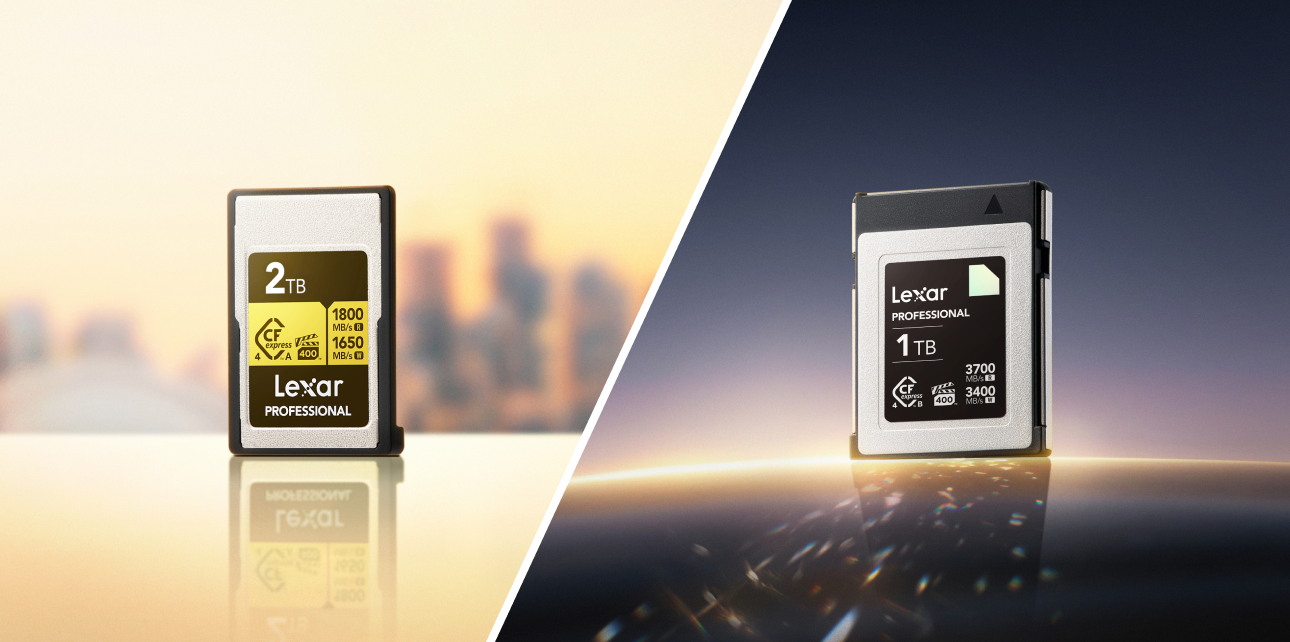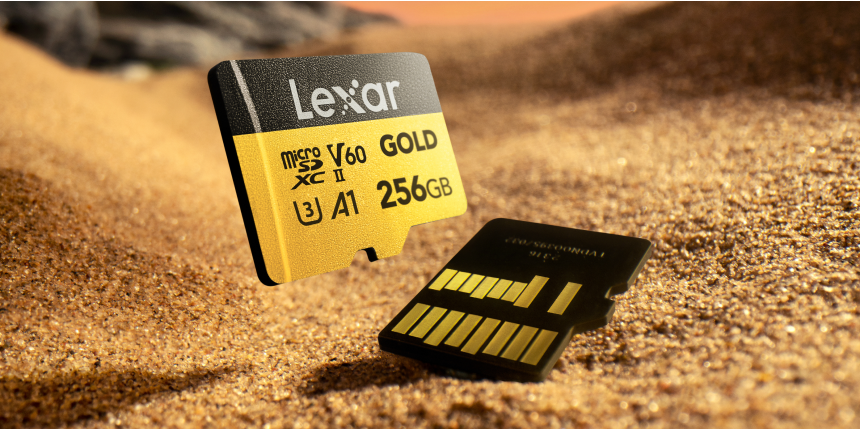


The fastest microSD card available right now is the Lexar® PLAY PRO microSDXC™ Express Card, hitting read speeds up to 900MB/s and write speeds up to 600MB/s. Below that sits the Lexar® Professional GOLD microSDXC™ UHS-II Card at 280MB/s read and 180MB/s write, followed by the SILVER PLUS at 160MB/s and the BLUE Series at 100MB/s.
Which one you actually need depends on two things: what your device supports, and what your workflow demands. A card running at 900MB/s in a device with a UHS-I slot will perform exactly like a 100MB/s card. Understanding the interface standards is the difference between buying the right card and overspending on one your device can’t use. This guide covers all of it – the speed standards, the full Lexar lineup with verified specs, and the right pick by use case.
What Makes a microSD Card Fast? Speed Classes Explained
The speed number printed on a microSD card only tells part of the story. Three separate rating systems govern what a card can do – and each measures something different.
Read Speed vs. Write Speed
Read speed determines how fast data moves off the card – relevant for file transfers to a computer, loading game assets in a console, and playing back media directly from the card.
Write speed determines how fast data records onto the card – the number that matters for photographers shooting burst sequences and video creators recording high-bitrate footage. A card with strong read speed but weak write speed will buffer during demanding recording sessions.
The two numbers are independent. Always check both when evaluating a card for recording workflows. Understanding how to read the markings on the front of a memory card makes comparing specs across cards much faster.
UHS-I vs. UHS-II vs. microSD Express
The bus interface is the physical communication pathway between the card and the device. It sets the absolute ceiling on what speeds are possible, regardless of what the card itself is rated for.
- UHS-I – Uses a single row of pins. Theoretical maximum: 104MB/s. The standard interface found in the vast majority of cameras, smartphones, drones, action cameras, and gaming devices currently in use.
- UHS-II – Adds a second row of pins at the back of the card. Theoretical maximum: 312MB/s. Compatible with UHS-I slots (at UHS-I speeds), but reaches full performance only in UHS-II enabled devices. Per SD Association specifications, the dual-row design is what enables the significant speed increase over UHS-I.
- microSD Express – A fundamentally different architecture. Per the SD Association specification, microSD Express uses PCIe 3.0 and NVMe 1.3 interfaces – the same technology used in laptop SSDs, adapted into the microSD form factor. The Lexar® PLAY PRO microSDXC™ Express Card uses this interface to reach 900MB/s read. It is backwards-compatible with UHS-I and UHS-II slots but operates at UHS-I speeds in those devices. For a deeper look at how the standard works, Lexar’s guide to what microSD Express is covers the architecture in detail.
Practical implication: check your device’s listed interface support before selecting a card. The Nintendo Switch 2 requires microSD Express for expandable storage. Most current cameras and smartphones support UHS-I; a growing number of professional cameras support UHS-II.
Video Speed Class Ratings (V30, V60, V90)
Video Speed Class ratings, defined by the SD Association, specify the minimum guaranteed sustained write speed a card maintains during continuous recording. Burst peaks don’t matter here – it’s the floor that counts, because a drop below minimum write speed causes dropped frames.
- V30 – minimum 30MB/s sustained write. Covers Full HD and standard 4K recording at typical bitrates.
- V60 – minimum 60MB/s sustained write. Handles high-bitrate 4K recording and entry-level 8K workflows. See V60 SD cards explained for a deeper breakdown of when this rating is the right choice.
- V90 – minimum 90MB/s sustained write. The professional standard for 4K RAW, 6K, and 8K recording at maximum bitrates. For a full breakdown of which cameras and workflows require this rating, see V90 SD cards explained.
Application Performance Class (A1, A2) covers a separate use case: random read/write performance for apps running directly from the card. A1 specifies a minimum of 1,500 random read IOPS and 500 random write IOPS. A2 requires 4,000 random read IOPS and 2,000 random write IOPS. Relevant for Android devices running apps from external storage; not relevant for cameras or gaming consoles.
Lexar’s Fastest microSD Cards: 2026 Lineup
All specifications below are sourced directly from Lexar’s official product pages and press releases. No estimated or interpolated figures are used.
GOLD Series – Professional 4K/8K Performance
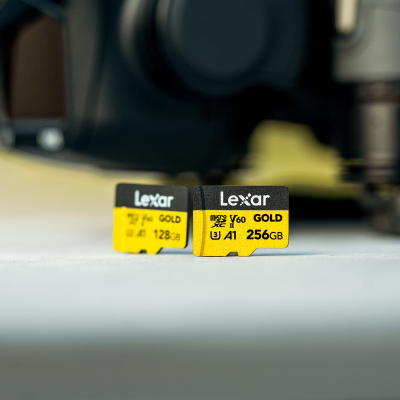
The Lexar® Professional GOLD microSDXC™ UHS-II Card is Lexar’s fastest UHS-II microSD card, rated at read speeds up to 280MB/s and write speeds up to 180MB/s. It carries a V90 Video Speed Class rating, an A2 Application Performance Class designation, a UHS-II interface, and is available in capacities up to 256GB.
The V90 certification is the defining spec for professional video work. It guarantees 90MB/s write as a sustained floor during continuous recording – not a burst peak that drops when the buffer fills. For camera operators shooting 4K RAW, 6K, or 8K at maximum bitrates, that guaranteed floor is the functional requirement. The high write speed also directly impacts burst mode photography performance – a faster card clears the camera buffer sooner, allowing longer sequences before slowdown. When paired with a UHS-II card reader, the 280MB/s read speed also means fast offload to an editing workstation.
Interface: UHS-II | Read: up to 280MB/s | Write: up to 180MB/s | Video Class: V90 | App Class: A2 | Max Capacity: 256GB
SILVER PLUS Series – Best All-Around Speed
The Lexar® Professional SILVER PLUS microSDXC™ UHS-I Card delivers read speeds up to 160MB/s and write speeds up to 130MB/s on a UHS-I interface, with a V60 Video Speed Class rating, A2 Application Performance Class, and capacity up to 1TB.
This is the all-around pick for a clear reason: it extracts maximum performance from the UHS-I interface – which is what the majority of cameras, drones, action cameras, and handheld gaming devices actually support. The V60 rating holds 60MB/s write during continuous recording, covering high-bitrate 4K without issue. The 1TB ceiling solves a capacity problem that the GOLD Series (capped at 256GB) doesn’t address. For a direct comparison of what separates these two tiers in real-world use, Lexar GOLD vs. SILVER cards compared breaks down the decision clearly.
Interface: UHS-I | Read: up to 160MB/s | Write: up to 130MB/s | Video Class: V60 | App Class: A2 | Max Capacity: 1TB
PLAY PRO microSD Express – Next-Gen Speed
The Lexar® PLAY PRO microSDXC™ Express Card is in a separate category from the UHS lineup. Built on the PCIe 3.0 and NVMe 1.3 interfaces as defined by the SD Association’s microSD Express specification, it reaches read speeds up to 900MB/s and write speeds up to 600MB/s. Capacities are available in 256GB, 512GB, and 1TB. The card is backwards-compatible with UHS-I and UHS-II host devices – it will work in those slots at UHS-I speeds.
To put the 900MB/s read figure in context: it is roughly 3x the theoretical maximum of the UHS-II interface and approximately 9x what a UHS-I slot can sustain. Those speeds are only accessible in a device with a microSD Express slot. The Nintendo Switch 2 is the primary current consumer device supporting this interface. Lexar’s own microSDXC™ Express Card Reader also unlocks these speeds for file transfers via USB 3.2 Gen 2. The PLAY PRO is IPX7 waterproof, wearproof, temperature-proof, X-ray proof, vibration-resistant, and comes with a limited lifetime warranty and lifetime access to the Lexar Recovery Tool.
Interface: microSD Express (PCIe 3.0 + NVMe 1.3) | Read: up to 900MB/s | Write: up to 600MB/s | Max Capacity: 1TB
BLUE Series – Reliable Everyday Performance
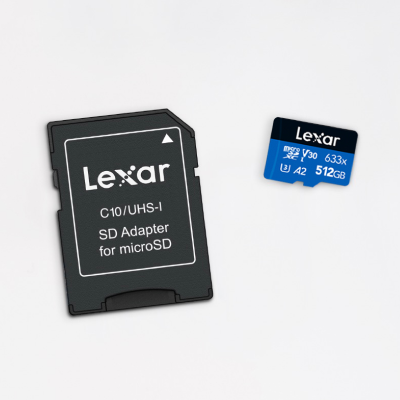
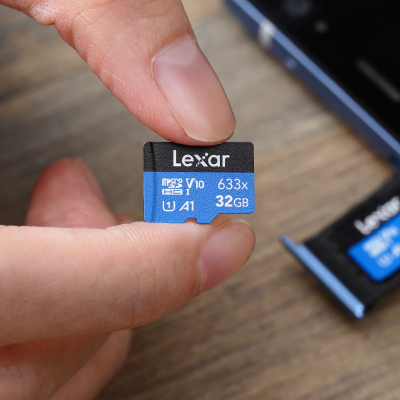
The Lexar® High-Performance 633x microSDHC™/microSDXC™ UHS-I Card BLUE Series offers read speeds up to 100MB/s and write speeds up to 70MB/s on a UHS-I interface, with a V30 Video Speed Class rating and A1 Application Performance Class. Available in capacities up to 512GB.
V30 certification guarantees at least 30MB/s during continuous recording – the threshold for clean Full HD video capture. The BLUE Series is the right choice when the device has a UHS-I slot, the workflow doesn’t push against V30 limits, and paying for SILVER PLUS speed headroom would go unused. Full HD video, everyday photography, expanded smartphone or tablet storage – this card covers all of it without compromising on reliability.
Interface: UHS-I | Read: up to 100MB/s | Write: up to 70MB/s | Video Class: V30 | App Class: A1 | Max Capacity: 512GB
Speed Comparison Table
| Card | Interface | Read Speed | Write Speed | Video Class | App Class | Max Capacity |
|---|---|---|---|---|---|---|
| PLAY PRO Express | microSD Express (PCIe 3.0 + NVMe 1.3) | Up to 900MB/s | Up to 600MB/s | – | – | 1TB |
| GOLD Series | UHS-II | Up to 280MB/s | Up to 180MB/s | V90 | A2 | 256GB |
| SILVER PLUS Series | UHS-I | Up to 160MB/s | Up to 130MB/s | V60 | A2 | 1TB |
| BLUE Series (633x) | UHS-I | Up to 100MB/s | Up to 70MB/s | V30 | A1 | 512GB |
The PLAY PRO column has no Video Speed Class or Application Performance Class entry because the microSD Express specification uses different performance metrics rooted in PCIe/NVMe architecture – the V-class and A-class systems were designed specifically for the UHS interface standards.
Best microSD Card by Use Case
Matching the card to the device and workflow matters more than chasing the highest speed tier. Here’s the right Lexar pick for each common scenario.
Best for GoPro and Action Cameras
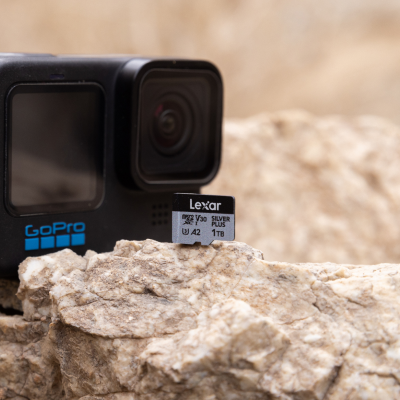
Most current GoPro and action camera models use UHS-I card slots. For these devices, the Lexar® Professional SILVER PLUS microSDXC™ UHS-I Card is the right pick. Its 130MB/s write speed and V60 Video Speed Class rating comfortably cover high-bitrate 4K recording at the frame rates action cameras typically use. The BLUE Series at V30/70MB/s write covers standard 4K recording at typical bitrates – adequate for everyday use, but the SILVER PLUS provides better headroom for action cameras recording in high-quality modes.
For a broader look at how to match storage specs to different camera types, choosing memory cards for cameras walks through the decision framework by camera category. Always verify your specific camera model’s supported card specifications before purchasing.
Best for Nintendo Switch and Steam Deck
This is where the card choice depends entirely on the specific device generation.
Nintendo Switch 2: Requires microSD Express for expanded storage. The Lexar® PLAY PRO microSDXC™ Express Card – available in 256GB, 512GB, and 1TB – is specifically engineered for this console. Its 900MB/s read and 600MB/s write speeds mean game assets load faster, downloads complete faster, and performance approaches internal storage speeds. Legacy UHS cards are not compatible with the Switch 2’s expanded storage slot. For the full breakdown of why Nintendo moved to this standard and what it means for gamers, see Nintendo Switch 2 and the microSD Express specification.
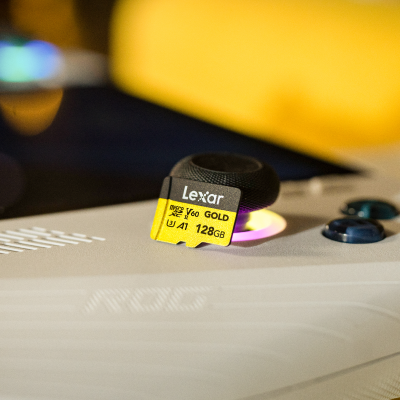
Nintendo Switch (original/OLED/Lite): These use a UHS-I slot. The Lexar® Professional SILVER PLUS microSDXC™ UHS-I Card at up to 1TB and 160MB/s read extracts maximum performance from that interface. The Lexar® High-Performance 633x microSDHC™/microSDXC™ UHS-I Card BLUE Series at 100MB/s read is also a solid, cost-effective option for casual game libraries.
Steam Deck: Uses a UHS-I microSD slot. The Lexar® Professional SILVER PLUS microSDXC™ UHS-I Card at 160MB/s read and up to 1TB maximizes load times and storage within the device’s interface capability. For a full guide to Lexar’s console and handheld gaming storage options, see Lexar storage solutions for gamers.
Best for Drones and Aerial Photography
Drones recording 4K or higher video require a microSD card that sustains adequate write speed during continuous recording – dropped frames mid-flight aren’t recoverable. Most current consumer and prosumer drones use UHS-I slots.
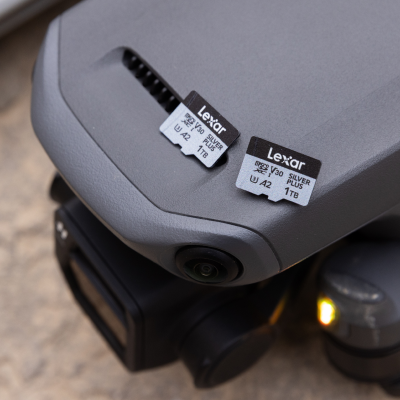
For 4K recording at high bitrates, the Lexar® Professional SILVER PLUS microSDXC™ UHS-I Card at V60 and 130MB/s write is the recommended pick – the V60 floor ensures sustained performance even during the longer continuous shots typical of aerial work. For standard 4K at typical bitrates, the Lexar® High-Performance 633x microSDHC™/microSDXC™ UHS-I Card BLUE Series at V30 covers the requirement. For a detailed breakdown of drone-specific storage considerations including temperature performance and durability, see best microSD card for drones.
Best for Dash Cams and Security Cameras
Dash cams and security cameras have a specific requirement that differs from other use cases: continuous loop recording, where the card is written to non-stop for extended periods. Sustained write performance and durability over long write cycles matter more than peak speed.
The Lexar® High-Performance 633x microSDHC™/microSDXC™ UHS-I Card BLUE Series covers Full HD and standard 4K dash cam recording with its V30 rating and 70MB/s write speed. For dash cams recording at 4K with higher bitrates, the Lexar® Professional SILVER PLUS microSDXC™ UHS-I Card’s V60 and 130MB/s write provides the needed headroom. For a focused guide to selecting the right card for this specific use case, best microSD cards for dash cams covers the key selection criteria. Format the card in-device regularly to maintain write performance over time.
Best for Smartphones and Tablets
Most Android devices with microSD slots support UHS-I. Within that interface, the right card depends on how you’re using the storage.
For media storage, the Lexar® High-Performance 633x microSDHC™/microSDXC™ UHS-I Card BLUE Series at 100MB/s read handles playback and transfers reliably. For running apps directly from the card on A2-compatible Android devices, the Lexar® Professional SILVER PLUS microSDXC™ UHS-I Card with its A2 rating delivers more responsive random read/write access. If you’re deciding between microSD sizes for your device, the guide to microSD card sizes helps clarify which capacity tier fits different storage patterns.
How to Choose the Right High-Speed microSD Card
Three questions narrow down the right pick faster than any spec comparison.
Capacity Considerations
Capacity needs vary by use case. For reference points:
- Action cameras and drones: 4K footage at high bitrates generates roughly 1.5-3GB per minute depending on codec and quality settings. A 256GB card holds approximately 85-170 minutes of continuous 4K at high quality. Longer shoots need 512GB or more.
- Gaming: Modern AAA games range from 50-150GB per title. A 1TB card fits 8-15 large titles depending on game size. The Lexar® PLAY PRO microSDXC™ Express Card and Lexar® Professional SILVER PLUS microSDXC™ UHS-I Card both offer 1TB options.
- Photography: A 45MP RAW file runs approximately 50-100MB. A 256GB card holds thousands of RAW files – capacity is rarely the constraint for photographers. Speed typically matters more than storage volume for this workflow.
- Smartphones: Media libraries, apps, and downloaded content can easily reach 200-400GB for heavy users. The 512GB BLUE Series or 1TB SILVER PLUS cover long-term needs without frequent offloading.
Device Compatibility
The device’s supported interface is the first check – not the card’s rated speed.
- Identify whether your device supports UHS-I, UHS-II, or microSD Express. This is listed in the device’s technical specifications.
- UHS-II cards work in UHS-I slots at UHS-I speeds. There’s no compatibility issue, only a speed cap.
- microSD Express cards work in UHS-I and UHS-II slots at UHS-I speeds. The Nintendo Switch 2 requires microSD Express for expanded storage – standard UHS cards do not work in its expanded storage slot.
- Card capacity must be within the device’s supported maximum. Most modern devices support cards up to 1TB; older devices may cap at 128GB or 256GB. Confirm in the device’s documentation.
Price vs. Performance
The right card is the one that matches your device’s interface and your workflow’s speed floor.
- If your device is UHS-I, there is no real-world benefit to buying a UHS-II card. The SILVER PLUS already extracts maximum UHS-I performance at 160MB/s read and V60.
- If your device is UHS-II, the GOLD Series at 280MB/s read and V90 delivers the full benefit of that interface for professional recording workflows.
- If your device supports microSD Express (primarily Nintendo Switch 2 today), the PLAY PRO is the correct pick. Its speed advantage over UHS cards is real and measurable.
- For everyday photography and Full HD video with a UHS-I device, the BLUE Series performs the task without paying for unused speed headroom.
microSD Card Care and Performance Tips
A fast card that’s poorly maintained performs like a slow one over time. For a comprehensive deep-dive on this topic, optimizing Lexar storage card performance covers the full set of best practices. The essentials are below.
- Format in-device, not on a computer. Formatting a microSD card inside the camera, console, or device you’ll use it with creates a file system structure optimized for that device. In-device formatting maintains write performance and reduces compatibility issues. This is one of the most common memory card mistakes to avoid.
- Eject properly before removing. Removing a card while data is still being written risks file corruption and, over time, sector damage. Stop recording, wait for the write indicator to clear, and use the device’s proper eject sequence before pulling the card.
- Keep 10-15% capacity free. Flash storage performs better with available free space. The card’s internal controller uses free blocks for wear leveling and write management. Filling a card to 100% compresses that headroom and can degrade sustained write speeds.
- Match your card reader to your card’s interface. A UHS-II card connected through a UHS-I reader will transfer at UHS-I speeds regardless of the card’s rating. The PLAY PRO reaches its 900MB/s read speed only when paired with a microSD Express compatible reader. For guidance on selecting the right reader for your card tier, see choosing the best memory card reader.
- Store cards in protective cases. The contact pins on a microSD card are exposed when not in a device. A protective case prevents contamination and physical damage during transport.
- Avoid extreme temperatures during operation. The Lexar® PLAY PRO microSDXC™ Express Card is rated for operation between -25°C and 85°C, with storage from -40°C to 85°C. Operating outside these ranges can affect performance and card longevity.
FAQs About the Fastest microSD Cards
What is the fastest microSD card in 2026?
The Lexar® PLAY PRO microSDXC™ Express Card is the fastest microSD card in Lexar’s 2026 lineup, with read speeds up to 900MB/s and write speeds up to 600MB/s using PCIe 3.0 and NVMe 1.3 interfaces. Those speeds are accessible only in a microSD Express compatible device slot. For UHS-II devices, the Lexar® Professional GOLD microSDXC™ UHS-II Card reaches 280MB/s read and 180MB/s write. For UHS-I devices, the Lexar® Professional SILVER PLUS microSDXC™ UHS-I Card tops out at 160MB/s read and 130MB/s write.
What does V90 mean on a microSD card?
V90 is a Video Speed Class designation defined by the SD Association. It guarantees a minimum sustained write speed of 90MB/s during continuous recording – not a burst peak. V90 is the appropriate rating for 4K RAW, 6K, and 8K video recording at maximum bitrates, where a write speed drop results in dropped frames. The Lexar® Professional GOLD microSDXC™ UHS-II Card carries the V90 designation. For standard 4K at typical bitrates, V60 (Lexar® Professional SILVER PLUS microSDXC™ UHS-I Card) is generally sufficient. For Full HD, V30 (Lexar® High-Performance 633x microSDHC™/microSDXC™ UHS-I Card BLUE Series) covers the requirement. For more detail on V90 specifically, see V90 SD cards explained.
Will a UHS-II microSD card work in a UHS-I device?
Yes. UHS-II cards are backwards-compatible with UHS-I slots. A Lexar® Professional GOLD microSDXC™ UHS-II Card in a UHS-I slot will read and write correctly, but speed is capped by the UHS-I interface (theoretical maximum 104MB/s). The second row of contact pins that enables UHS-II’s higher speeds is simply inactive in a UHS-I slot. There are no functionality issues – only a speed limitation. For those deciding between UHS-II and even faster CFexpress formats, UHS-II vs. CFexpress compared covers the decision for professional camera users.
What microSD card works with the Nintendo Switch 2?
The Nintendo Switch 2 requires a microSD Express card for expanded storage – standard UHS-I and UHS-II cards are not compatible with its expanded storage slot. The Lexar® PLAY PRO microSDXC™ Express Card is designed for this console, available in 256GB, 512GB, and 1TB. Its 900MB/s read and 600MB/s write speeds deliver faster game loads and significantly faster downloads compared to traditional microSD cards. For the original Nintendo Switch, Switch OLED, and Switch Lite, which use UHS-I slots, the Lexar® Professional SILVER PLUS microSDXC™ UHS-I Card or Lexar® High-Performance 633x microSDHC™/microSDXC™ UHS-I Card BLUE Series are the appropriate picks. See Lexar console storage options for the full gaming device overview.
What is the difference between UHS-I, UHS-II, and microSD Express?
These are three different bus interface standards that determine the maximum possible data transfer speed between a microSD card and a host device. UHS-I uses a single row of contact pins and has a theoretical maximum of 104MB/s. UHS-II adds a second row of pins and reaches a theoretical maximum of 312MB/s. microSD Express uses PCIe 3.0 and NVMe 1.3 interfaces – the same architecture used in SSDs – and the Lexar® PLAY PRO microSDXC™ Express Card is rated at 900MB/s read using this interface. Per SD Association specifications, all three are physically interoperable but speed is capped by whichever interface the device supports. For a more complete technical explanation, see what is microSD Express.
What is the fastest microSD card for GoPro and action cameras?
Most current GoPro and action camera models use UHS-I slots. The Lexar® Professional SILVER PLUS microSDXC™ UHS-I Card, with read speeds up to 160MB/s, write speeds up to 130MB/s, and a V60 Video Speed Class rating, provides strong headroom for high-bitrate 4K recording. For action cameras recording standard 4K at typical bitrates, the Lexar® High-Performance 633x microSDHC™/microSDXC™ UHS-I Card BLUE Series at V30 and 70MB/s write covers the requirement. Always verify the camera manufacturer’s minimum recommended Video Speed Class for your specific recording mode. See also choosing memory cards for cameras for a full breakdown by camera type.
How does Application Performance Class (A1 vs. A2) affect microSD card performance?
Application Performance Class ratings, defined by the SD Association, measure random read and write IOPS. A1 requires a minimum of 1,500 random read IOPS and 500 random write IOPS. A2 requires 4,000 random read IOPS and 2,000 random write IOPS. The practical difference shows up on Android devices that run apps from external storage: an A2-rated card like the Lexar® Professional SILVER PLUS microSDXC™ UHS-I Card delivers more responsive app execution than an A1 card on compatible devices. For cameras and gaming consoles, Application Performance Class is not a relevant specification.
Is a high-speed microSD card worth it for everyday photography?
For casual shooting, the Lexar® High-Performance 633x microSDHC™/microSDXC™ UHS-I Card BLUE Series at 100MB/s read and V30 covers everyday photography reliably. Upgrading to the SILVER PLUS or GOLD becomes worth it when shooting bursts frequently, recording 4K video at high bitrates, or transferring large volumes of files regularly. Photographers who want to get more out of their storage at any tier will find practical guidance in Lexar’s photography workflow guide and the broader guide to mastering photography workflows.
Find the Fastest microSD Card for Your Setup
Speed tiers, interface standards, and Video Speed Class ratings all exist to solve a specific problem: giving the right card to the right device for the right workflow. The Lexar® PLAY PRO microSDXC™ Express Card at 900MB/s leads where microSD Express is supported. The Lexar® Professional GOLD microSDXC™ UHS-II Card at V90 is the professional recording standard on UHS-II devices. The Lexar® Professional SILVER PLUS microSDXC™ UHS-I Card at 160MB/s and up to 1TB is the all-around pick for UHS-I setups that need both speed and capacity. The Lexar® High-Performance 633x microSDHC™/microSDXC™ UHS-I Card BLUE Series covers everyday use with dependable performance.
Browse the full Lexar microSD card lineup to compare all available capacities and pick the right card for your device.