

Memory card readers function as translators between your cards and computer, converting storage protocols into data your system understands. Choosing the best memory card reader for your workflow ensures you’re not creating unnecessary speed, compatibility, or reliability bottlenecks during transfers.
Performance depends entirely on three factors: card speed class support, USB/Thunderbolt interface generation, and controller quality. A reader supporting UHS-II cards through USB 3.2 Gen 2 (10Gbps) achieves fundamentally different performance than older USB 3.0 models capping at 5Gbps regardless of card capabilities.
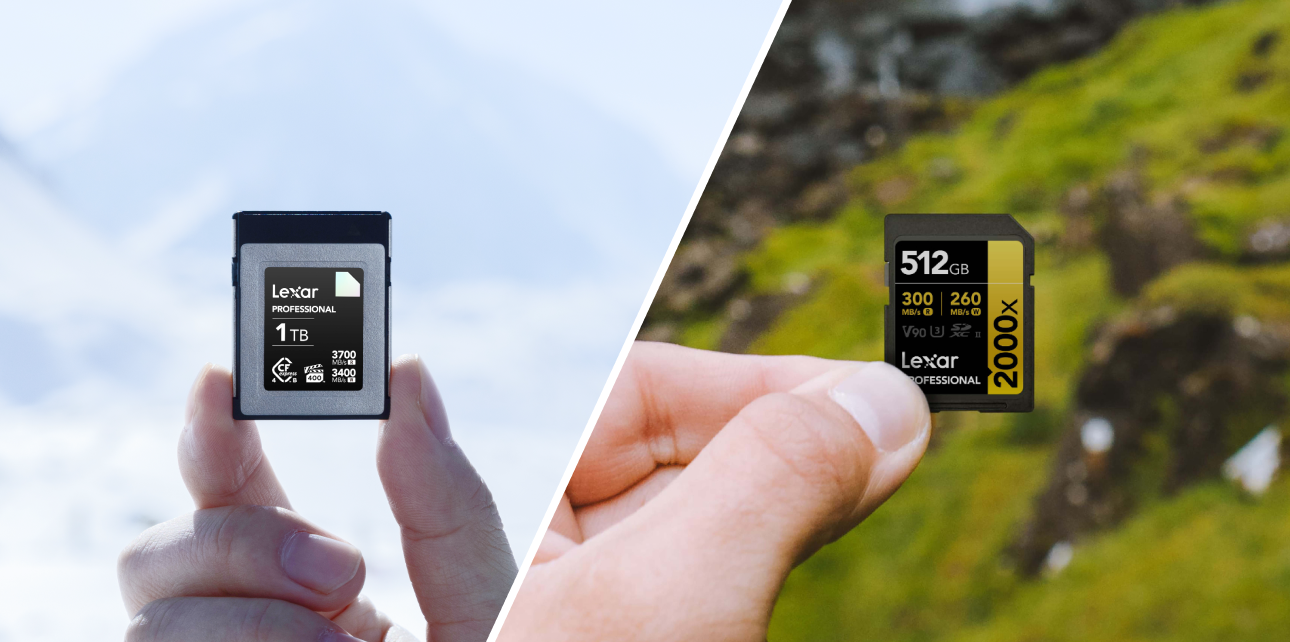
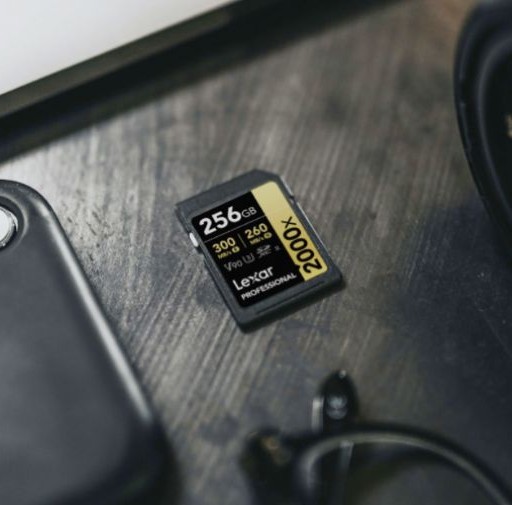
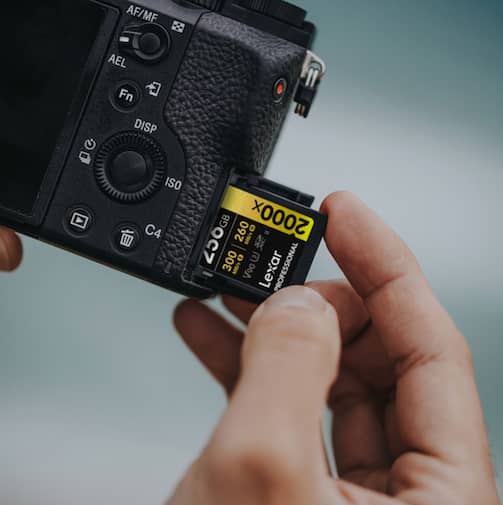
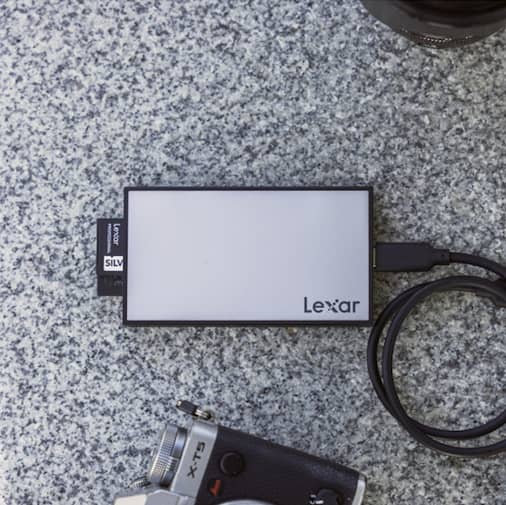
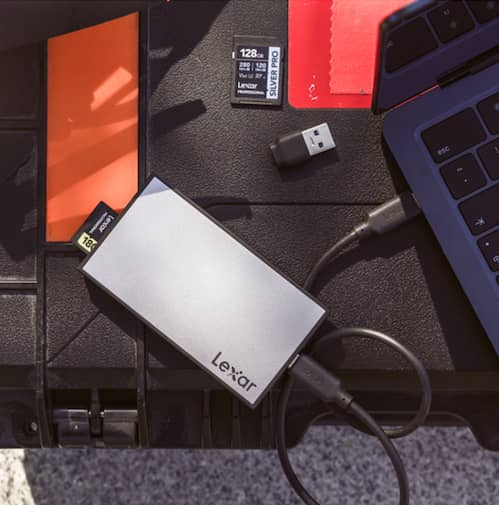
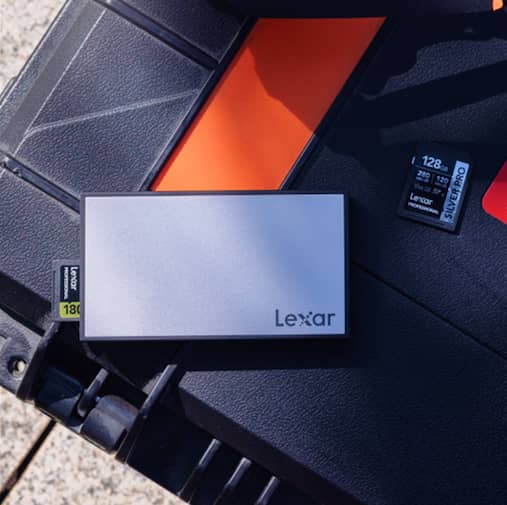
The Lexar® Professional Workflow SD/microSD UHS-II Card Reader exemplifies proper specification matching, withUHS-II card support delivering up to 312MB/s per slot through USB 3.2 Gen 2 interface. This combination ensures cards like the Lexar® Professional 2000x SDXC™ UHS-II Card GOLD Series reach their rated 300MB/s read speeds. Mismatched readers leave performance on the table – using UHS-II cards in UHS-I readers wastes the premium you paid for higher-speed media.
USB interface generation significantly impacts real-world speeds. USB 3.0 (also called USB 3.1 Gen 1) provides 5Gbps theoretical bandwidth translating to approximately up to 500MB/s to 550MB/s practical speeds. USB 3.2 Gen 2 doubles bandwidth to 10Gbps, enabling 1000MB/s to 1250MB/s transfers. Matching reader USB generation to your computer’s port capabilities ensures you don’t create unnecessary bottlenecks.
Single-Slot vs. Dual-Slot Readers
Single-slot readers offer simplicity and portability for creators who don’t require parallel transfers, while dual-slot designs are often preferred in the best memory card reader options for high-volume professional workflows. Dual-slot configurations accelerate workflows through simultaneous transfers from multiple cards.
A wedding photographer shooting dual-card backup can offload both cards concurrently rather than consecutively, cutting backup time in half. The time savings compound across shoots – two cards become four, then six as you progress through events.
The Lexar® Professional Workflow Dual-Slot SD UHS-II Card Reader enables concurrent transfers at full 312MB/s speed per slot. This means transferring 64GB from each of two cards completes in roughly 3.5 minutes total versus 7 minutes sequential. For professional workflows processing multiple shoots daily, those minutes accumulate dramatically. Event photographers managing 8 to 12 cards per weekend realize dual-slot advantages immediately.
Dual-slot utility extends beyond simultaneous transfers. Card-to-card duplication happens entirely through the reader without consuming computer resources. Some workflows benefit from this capability: duplicating master cards before erasing originals, creating distribution copies for clients, or reorganizing content across different capacity cards.
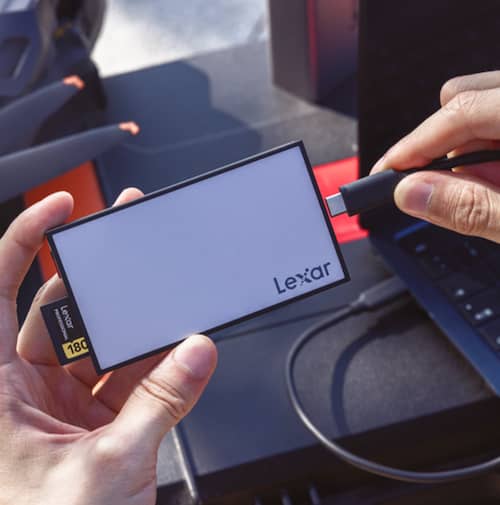
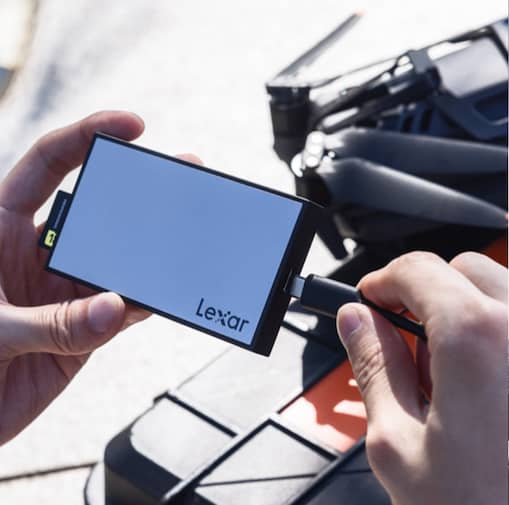
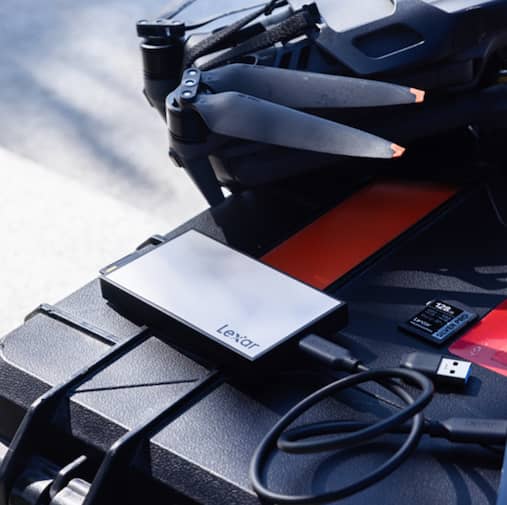
Single-slot readers suit different scenarios. Travel photographers working with one camera and minimal cards find single-slot readers more portable. Drone operators typically fly single-card setups where dual slots add unnecessary bulk. The Lexar® Professional Workflow SD/microSD UHS-II Card Reader provides single-slot SD and single-slot microSD to provide a practical solution for users managing both formats without needing two separate readers.

Format Compatibility Considerations
Professional workflows increasingly involve multiple card formats. A photographer might shoot Sony with CFexpress Type A, use GoPro with microSD, and fly DJI drones recording to additional microSD cards. Managing three card formats requires either three separate readers or one multi-format solution. The choice impacts desk clutter, travel weight, and workflow complexity. The best memory card reader is one that supports your required formats without compromising performance for the sake of versatility.
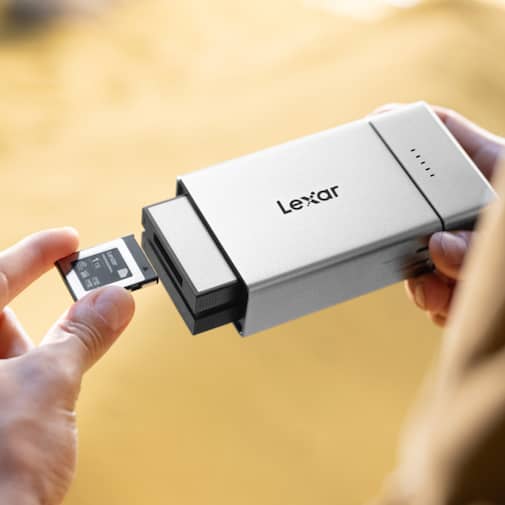
Dedicated single-format readers maximize performance for specific formats. CFexpress Type B cards achieving 1700MB/s writes demand readers supporting those speeds – multi-format readers sometimes compromise performance for versatility. The Lexar® Professional Workflow CFexpress 4.0 Type B Card Reader supports speeds up to 40Gbps specifically optimized for CFexpress performance rather than splitting controller resources across multiple formats.
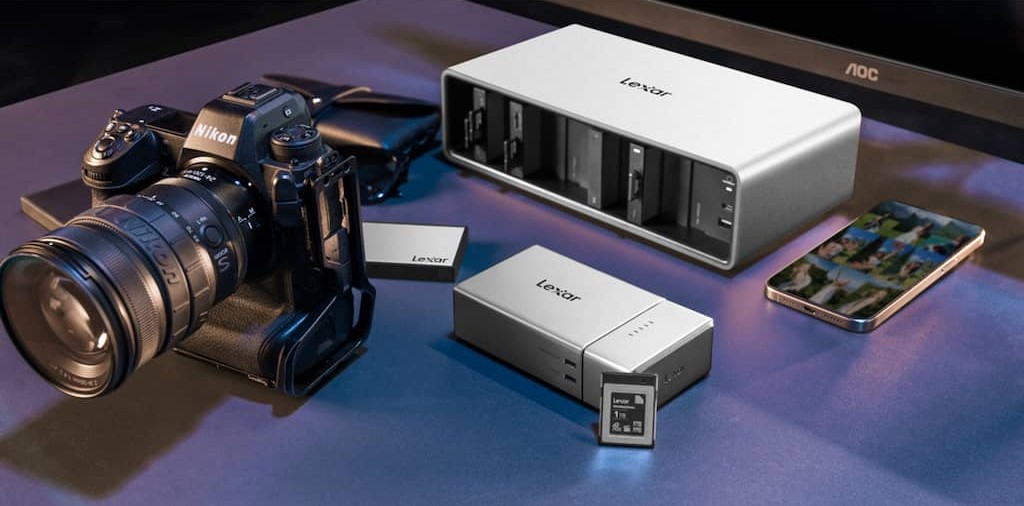
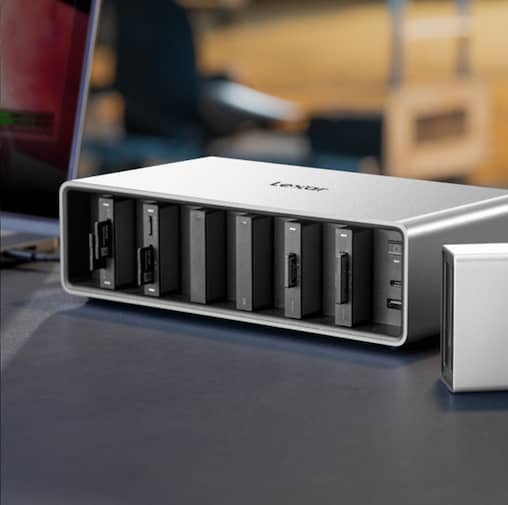
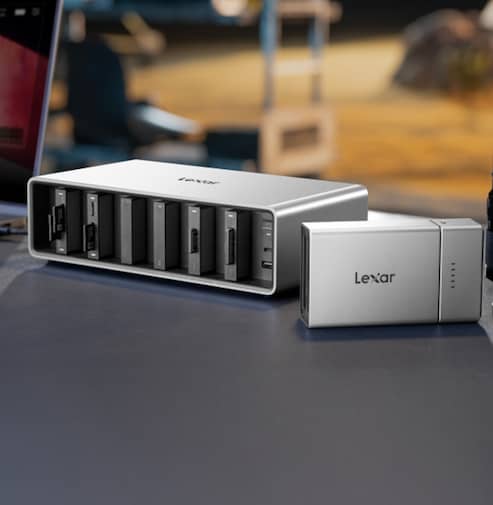
Format-specific considerations matter for certain workflows. Photography studios maintaining extensive card inventories across multiple camera systems benefit from modular reader systems. The Lexar® Professional Workflow Docking Station accepts interchangeable reader modules that can be configured with combinations of SD, microSD, CFexpress Type A, and CFexpress Type B readers to match your current project’s camera package. Reconfigure bay assignments as projects change equipment requirements.
Transfer Speed Real-World Impact
Specification sheets promise impressive numbers; understanding practical implications requires context. A photographer shooting 45-megapixel RAW creates 50MB to 60MB files. A 128GB card holds approximately 2,000 to 2,400 images. That’s where transfer time directly impacts turnaround. For professionals managing large file volumes daily, the best memory card reader can reclaim hours of lost time across a production season.
Compare transfer scenarios for that 128GB card at different speeds:
- Built-in laptop SD slot (90MB/s) – Approximately 24 minutes
- USB 3.0 UHS-I reader (95MB/s) – Approximately 23 minutes
- USB 3.2 Gen 2 UHS-II reader (280MB/s) – Approximately 8 minutes
- CFexpress 4.0 reader (3700MB/s) – Approximately 75 seconds
These differences compound across professional workflows. A wedding photographer managing six 128GB cards faces 144 minutes (2.4 hours) of transfer time with laptop slots versus 48 minutes with UHS-II readers. That’s a daily savings of 96 minutes. Over a 30-wedding season, that’s 48 hours of additional productive time—more than a full work week reclaimed annually.
Video workflows experience even more dramatic impacts. 4K 60fps ProRes HQ generates approximately 735Mbps (92MB/s) bitrate. A 60-minute shoot creates 330GB of footage. Transferring this volume at 90MB/s requires 62 minutes; at 3700MB/s drops to just 3.2 minutes. For productions managing multiple camera angles and extended recording sessions, transfer speeds determine whether you meet deadlines or miss deliveries.
Consistency matters as much as peak speed. Cheap readers claim high speeds but throttle dramatically as controllers overheat during sustained transfers. Premium readers maintain consistent performance throughout lengthy operations. Our testing with the Lexar® Professional Workflow SD/microSD UHS-II Card Reader showed sustained 285MB/s to 295MB/s across 256GB transfers without thermal throttling – the aluminum construction dissipates heat effectively maintaining stable performance.
Build Quality and Durability
Material construction affects both durability and thermal performance. Plastic housings flex under stress potentially damaging internal components or card slots.
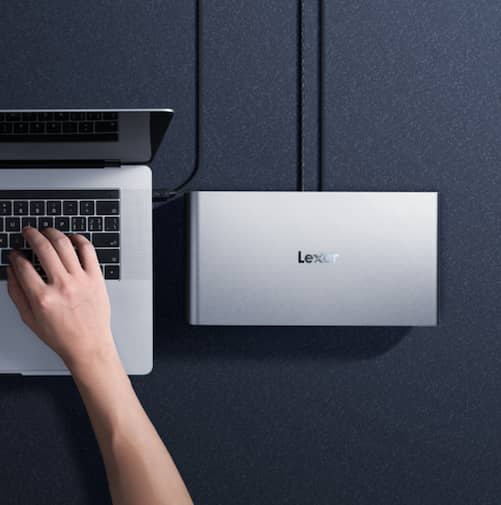
The Lexar® Professional Workflow readers feature aluminum construction serving dual purposes: Structural rigidity prevents slot damage and passive heat dissipation maintaining consistent transfer speeds. The scratch-resistant finish withstands daily handling without showing wear even after years of professional use.
Card slot engineering varies dramatically between manufacturers. Premium readers use reinforced slots with precise tolerances ensuring cards seat correctly without excessive force. Cheap readers employ flimsy slot mechanisms that loosen over time, eventually failing to maintain proper card contact. Spring-loaded eject mechanisms found in quality readers protect against accidental card removal during transfers.
Cable quality matters more than most users realize. The USB-C cable included with Lexar® Professional Workflow readers supports full USB 3.2 Gen 2 speeds with proper shielding preventing signal degradation. Aftermarket cables might physically connect but lack high-speed data lines, silently capping performance at USB 2.0 speeds (480Mbps). Always use supplied cables or verify replacement cables specifically support required USB generation.
Workflow Integration Strategies
Optimal reader selection depends on your specific workflow patterns. Studio photographers working from fixed locations optimize differently than travel photographers requiring portable solutions. Understanding your typical transfer scenarios guides appropriate investment.
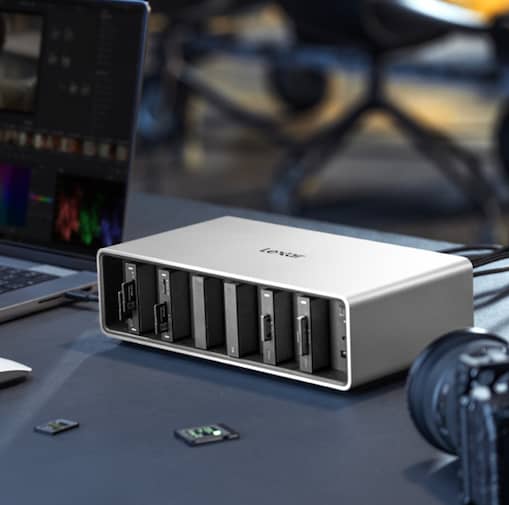
Studio workflows benefit from desktop reader stations. The Lexar® Professional Workflow Docking Station provides six modular bays accepting various reader combinations plus additional USB ports for peripheral connectivity. Configure bays with reader types matching your camera inventory – perhaps three SD readers and three CFexpress slots for a typical multi-camera commercial shoot. The docking station’s USB-C interface supports daisy-chaining multiple units for operations managing extensive card volumes.
On-set workflows for film and video production require immediate backup verification. Dual-slot readers enable card-to-card duplication confirming footage integrity before camera crew departs locations. This workflow practice provides insurance against card failure or data corruption – master footage duplicates to backup cards using reader duplication capabilities rather than consuming valuable computer resources.
Backup workflows benefit from simultaneous multi-card processing. Professional photographers typically maintain 3-2-1 backup strategies: three copies of data, two different storage types, one copy off-site. Dual-slot readers accelerate this process by letting users transfer the primary card to a computer while simultaneously backing up to an external drive or NAS. The time savings compared to sequential operations compound across professional schedules.
Cost vs. Performance Trade-Offs
Budget readers sacrifice performance and durability for low prices. Generic USB 3.0 readers might claim UHS-I support but use inferior controllers capping at 80-90MB/s rather than the 104MB/s UHS-I specification. Card slots wear quickly, cables fail frequently, and thermal throttling degrades sustained performance. These limitations cost more through wasted time than savings on purchase price.
Mid-range readers from established manufacturers provide solid performance at reasonable prices. The Lexar® Professional Workflow SD/microSD UHS-II Card Reader delivers genuine UHS-II speeds, durable aluminum construction, and reliable performance at competitive pricing. For most professional photographers, this performance tier provides excellent value – adequate speed for typical workflows without premium pricing of specialized solutions.
Premium readers justify costs through specific advantages. CFexpress 4.0 readers supporting 40Gbps transfers command higher prices but eliminate wait time for video professionals managing massive 8K RAW files. Modular docking stations cost more initially but provide future-proofing. Reader modules can be added as camera systems evolve rather than replacing entire reader units.
Compatibility Verification Strategies
Card reader compatibility extends beyond physical card fit. USB controller implementations vary across computers affecting achievable speeds even with capable readers.
Mac users encounter specific limitations:macOS doesn’t support USB 3.2 Gen 2×2 (20Gbps), capping speeds at Gen 2 levels even with 20Gbps-capable readers. Understanding your system’s actual capabilities prevents disappointment and wasted investment.
Verify your computer’s USB specifications before purchasing readers. Match reader USB generation to your system’s highest supported standard for optimal performance.
Windows users check Device Manager under “Universal Serial Bus controllers” listing USB generation.
Mac users access System Information (Apple menu → About This Mac → System Report) then check Hardware → USB for port specifications.
Operating system support affects reader functionality. Modern Windows 10/11 and macOS systems include native drivers for most readers requiring no additional software.
Older operating systems or specialized reader features might need manufacturer drivers. The Professional Workflow readers support Windows, macOS, and Linux without driver installation – true plug-and-play across platforms.
Testing new readers verifies actual performance against specifications. Use benchmarking tools like Blackmagic Disk Speed Test (Mac) or CrystalDiskMark (Windows) measuring real-world transfer rates with your specific cards.
Compare results against reader specifications identifying potential bottlenecks – slow speeds might indicate cable issues, insufficient USB power delivery, or system limitations rather than reader defects.
Professional Workflow Solutions
Lexar’s Professional Workflow line addresses complete production pipeline requirements rather than isolated transfer needs. The modular approach lets creators build customized solutions matching specific workflows while maintaining upgrade paths as technology evolves.
The Lexar® Professional Workflow Docking Station serves as the ecosystem foundation. Six modular bays accept various reader types plus portable SSD modules for integrated storage solutions.
This device also connects to computers via USB-C supporting speeds up to 40Gbps, charge laptops with 140W power delivery, and can daisy-chain multiple docks handling high-volume production requirements. The integrated cooling system maintains performance during sustained operations. Dual-phase fans activate automatically preventing thermal throttling.
Individual reader modules provide flexibility for specific needs. The Lexar® Professional Workflow CFexpress 4.0 Type A Card Reader and Lexar® Professional Workflow CFexpress 4.0 Type B Card Reader deliver format-specific performance up to 40Gbps. The Lexar® Professional Workflow Dual-Slot SD UHS-II Card Reader handles traditional SD workflows with simultaneous dual-card transfers. Mix and match modules in docking station bays creating configurations matching your camera package.
All Professional Workflow products undergo extensive testing in our Lexar Quality Labs facilities with thousands of cameras and devices ensuring compatibility across your equipment. This testing eliminates surprises when connecting to specific camera models or computer systems. Three-year warranties provide confidence in long-term reliability backed by our technical support team.
Making Your Reader Selection
Selecting the best memory card reader comes down to aligning card formats, transfer speeds, computer interfaces, and long-term workflow demands.
Choose your card reader based on these workflow factors:
- Card formats used – Match reader support to your camera’s memory card types
- Volume of cards per session – Single cards suit single-slot readers; multiple cards benefit from dual-slot or multi-bay solutions
- Computer USB generation – Verify your system supports the reader’s interface requirements
- Work environment – Studio setups optimize differently than field/travel configurations
- Budget allocation – Calculate time savings value against purchase price rather than comparing absolute costs
- Future equipment plans – Consider modular solutions accommodating camera system changes
Avoid these common mistakes:
- Using built-in card slots – Laptop internal readers rarely match dedicated reader performance
- Mismatching card and reader speeds – UHS-II cards need UHS-II readers; CFexpress cards need CFexpress readers
- Ignoring USB generation – USB 3.0 readers bottleneck faster cards regardless of claimed support
- Prioritizing price over workflow value – Cheap readers waste time worth far more than cost savings
- Neglecting build quality – Reader failures during critical workflows cost exponentially more than quality equipment
Optimize Your Transfer Workflow Today
Card readers remain photography and videography’s most overlooked performance bottleneck. Creators invest thousands in cameras and lenses while accepting glacial transfer speeds from inadequate readers. This imbalance costs time, money, and productivity – all easily resolved through proper reader selection.
Start by benchmarking your current transfer speeds. Time how long importing a full card takes currently. Research your computer’s USB specifications. Verify what card speeds your camera actually generates. These baseline measurements reveal whether your workflow suffers from reader limitations or if other factors constrain performance.
If transfer times frustrate you, if you regularly manage multiple cards, or if you’ve upgraded to faster card formats without updating readers, investment in proper equipment pays immediate dividends. The Lexar® Professional Workflow line provides solutions for every creator level – from individual dual-slot readers to comprehensive modular docking systems.
Your creative work deserves storage infrastructure that enables rather than constrains it. Every minute spent waiting for transfers is time stolen from actual creation. Optimize this overlooked workflow component and reclaim hours for what matters – capturing images, editing projects, and delivering client work. The right card reader transforms this daily frustration into seamless efficiency.
Best Memory Card Reader FAQs: Choosing the Right Reader for Your Workflow
What makes the best memory card reader for professional workflows?
The best memory card reader matches your card format (SD, microSD, CFexpress), supports your card’s maximum speed class, and uses a USB or Thunderbolt interface that avoids bottlenecks. Build quality and sustained performance also matter for large transfers.
_
Is a UHS-II card reader necessary if I already have fast SD cards?
Yes. UHS-II cards require a UHS-II reader to achieve their rated speeds. Using a UHS-II card in a UHS-I reader limits performance and prevents you from realizing the full value of your faster media.
_
Are dual-slot memory card readers better than single-slot readers?
Dual-slot readers are ideal for workflows that involve multiple cards per shoot, allowing simultaneous transfers and significant time savings. Single-slot readers are more portable and better suited for minimal or travel-focused setups.
_
How does USB generation affect memory card reader speed?
USB generation directly impacts transfer speed. USB 3.2 Gen 2 readers deliver up to twice the bandwidth of older USB 3.0 readers, reducing transfer times for high-resolution photo and video files.
_
Do CFexpress card readers offer real-world advantages over SD readers?
Yes. CFexpress readers support dramatically higher speeds, which is critical for high-bitrate video and large RAW files. For video professionals, CFexpress readers can reduce transfer times from nearly an hour to just minutes.
_
Why is build quality important when choosing the best memory card reader?
High-quality materials improve durability and heat dissipation, helping the reader maintain consistent speeds during long transfers. Poorly built readers often throttle performance or fail under sustained professional use.