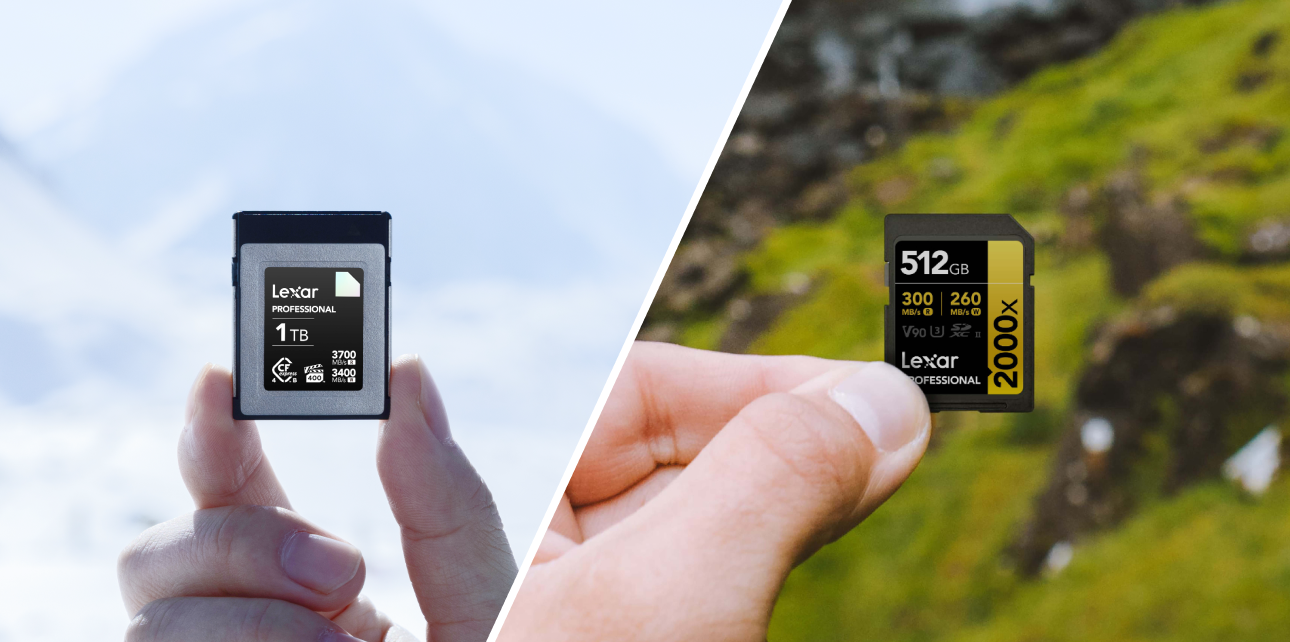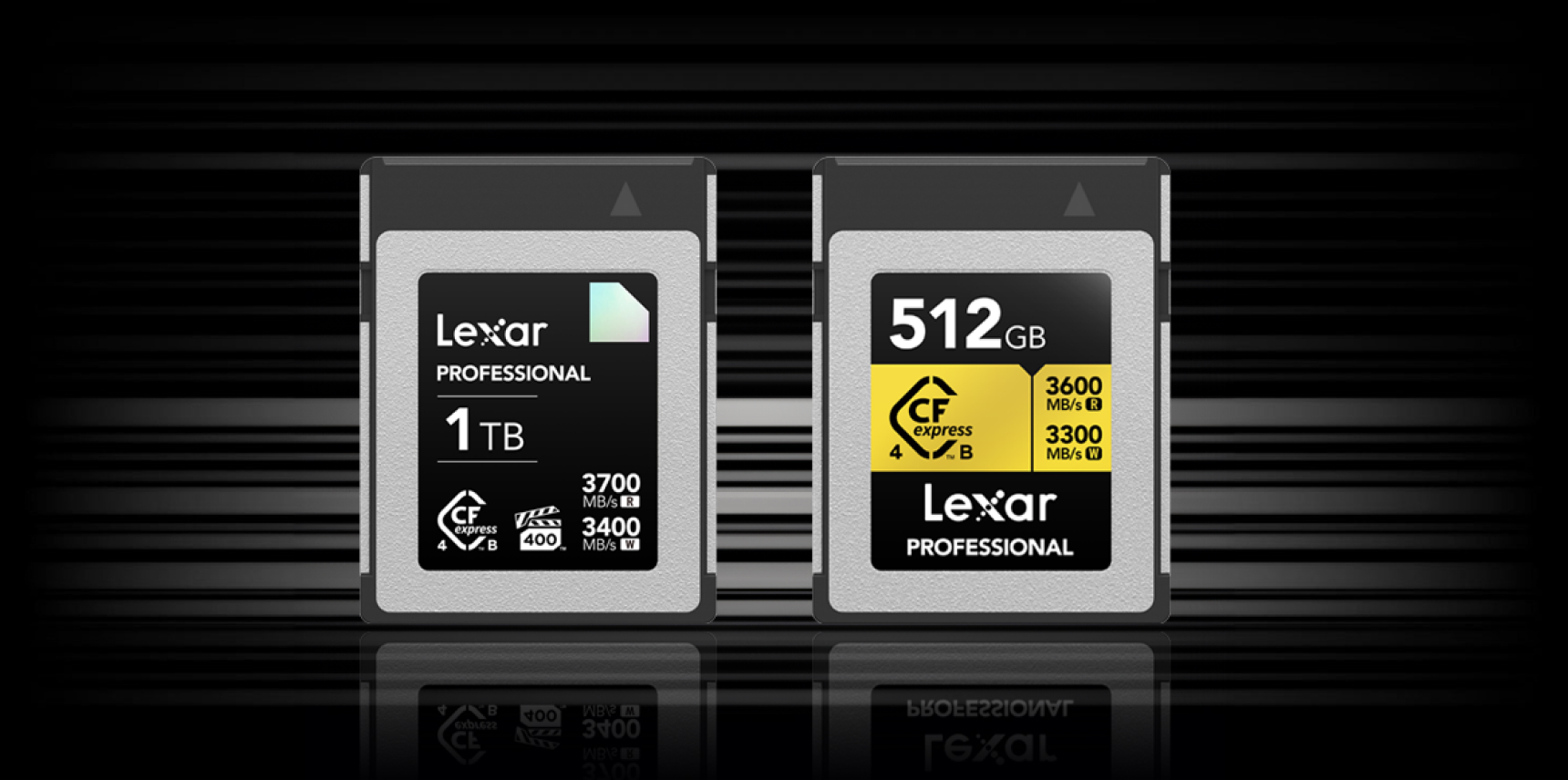


A CFexpress card is a high-speed memory card format built on NVMe and PCIe technology, designed for professional cameras shooting 4K, 6K, and 8K video alongside high-speed photo bursts. It comes in two types – Type A and Type B – with real-world speeds ranging from 800MB/s to over 3,700MB/s depending on the version and tier.
If your camera locks up mid-burst, drops frames during video, or chokes on a RAW file buffer, the card is usually the bottleneck. That’s why choosing the right cf express card matters as much as choosing the right lens. This guide covers everything from how the technology works to which Lexar CFexpress card fits your specific camera and workflow – including the latest CFexpress 4.0 spec and Lexar’s 2TB Type A capacity. If you’re still deciding between staying on SD or making the jump, the UHS-II vs CFexpress comparison breaks that decision down in detail.
What Is a CFexpress Card?
CFexpress cards were developed by the CompactFlash Association (CFA) and first standardized in 2017. The standard uses the NVM Express (NVMe) protocol over a PCIe (Peripheral Component Interconnect Express) interface – the same underlying technology found in high-performance SSDs inside computers. This is what separates a cfexpress card from traditional SD cards: instead of relying on older, slower bus interfaces, CFexpress talks directly to the camera’s storage controller at SSD-like speeds.
Three form factors exist under the CFexpress standard – Type A, Type B, and Type C. Type C is aimed at industrial applications and is not used in consumer or professional cameras. For photographers and videographers, the choice comes down to Type A and Type B.
How CFexpress Technology Works (NVMe + PCIe)
The performance advantage of CFexpress comes from its use of PCIe lanes. Each lane delivers high-bandwidth data transfer between the card and the camera’s processing system. Type A cards use a single PCIe lane. Type B cards use two PCIe lanes. This lane difference is why Type B cards are theoretically twice as fast as Type A cards at the same PCIe generation.
Under CFexpress 2.0, the standard used PCIe Gen3 technology. Under CFexpress 4.0, the standard moved to PCIe Gen4, which doubles the bandwidth per lane compared to Gen3. The NVMe protocol was also updated from 1.3 to 1.4c in the 4.0 generation, improving efficiency and low-latency access according to the CompactFlash Association’s official specification release.
CFexpress 2.0 vs CFexpress 4.0 – What Changed
CFexpress 4.0 was officially announced by the CompactFlash Association on August 28, 2023. The spec upgrade to PCIe Gen4 theoretically doubles the maximum throughput compared to CFexpress 2.0’s PCIe Gen3 foundation.
| Spec | CFexpress 2.0 | CFexpress 4.0 |
|---|---|---|
| PCIe Generation | Gen3 | Gen4 |
| NVMe Version | 1.3 | 1.4c |
| Type A Max Theoretical Speed | 1,000 MB/s | 2,000 MB/s |
| Type B Max Theoretical Speed | 2,000 MB/s | 4,000 MB/s |
| Backward Compatible | – | Yes, with CFexpress 2.0 devices |
Crucially, CFexpress 4.0 cards are backward compatible with CFexpress 2.0 host devices. A 4.0 card inserted into a current-generation Sony camera, for instance, will still function – just at CFexpress 2.0 speeds until the camera manufacturer releases firmware or hardware supporting the 4.0 standard. Lexar already produces CFexpress 4.0 Type A and Type B cards that are future-proofed for next-generation cameras as the ecosystem evolves.
CFexpress Type A vs Type B: Key Differences
The cfexpress type a vs type b question comes down to four things: physical size, PCIe lanes, max speeds, and camera compatibility. They are not interchangeable – a Type B card cannot fit in a Type A slot, and a Type A adapter can fit into a Type B reader but not the other way around.
| Feature | CFexpress Type A | CFexpress Type B |
|---|---|---|
| Dimensions | 20mm x 28mm x 2.8mm | 29.8mm x 38.5mm x 3.8mm |
| PCIe Lanes | 1 lane | 2 lanes |
| CFexpress 2.0 Max Speed | ~1,000 MB/s | ~2,000 MB/s |
| CFexpress 4.0 Max Speed | ~2,000 MB/s | ~4,000 MB/s |
| Compatible Camera Brands | Sony Alpha, Sony FX | Canon, Nikon, Panasonic, Fujifilm, RED, DJI |
| XQD Backward Compatibility | No | Yes (with firmware update on select Nikon/Sony XQD cameras) |
| Typical Use | 4K/8K Sony mirrorless | 8K RAW cinema, high-burst professional photography |
Type A CFexpress Cards (Size, Speed, Use Cases)
CFexpress Type A is the compact option – physically comparable in size to a standard SD card, measuring 20mm x 28mm x 2.8mm. As of 2026, Sony is the primary camera manufacturer supporting Type A in its Alpha and FX series cameras. The Type A slot in Sony cameras typically also accepts UHS-II SD cards, giving shooters flexibility.
Real-world Type A read speeds on CFexpress 2.0 cards sit between 800-900MB/s. With CFexpress 4.0 Type A cards, those numbers jump significantly. The Lexar CFexpress Type A memory cards in the GOLD 4.0 series deliver up to 1,800MB/s read and 1,650MB/s write, with sustained write speeds of 1,400MB/s – all backed by a VPG400 rating ensuring a minimum sustained write speed of 400MB/s under load.
Type A is the right choice if:
- You shoot Sony Alpha or FX cameras – including the a1, a7S III, a7R V, a7 IV, FX3, and FX6
- You need a compact, lightweight card for travel or run-and-gun shooting
- You want 8K video capability without stepping up to the larger Type B form factor
- You plan to future-proof with CFexpress 4.0 performance as Sony releases next-generation bodies
Type B CFexpress Cards (Size, Speed, Use Cases)
CFexpress Type B is the larger, faster format – measuring 29.8mm x 38.5mm x 3.8mm. It shares the same physical dimensions and connector as XQD cards, which is why select Nikon and Sony cameras with XQD slots can accept Type B CFexpress cards after a firmware update.
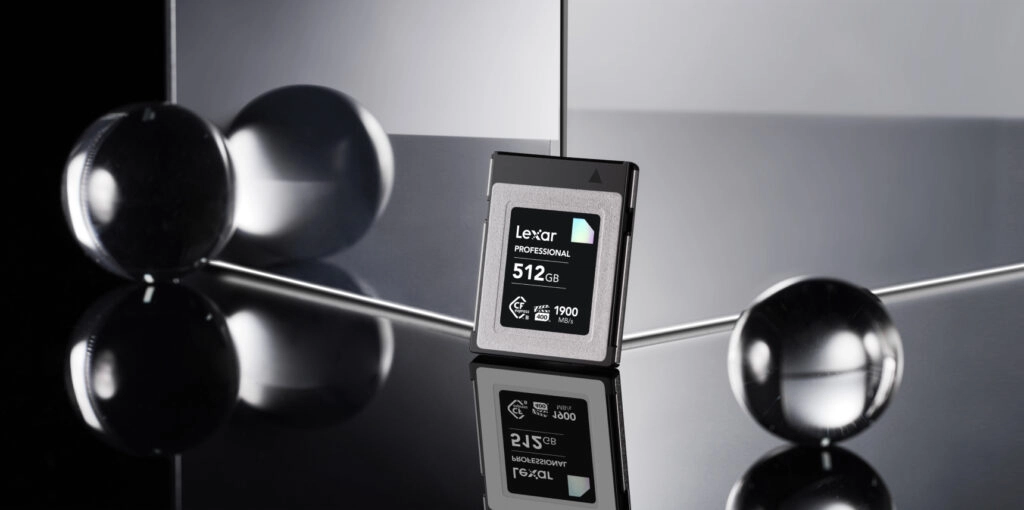
Lexar CFexpress Type B memory cards span CFexpress 2.0 and 4.0 tiers. The CFexpress 2.0 DIAMOND Series delivers up to 1,900MB/s read and 1,700MB/s write with a 1,600MB/s sustained write speed. The CFexpress 4.0 DIAMOND Series pushes that to 3,700MB/s read, 3,400MB/s write, and 3,200MB/s sustained write – performance that accelerates post-production workflows to roughly twice the speed of CFexpress 2.0, according to Lexar’s published testing data.
Type B is the right choice if:
- You shoot Canon EOS R-series, Nikon Z-series, Panasonic Lumix S, Fujifilm GFX/X-H, or RED cameras
- You record 8K RAW, ProRes, or cinema-grade video that demands the highest sustained write speeds
- You shoot high-speed bursts at 20fps+ and need to keep the buffer clear
- You use a camera with an XQD slot and want to upgrade to CFexpress performance via firmware
CFexpress vs SD Cards: Do You Need to Upgrade?
SD cards remain the most widely compatible memory format in cameras today – and for casual shooters, they’re often still enough. The question of whether to move to a cf express card comes down to what you’re recording and how fast your camera writes data. For a head-to-head breakdown of UHS-II SD against CFexpress at specific use cases, the UHS-II vs CFexpress guide covers that comparison in full detail.
Speed Comparison (UHS-I vs UHS-II vs CFexpress)
| Card Type | Max Read Speed | Max Write Speed | Sustained Write (Minimum) |
|---|---|---|---|
| SD UHS-I | ~104 MB/s | ~104 MB/s | V30: 30 MB/s |
| SD UHS-II | ~312 MB/s | ~260 MB/s | V90: 90 MB/s |
| CFexpress Type A (2.0) | ~900 MB/s | ~800 MB/s | VPG400: 400 MB/s min |
| CFexpress Type A (4.0) | ~1,800 MB/s | ~1,650 MB/s | VPG400: 400 MB/s min |
| CFexpress Type B (2.0) | ~1,900 MB/s | ~1,700 MB/s | VPG400: 400 MB/s min |
| CFexpress Type B (4.0) | ~3,700 MB/s | ~3,400 MB/s | VPG400: 400 MB/s min |
The gap between even a top-tier UHS-II SD card and a CFexpress Type A card is roughly 3-to-1 on read speeds and about 3-to-1 on sustained write speeds. For cameras capable of recording high-bitrate 4K or 8K RAW video, that difference isn’t theoretical – it shows up as dropped frames, truncated bursts, or buffer lockups mid-shoot.
When SD Cards Are Still Enough
If you shoot JPEG, standard 4K H.264, or don’t push your camera’s burst mode, a high-quality UHS-II V90 SD card will handle your workflow. CFexpress cards add cost, require a compatible reader for fast offload, and are overkill for workflow that doesn’t generate the data volumes that stress slower cards.
The upgrade to a cfexpress card makes the clearest sense when:
- You record 6K or 8K RAW video – the data rates can exceed what SD can sustain without frame drops
- You shoot continuous 20fps+ bursts in RAW on a modern mirrorless body – see how memory cards handle burst mode to understand the buffer dynamics
- You use cinema cameras rated for ProRes RAW or Blackmagic RAW at high bitrates
- Your camera requires it – some bodies (Canon EOS R3, Nikon Z9, Sony a1) don’t include SD slots at all
Understanding CFexpress Speeds and Ratings
Memory card marketing tends to lead with maximum read speed. That number looks impressive on a spec sheet, but it’s only part of the picture for video shooters and burst photographers. Understanding the difference between read, write, and sustained write speeds – and what VPG ratings guarantee – saves you from choosing a card that stalls under real shooting conditions.
Read Speed vs Write Speed vs Sustained Write Speed
These three numbers represent three different moments in your workflow:
- Read speed – How fast data transfers FROM the card to your computer during offload. High read speeds speed up post-production. This is the number most prominently advertised.
- Write speed (max) – The peak speed at which the camera can write data TO the card in ideal, short bursts. Useful for burst photography, but it can’t be sustained indefinitely.
- Sustained write speed – The speed the card can maintain continuously over time. This is the number that matters for long-form video recording. A card advertising 1,700MB/s write but sustaining only 400MB/s under load may still drop frames on certain cameras recording extended 8K footage.
When evaluating a cfexpress card for video work, prioritize sustained write speed over peak write speed. A card with a lower peak but higher sustained write is almost always more reliable for long recording sessions than one with a flashy headline number that throttles under thermal load.
VPG 200 vs VPG 400: What the Ratings Mean
VPG stands for Video Performance Guarantee, a certification defined by the CompactFlash Association. A VPG rating specifies the minimum sustained write speed a card is guaranteed to maintain during video recording – not just the theoretical peak.
- VPG 200 – Guarantees a minimum sustained write speed of 200MB/s. Suitable for high-bitrate 4K recording and demanding still photography workflows.
- VPG 400 – Guarantees a minimum sustained write speed of 400MB/s. Required for smooth 8K RAW video recording and the most demanding burst shooting scenarios.
Lexar SILVER CFexpress cards carry a VPG 200 rating. Lexar GOLD CFexpress cards carry a VPG 400 rating, which ensures stable, uninterrupted recording at demanding resolutions. The DIAMOND series also carries VPG 400 certification, with the added performance ceiling of CFexpress 4.0 technology on the 4.0 variants.
Thermal management is a related consideration. At very high sustained write speeds, CFexpress cards generate heat. Lexar CFexpress 4.0 Type B DIAMOND Series cards feature temperature control technology alongside the VPG 400 rating, helping maintain performance during extended shoots without throttling.
Camera Compatibility Guide
Which cameras use cfexpress type a vs type b is the most practical question in this entire guide. The wrong card type simply won’t fit. Always confirm your camera’s slot type before purchasing. Lexar also maintains a device compatibility checker where you can confirm which Lexar cards work with your specific camera model.
CFexpress Type A Cameras (Sony)
As of 2026, CFexpress Type A is a Sony-exclusive format in the camera market. The following Sony Alpha and FX cameras accept CFexpress Type A cards (and also support UHS-II SD in the same slot):
| Camera | CFexpress Type | SD Slot Also? |
|---|---|---|
| Sony a1 | Type A | Yes (UHS-II) |
| Sony a7S III | Type A | Yes (UHS-II) |
| Sony a7R V | Type A | Yes (UHS-II) |
| Sony a7 IV | Type A | Yes (UHS-II) |
| Sony FX3 | Type A | Yes (UHS-II) |
| Sony FX6 | Type A | Yes (UHS-II) |
| Sony a9 III | Type A | Yes (UHS-II) |
| Sony ZV-E1 | Type A | Yes (UHS-II) |
Always confirm compatibility with the camera manufacturer’s official specifications for your specific model, as firmware updates can affect card support over time.
CFexpress Type B Cameras (Canon, Nikon, Panasonic, Fujifilm, RED)
Type B is the dominant CFexpress format across the rest of the professional camera market. The following cameras use CFexpress Type B cards:
| Brand | Camera Model | CFexpress Type |
|---|---|---|
| Canon | EOS R3 | Type B |
| Canon | EOS R5 Mark II | Type B |
| Canon | EOS R5 | Type B |
| Canon | EOS-1D X Mark III | Type B |
| Nikon | Z9 | Type B |
| Nikon | Z8 | Type B |
| Nikon | Z7 II | Type B (XQD slot, firmware updated) |
| Nikon | Z6 II | Type B (XQD slot, firmware updated) |
| Panasonic | Lumix S5 II | Type B |
| Panasonic | Lumix GH6 | Type B |
| Fujifilm | GFX100 II | Type B |
| Fujifilm | X-H2 | Type B |
| Fujifilm | X-H2S | Type B |
| RED | KOMODO-X | Type B |
| DJI | Ronin 4D | Type B |
A note on XQD compatibility: Nikon bodies with XQD slots (such as the Z6 II and Z7 II) can accept CFexpress Type B cards after a manufacturer firmware update, since CFexpress Type B shares the same physical form factor and connector as XQD. Consult your camera manufacturer’s firmware release notes before using a CFexpress card in an XQD-designated slot.
Also worth noting: card reader compatibility matters as much as camera compatibility. To reach maximum read speeds during offload, a CFexpress-rated reader is required. For CFexpress 4.0 cards specifically, a USB 4.0-rated reader is needed to fully access the card’s peak transfer performance. Using a slower reader won’t damage the card, but it will cap your offload speeds at the reader’s ceiling.
How to Choose the Right CFexpress Card
The best cfexpress card for your setup depends on three variables: your camera’s slot type, the resolution and format you shoot, and your capacity needs. Here’s how to work through each.
By Use Case (Photography vs Videography vs Hybrid)
Different shooting disciplines have genuinely different storage demands. A card that’s perfect for a wedding photographer may be inadequate for a documentary videographer.
- Sports and wildlife photography (burst-focused) – Prioritize sustained write speed. High-speed bursts at 20-40fps in RAW fill a card buffer fast. VPG 400 cards with strong sustained write numbers (1,000MB/s+) keep the buffer clearing between sequences.
- 4K video (H.264/H.265 compressed formats) – A VPG 200 card handles most compressed 4K workflows. Sustained write speeds of 200MB/s are sufficient for standard professional 4K bitrates.
- 6K/8K RAW video recording – This is where VPG 400 and high sustained write speeds become non-negotiable. 8K RAW at cinema-grade bitrates generates data volumes that tax even high-performance cfexpress cards over extended takes. Look for sustained write speeds above 1,000MB/s (2.0) or above 2,600MB/s (4.0) for the most demanding applications.
- Hybrid shooters (stills + video) – A GOLD-tier cfexpress card provides the practical middle ground. VPG 400 certification covers demanding video needs while the strong burst performance handles high-resolution still workflows.
Capacity Guide (128GB to 2TB)
Capacity needs scale with file size. A 45-megapixel RAW file from a Sony a7R V is roughly 100-120MB uncompressed. A single minute of 8K RAW video can consume 12-25GB depending on bitrate and codec.
- 128GB – 256GB – Practical for day shoots, events, and photography-heavy workflows where card swaps are planned. Sufficient for most 4K video projects.
- 512GB – The working professional’s standard. Handles a full shooting day of mixed high-resolution stills and video without forcing mid-session swaps.
- 1TB – Preferred for documentary, commercial, and multi-day production shoots where minimal interruption is critical.
- 2TB – Lexar introduced 2TB capacity for both the GOLD and SILVER CFexpress 4.0 Type A lines in November 2025, making it possible to store multiple burst collections and extended 8K sessions on a single Type A card. The 2TB format reduces the need to change cards mid-shoot during intensive production days.
For practical guidance on getting the most out of your cards in the field – including formatting best practices, storage habits, and offload workflow tips – the guide to optimizing storage card performance covers the day-to-day side of card management. If you’re building a larger content production workflow around multiple cards and drives, the guide to efficient file management for content creators is also worth reviewing.
Card Reader Compatibility
Purchasing a high-performance cfexpress card without a matching reader creates a bottleneck at the offload stage. A CFexpress 2.0 card paired with a USB 3.2 Gen 2 reader will transfer at speeds the reader can handle – not at the card’s maximum capability.
For CFexpress 4.0 cards, a USB 4.0-compatible card reader is required to access the card’s full read speed potential. The Lexar Professional Workflow CFexpress 4.0 Type A and Type B readers are designed to match Lexar’s 4.0 card lineup. Using any slower reader will still work – it simply caps transfer speed at the reader’s interface ceiling. For a full breakdown of what to look for in a card reader, including interface standards, compatibility considerations, and speed tiers, the guide to choosing the best memory card reader covers every key factor.
Best Lexar CFexpress Cards by Tier
Lexar organizes its cfexpress card lineup across three tiers – DIAMOND, GOLD, and SILVER – each targeting a different performance level and price point. All Lexar Professional line cards undergo testing in the Lexar Quality Labs across thousands of cameras and devices for performance, compatibility, and reliability. Every card in the lineup comes with a limited lifetime warranty and access to the Lexar Recovery Tool software. To protect your investment regardless of tier, understanding the most common memory card mistakes – from improper formatting to unsafe ejection – goes a long way toward long-term card reliability.
DIAMOND Series (Maximum Performance)
The DIAMOND Series represents Lexar’s highest-performance CFexpress offering. It is built for professionals where maximum speed is the primary requirement – cinema videographers, high-speed sports photographers, and demanding production environments.
Lexar® Professional CFexpress™ 2.0 Type B Card DIAMOND Series
- Max Read: Up to 1,900MB/s
- Max Write: Up to 1,700MB/s
- Sustained Write: 1,600MB/s minimum
- VPG Rating: VPG 400
- PCIe: Gen3 x2, NVMe
- XQD backward compatible (with firmware-enabled cameras)
- Temperature-proof, shock-resistant, vibration-resistant
- Limited lifetime warranty
Lexar® Professional DIAMOND CFexpress™ 4.0 Type B Card
- Max Read: Up to 3,700MB/s
- Max Write: Up to 3,400MB/s
- Sustained Write: 3,200MB/s minimum
- VPG Rating: VPG 400
- PCIe: Gen4 x2, NVMe 1.4c
- pSLC technology for up to 30,000 TBW lifespan
- 8-point protection: temperature-proof, vibration-resistant, dust-proof (IP5X), 5m drop-proof, shock-resistant, bend-resistant, wear-out resistant (12,000x), 7x more compression-resistant than SD cards
- Winner: TIPA World Awards 2024, CES Innovation Awards 2025
- Limited lifetime warranty + Lexar Recovery Tool
GOLD Series (Professional Balance)
The GOLD Series delivers VPG 400 performance at a more accessible price point than the DIAMOND tier. It covers the full range of professional video and photography demands without requiring the highest-tier investment. The Lexar® Professional GOLD CFexpress™ 4.0 Type B Card is the standout option for Canon and Nikon shooters who need 4.0 performance without stepping up to DIAMOND pricing.
Lexar® Professional CFexpress™ Type A Card GOLD Series
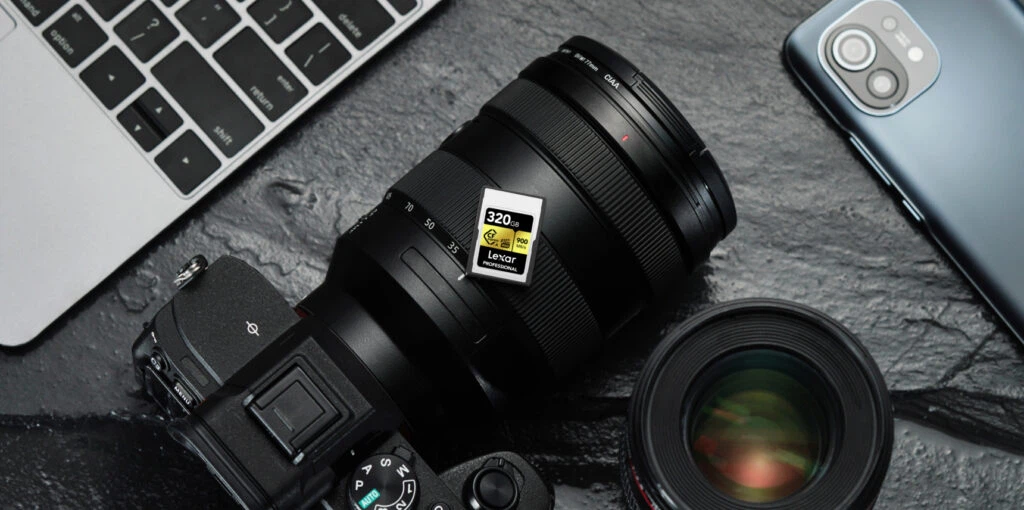
- Max Read: Up to 900MB/s
- Max Write: Up to 800MB/s
- Sustained Write: 700MB/s minimum (VPG 400)
- Capacities: Up to 320GB
- Compatible with Sony Alpha and FX cameras supporting CFexpress Type A
- Rugged design: temperature-proof, shock-resistant, vibration-resistant
- Limited lifetime warranty
Lexar® Professional GOLD CFexpress™ 4.0 Type A Card
- Max Read: Up to 1,800MB/s
- Max Write: Up to 1,650MB/s
- Sustained Write: 1,400MB/s
- Capacities: Up to 2TB (announced November 2025)
- VPG Rating: VPG 400
- PCIe 4.0 performance, future-proofed for next-generation Sony cameras
- IP68-rated dust- and water-resistant, 5m drop-proof
- Compatible with current Sony Alpha and Sony FX cameras supporting CFexpress Type A
- Limited lifetime warranty + Lexar Recovery Tool
Lexar® Professional CFexpress™ Type B Card GOLD Series
- Max Read: Up to 1,900MB/s
- Max Write: Up to 1,500MB/s
- Sustained Write: 1,300MB/s minimum
- VPG Rating: VPG 400
- Pair with the Lexar Professional CFexpress Type B USB 3.2 Gen 2×2 Reader for maximum offload performance
- Rugged design: temperature-proof, shock-resistant, vibration-resistant
- Limited lifetime warranty
SILVER Series (Best Value)
The SILVER Series offers professional-grade performance at the most accessible price point in the Lexar cfexpress lineup. SILVER cards carry a VPG 200 rating, making them well-suited to compressed 4K workflows, standard professional photography, and shooters who don’t require the sustained write performance of VPG 400 certification.
Lexar® Professional CFexpress™ Type A Card SILVER Series
- Max Read: Up to 800MB/s
- Max Write: Up to 700MB/s
- Sustained Write: 600MB/s minimum
- VPG Rating: VPG 200
- Compatible with Sony Alpha and FX cameras supporting CFexpress Type A
- Limited lifetime warranty
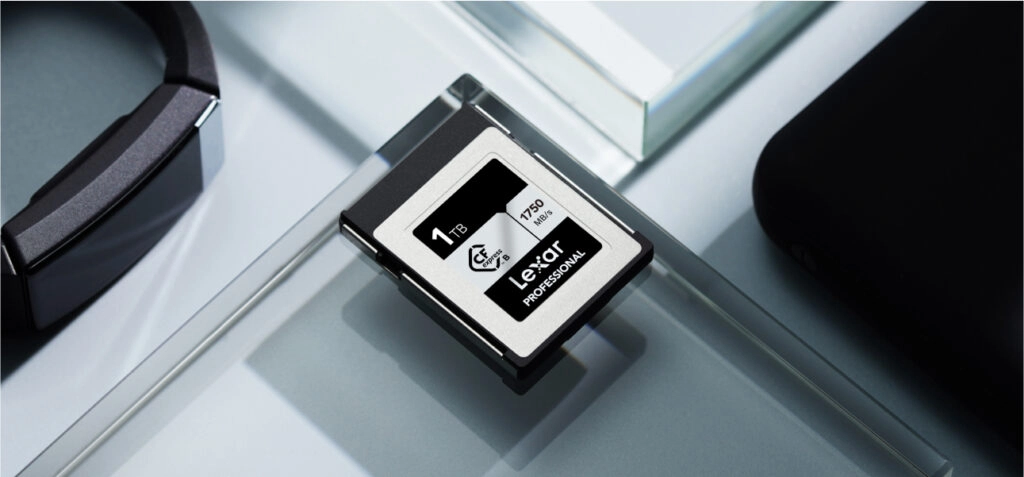
Lexar® Professional SILVER CFexpress™ 4.0 Type A Card
- Max Read: Up to 1,750MB/s (256GB/512GB); up to 1,750MB/s (2TB)
- Max Write: Up to 1,650MB/s
- Sustained Write: 600MB/s (256GB), 900MB/s (512GB), 1,300MB/s (2TB)
- VPG Rating: VPG 200
- Capacities: Up to 2TB
- PCIe 4.0, future-proofed for next-generation Sony cameras
- Pair with the Lexar Professional Workflow CFexpress 4.0 Type A Card Reader for maximum offload performance
- IP68-rated dust- and water-resistant, 5m drop-proof
- Limited lifetime warranty + Lexar Recovery Tool
Lexar® Professional CFexpress™ 2.0 Type B Card SILVER Series
- Max Read: Up to 1,750MB/s
- Max Write: Up to 1,300MB/s
- VPG Rating: VPG 200
- XQD backward compatible (with firmware-enabled cameras)
- Limited lifetime warranty
Lexar® Professional SILVER CFexpress™ 4.0 Type B Card
- Max Read: Up to 3,600MB/s
- Max Write: Up to 3,000MB/s
- Sustained Write: 2,600MB/s minimum
- VPG Rating: VPG 200
- PCIe Gen4 x2, NVMe 1.4c
- Pair with the Lexar Professional Workflow CFexpress 4.0 Type B Card Reader for post-production speeds up to 2x faster than CFexpress 2.0
- 8-point protection design
- Limited lifetime warranty + Lexar Recovery Tool
For a deeper look at how the GOLD and SILVER tiers compare head-to-head across specific metrics and shooting scenarios, the Lexar GOLD vs SILVER card comparison guide breaks down which tier makes sense for different workflows.
To explore the top-performing CFexpress cards across the full Lexar lineup, including performance testing data and recommendations by camera model, the fastest CFexpress card guide provides additional detail.
Frequently Asked Questions
What is the difference between CFexpress Type A and Type B?
CFexpress Type A and Type B cards differ in physical size, PCIe lane count, and maximum speed. Type A measures 20mm x 28mm x 2.8mm and uses a single PCIe lane, making it the compact option used in Sony Alpha and FX cameras. Type B measures 29.8mm x 38.5mm x 3.8mm and uses two PCIe lanes, supporting higher maximum speeds and broader compatibility with Canon, Nikon, Panasonic, Fujifilm, and RED cameras. The two types are not interchangeable.
What is a CFexpress card?
A CFexpress card is a high-speed removable memory card format developed by the CompactFlash Association, built on NVMe protocol and PCIe interface technology originally designed for solid-state drives. It is used primarily in professional digital cameras for 4K, 6K, and 8K video recording and high-speed burst photography. CFexpress cards significantly outperform SD cards in sustained write speeds.
What is CFexpress 4.0?
CFexpress 4.0 is the second major revision of the CFexpress standard, announced by the CompactFlash Association in August 2023. It upgrades from PCIe Gen3 (used in CFexpress 2.0) to PCIe Gen4, theoretically doubling maximum throughput. CFexpress 4.0 Type A cards reach theoretical maximums of 2,000MB/s, while Type B cards reach 4,000MB/s. CFexpress 4.0 cards are backward compatible with CFexpress 2.0 devices, though they operate at 2.0 speeds in those hosts.
Why are CFexpress cards so expensive?
CFexpress cards are expensive because they use NVMe flash controllers, high-performance NAND, and PCIe interfaces originally developed for enterprise-grade SSDs. Production involves specialized components and extensive quality testing to meet the sustained write speed guarantees and durability standards required by professional camera use. Certification to VPG standards, temperature-proofing, shock resistance, and the manufacturing precision required for consistent high-speed performance all contribute to the cost premium over standard SD cards.
Is CFexpress better than SD?
For demanding workflows, yes – CFexpress cards are significantly faster than SD cards in both read and write speeds. A UHS-II SD card tops out at around 312MB/s read, while even an entry-level CFexpress Type A card delivers 800-900MB/s read. The gap is even larger in sustained write performance, which matters most for video recording. For casual shooting, standard 4K compressed video, or JPEG photography, high-quality SD cards remain a practical and cost-effective option.
Is CFexpress worth it in 2026?
Yes – particularly with CFexpress 4.0 cards now available, the format is the current standard for professional camera storage. If your camera supports CFexpress and you shoot high-resolution RAW video, 8K content, or high-speed bursts, the performance difference is meaningful and real-world impactful. Prices for CFexpress 2.0 cards have dropped substantially since the format launched, making the value proposition stronger than ever for photographers and videographers upgrading from SD.
What is the fastest CFexpress Type A card?
The Lexar® Professional GOLD CFexpress™ 4.0 Type A Card delivers up to 1,800MB/s read and 1,650MB/s write with a 1,400MB/s sustained write speed – the highest performance currently available in the CFexpress Type A format from Lexar. It is rated VPG 400 and is available in capacities up to 2TB, making it suitable for extended 8K video production sessions on Sony Alpha and FX cameras. For the full range of Lexar CFexpress Type A memory cards, including specifications by capacity, visit the product pages.
Which cameras use CFexpress Type A?
As of 2026, CFexpress Type A cameras are exclusively Sony models. Compatible bodies include the Sony a1, a7S III, a7R V, a7 IV, a9 III, FX3, FX6, and ZV-E1, among others. All Sony CFexpress Type A slots also accept UHS-II SD cards. Check your specific camera’s official specifications to confirm slot compatibility, as the Sony lineup continues to expand.