

The gap between what modern smartphones can create and what they can store has never been wider. Understanding this disconnect helps explain why external storage has become non-negotiable for serious mobile content creation.
Modern file sizes dwarf the capabilities of internal storage. ProRes 4K video at 60 frames per second (FPS) generates approximately 4GB to 5GB of data per minute. That’s 240GB to 300GB for just one hour of footage. ProRes RAW at 4K60 pushes past 5GB per minute, meaning a single extended recording session can fill even a 1TB phone.
Photography workflows face similar challenges. A 48-megapixel RAW photo from an iPhone 16 Pro or Samsung Galaxy S25 Ultra runs 60MB to 80MB per image. Shoot 500 photos during a day’s work, and that’s 30GB to 40GB consumed before you factor in JPEGs, Live Photos, or any video content.
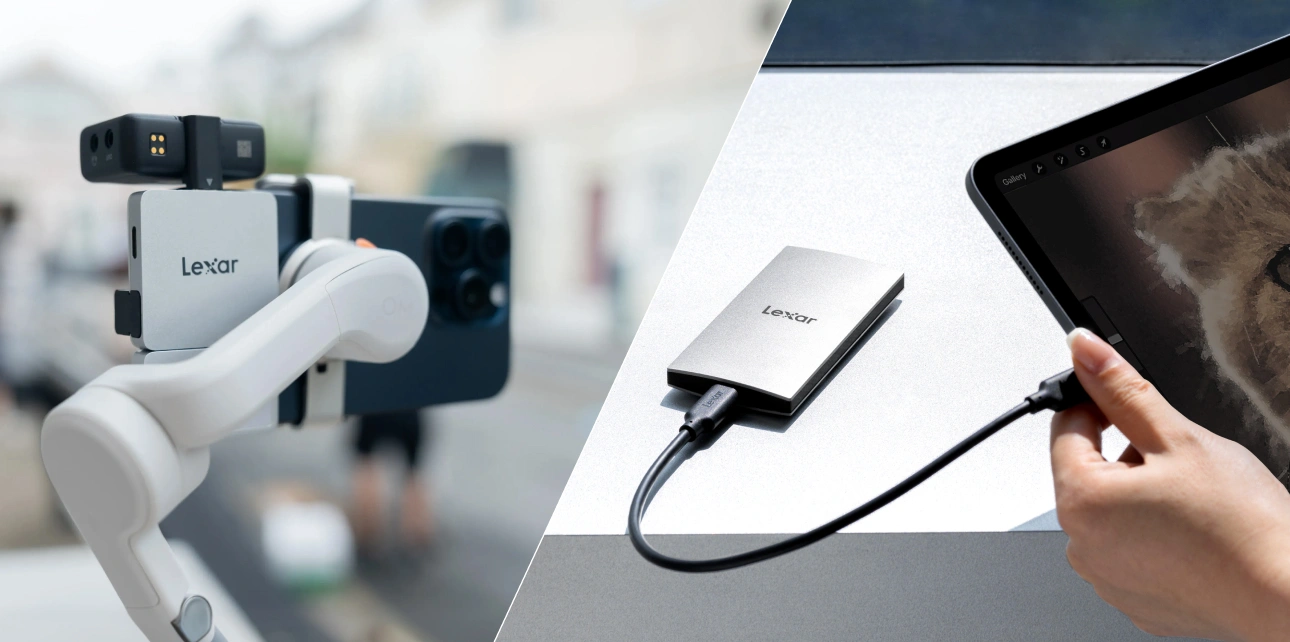
Direct recording to external storage changes everything for video creators. Instead of recording to internal storage then transferring files later, you bypass the internal storage entirely. Your phone becomes the camera and interface while the external SSD handles all the heavy data storage.
For iPhone 15 Pro and iPhone 16 Pro users, direct ProRes recording to external drives unlocks quality levels that aren’t even available when recording to internal storage. The phone restricts ProRes quality based on available internal space, but an external drive removes those restrictions entirely.
Technical Foundation: USB-C, OTG, and File System Basics
USB-C has become the universal standard across smartphones and tablets. iPhone 15 and newer models use USB-C. Android devices from Samsung, Google, OnePlus, Xiaomi, and virtually every major manufacturer have standardized on USB-C.
USB On-The-Go (OTG) technology allows Android smartphones to act as host devices for external peripherals. Most Android devices manufactured after 2015 support OTG functionality automatically. When you connect an external drive to an Android phone via USB-C, the OTG protocol activates, the phone provides power to the drive, and the file system appears in your device’s file manager.
iOS handles external storage through the native Files app. Since iOS 13, iPhones and iPads with USB-C connections can access external drives. Connect a compatible external drive, and it appears in the Files app under “Locations” alongside iCloud Drive and local storage.
File system compatibility determines whether your external drive works across different devices and operating systems. Extended File Allocation Table (exFAT) provides the best cross-platform compatibility for creators using both iOS and Android devices, or transferring files between mobile devices and computers. Both iOS and Android natively read and write to exFAT-formatted drives without additional software.
The file system supports individual files larger than 4GB, which matters for long video recordings, and handles volumes up to 128 petabytes. Format your external drive as exFAT, and it works with iPhones, Android phones, Macs, and Windows PCs without conversion or special drivers.
The Apple File System (APFS) optimizes performance within the Apple ecosystem but sacrifices cross-platform compatibility. However, Android devices and Windows PCs can’t read APFS drives without third-party software. The Windows native file system, NTFS, faces the opposite problem: iPhones and iPads can read NTFS but cannot write to it natively. For mobile creators, exFAT remains the pragmatic choice for portable storage.
Power requirements matter more than many creators realize. Portable SSDs draw power from the device they connect to, and mobile devices have strict limits on how much power they can provide through their USB ports. iPhones and iPads limit external device power to 4.5 watts. Most portable SSDs designed for mobile use stay well under this threshold, but traditional external hard drives with spinning platters often require more power than phones can deliver.
Transfer speeds determine whether your storage keeps pace with your content creation needs. USB 3.2 Gen 2 provides bandwidth up to 10Gbps, translating to real-world speeds around 1000MB/s under ideal conditions. This speed handles 4K ProRes recording smoothly, backs up large photo libraries quickly, and supports editing workflows where you’re pulling footage directly from the external drive.
Practical Applications for Mobile Content Creators
Real-world workflows reveal how external storage transforms different content creation specialties.
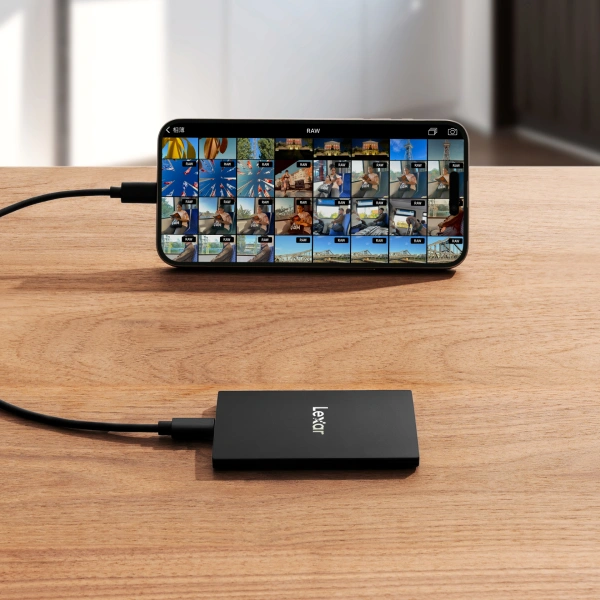
Video Production Workflows: Direct recording to external SSDs eliminates the internal storage bottleneck that would otherwise limit shoot duration. A typical setup involves connecting a portable SSD to the phone via USB-C, opening the camera app (native Camera app on iPhone for ProRes, or apps like Blackmagic Camera or Filmic Pro), and selecting the external drive as the recording destination.
Photography Workflows: External drives become essential for same-day backup and organization. Transferring 500 RAW photos over USB-C takes minutes rather than the hours required for cloud upload, and you maintain local access to all files without depending on internet connectivity.
Social Media Content Creation: External storage provides library space for b-roll, music, graphics, and other assets that creators mix into multiple videos. Once you’ve published a video, you can archive the project folder to external storage and remove it from the phone.
Travel Content Creation: By carrying two portable SSDs of the same capacity, you can back up all new content to both drives at the end of the day. By keeping one drive with your primary gear and the second drive in a separate location, you get redundancy against drive failure, loss, or theft.
Live Streaming Integration: External storage enables simultaneous recording while streaming without compromising phone performance. Apps like Streamlabs and Prism Live Studio can record locally while streaming when you have external storage connected. After the stream ends, you have clean footage ready for highlight reels or archival.
What to Look for in Mobile External Storage
Understanding key specifications helps you select drives that match your workflow needs.
SSD versus Traditional Hard Drives: SSDs deliver read and write speeds measured in gigabytes per second, while hard drives max out around 200MB/s. SSDs contain no moving parts, making them inherently more durable. Additionally, SSDs draw significantly less power than hard drives, staying comfortably within the 4.5-watt limit that iPhones and iPads impose on connected accessories.
Capacity Considerations: The 500GB to 2TB range represents the sweet spot for most mobile creators. 500GB provides sufficient space for regular backup cycles. 1TB offers more breathing room, accommodating week-long trips or projects without intermediate offloading. 2TB becomes valuable for creators who maintain extensive asset libraries on portable drives or work in remote locations for extended periods.
Speed Requirements by Workflow: Standard 4K video at 30fps requires sustained write speeds around 60MB/s to 80MB/s. ProRes 4K at 60fps needs minimum 220MB/s sustained write speeds, while ProRes 4K at 120fps requires 440MB/s. The practical guideline: if you shoot any high-frame-rate video, choose drives rated for at least 1000MB/s read and write speeds.
Form Factor Decisions: Direct plug-in drives attach directly to your phone’s USB-C port, eliminating cable management. Cable-attached drives offer more flexibility in positioning but add complexity. For purely mobile workflows, direct plug-in designs win.
Durability and Protection Ratings: IP65 rating means complete dust protection and resistance to water jets from any direction. 1-meter (3-foot) drop protection handles most accidental drops from working height. Drives with rubberized exteriors or included silicone sleeves absorb impacts better than bare metal housings.
Hub Functionality: Some portable SSDs integrate USB hubs, providing additional USB-C ports alongside the storage. Rather than choosing between accessories or using complex adapter chains, an integrated hub solution lets you connect everything through a single connection point.
Professional-Grade Portable Storage Options
The Lexar® Professional Go Portable SSD exemplifies purpose-built solutions designed specifically for mobile content creation.
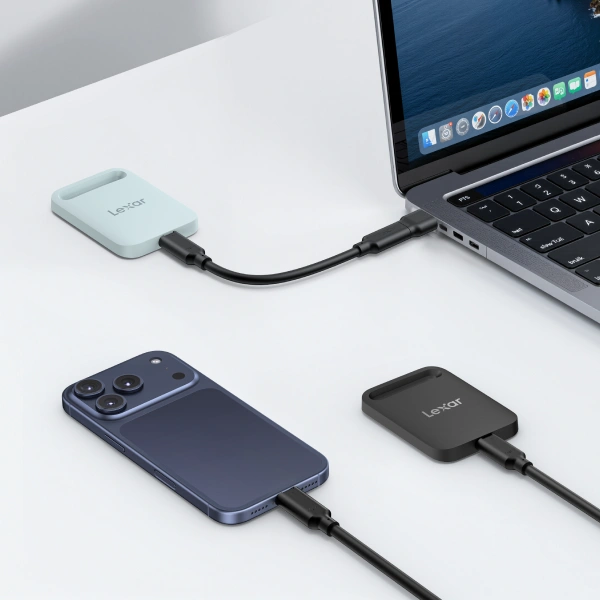
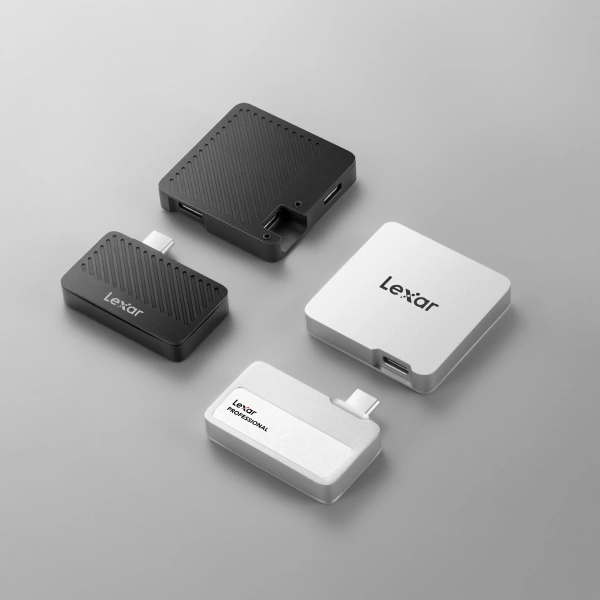
The standalone Lexar® Professional Go Portable SSD measures just 1.71 x 0.98 x 0.32 inches and weighs 13 grams. The direct plug-in design eliminates cables entirely – a built-in USB-C connector plugs straight into your phone’s port, and a U-shaped adapter (included) lets you position the drive against the phone’s back for a more compact setup.
Performance specifications match professional requirements. USB 3.2 Gen 2 connectivity delivers up to 1050MB/s read speeds and 1000MB/s write speeds. These numbers exceed Apple’s requirements for ProRes 4K 60fps recording (220MB/s minimum) by a comfortable margin, ensuring smooth, uninterrupted recording.
Durability features address the realities of mobile production. IP65 dust and water resistance provides complete dust protection and water resistance against jets from any direction. 1-meter drop protection ensures the drive survives inevitable drops during active shoots. The included silicone protective case adds extra impact absorption.
Cross-platform compatibility removes format friction from workflows. The drive ships formatted as exFAT, working immediately with iPhone 15 and newer, all Android devices with USB-C, Windows PCs, and Macs.
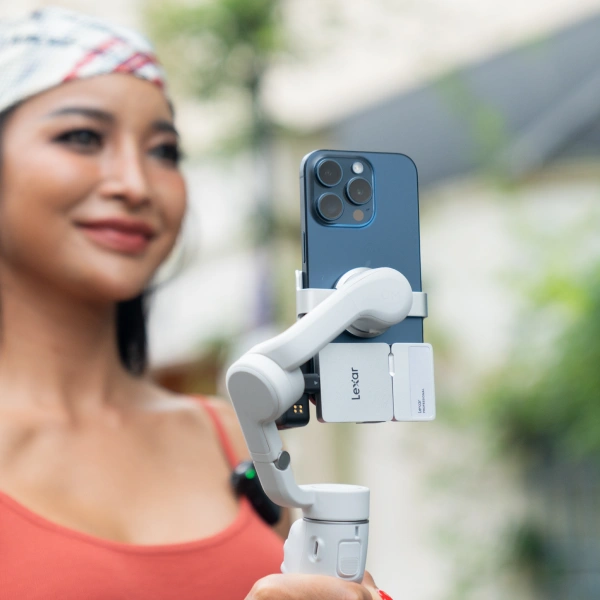
The Lexar® Professional Go Portable SSD with Hub takes the concept further. The modular system includes the same compact portable SSD plus a separate hub component with four USB-C ports. Used independently, the SSD provides straightforward storage expansion. Combined with the hub, you gain a complete mobile production solution.
The hub enables simultaneous connection of multiple accessories through your phone’s single USB-C port. Connect the portable SSD for recording, a USB-C microphone for quality audio, an LED light for improved lighting, and a power bank to keep everything running during extended shoots. The hub’s four USB-C ports all support USB 3.2 Gen 2 speeds (up to 10Gbps). The hub can also deliver up to 30W of power passthrough, so you can charge your phone while recording.
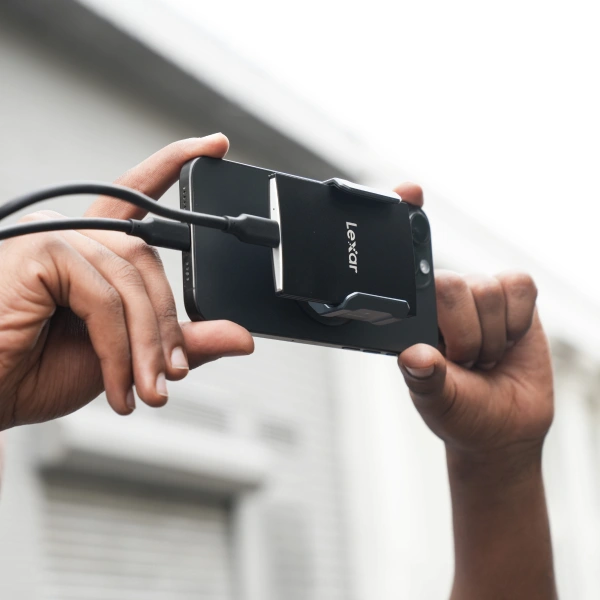
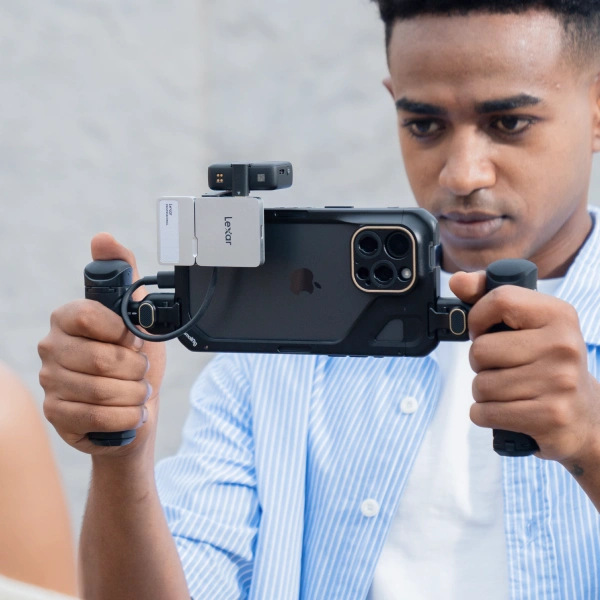
Featuring MagSafe support to quickly attach to a compatible iPhone, and a magnetic, metal ring accessory to create an instant magnetic attachment point, the Lexar® ES5 Magnetic Portable SSD gives creators blazing-fast storage with speeds of 2000MB/s read and 2000MB/s write to give you instant storage when shooting in 4K or 8K.
The Lexar® ES5 was also built with a durable design to provide a water, dust, and drop-resistant storage solution that seamlessly stays with your filming equipment, so it can stick around with you throughout the most challenging productions.
Best Practices for Using External Drives with Mobile Devices
Technical capability matters less than workflow discipline.
File Organization Strategies: Establish a folder structure before you start shooting. Create top-level folders by project type, client, or date range. Within each project folder, maintain consistent subfolders: “Raw_Footage” for original captures, “Edited” for finished versions, “Assets” for graphics and music, “Exports” for published versions.
Backup Redundancy Principles: The 3-2-1 backup rule adapts perfectly to mobile workflows. Three copies of important content: the working copy, a local backup (external SSD in your bag), and an offsite or cloud backup. Two different media types: SSDs and cloud storage. One copy offsite: geographically separate from your primary location.
Transfer Speed Optimization: Use cables rated for high-speed data transfer. Many USB-C cables support charging only, not data, or limit data speeds to USB 2.0 levels. Verify your cable supports USB 3.2 Gen 2 or better. Close unnecessary apps before large transfers. Transfer smaller batches rather than attempting to move 500GB at once.
Battery Management: For extended recording sessions or major file transfers, connect to external power. Use a power bank or wall charger to maintain phone battery levels. If using a hub with power passthrough, connect the hub to power rather than the phone directly.
Formatting and Maintenance: Format new external drives to exFAT before first use. On iOS, connect the drive, open Files, tap and hold the drive name, select “Erase,” choose exFAT as the format, and confirm. On Android, use the Settings app under Storage, select the external drive, choose Format, and select exFAT.
Common Issue Troubleshooting:
- Drive not detected? Try a different cable first. Check for debris in the phone’s USB-C port. Restart your phone with the drive disconnected, then reconnect.
- Files transferring slowly? Verify you’re using USB 3.x speeds by checking connection status in settings. Try transferring different file types – thousands of tiny files always transfer slower than a few large files.
- Drive showing as read-only? Check the file system format. NTFS appears read-only on iOS. Reformat to exFAT for full read-write access across platforms.
Security Considerations: Enable encryption if your drive supports it. Physical security matters just as much. Keep drives in secure locations when not in use, maintain serial number records for insurance purposes, and consider engraving your contact information on the drive’s case for recovery if lost.
Conclusion
External storage works smoothly across iOS and Android platforms. USB-C connectivity has become universal. File management apps provide intuitive interfaces for organization and transfer. Direct recording to external drives bypasses internal storage limits entirely for video workflows. Cross-platform compatibility through exFAT formatting ensures drives work with every device in your workflow.
Success comes down to matching storage capabilities to workflow needs. Video creators benefit most from direct-recording capable SSDs with high sustained write speeds. Photographers prioritize capacity and fast burst transfer speeds. Multi-device workflows require universal compatibility and durable designs. Hub-equipped solutions serve creators who build complete mobile rigs with microphones, lights, and other accessories.
The investment in a quality portable SSD pays for itself through time saved, anxiety eliminated, and creative possibilities unlocked. Mobile content creation without adequate external storage means working with artificial limitations. With proper external storage, the only limits are your creativity and time.