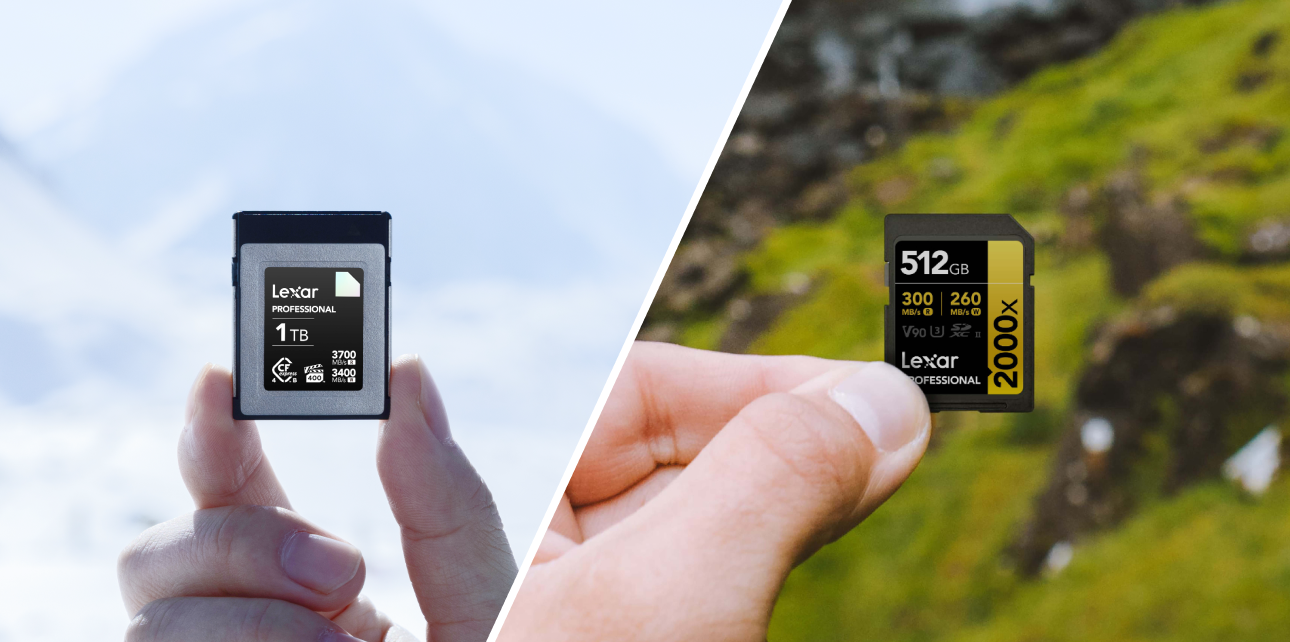


You open the box on a new mirrorless camera, and then it hits you – the slot accepts a format you have not used before.
Picking the right memory card for a mirrorless camera turns out to be a real technical decision, not just a shopping one. Or you drop a card you already own into the slot, start shooting, and the buffer locks up mid-burst.
The best memory card for a mirrorless camera is not whatever SD card you have been tossing in a bag for years. Mirrorless bodies have pushed write speed requirements far beyond what most general-purpose cards can handle, and the format map has splintered into at least three distinct standards.
This guide covers exactly how to choose the right card – by slot type, minimum write speed, camera brand, and shooting style. Whether you’re running Sony’s CFexpress Type A slot, a Fujifilm body with dual UHS-II SD slots, or a Canon or Nikon that takes CFexpress Type B – the right memory card for your mirrorless camera is in this guide.
Why Choosing a Memory Card for Mirrorless Camera Is More Complex
DSLR users had it relatively simple for a long time. UHS-I SD cards covered most shooting scenarios, and even professional bodies rarely required more. Mirrorless changed that at the hardware level.
Mirrorless cameras shoot faster continuous bursts. They record higher-bitrate video codecs. Compressed raw is giving way to uncompressed and lossless compressed raw at file sizes that would have seemed absurd five years ago.
A single uncompressed raw file from a 60MP Sony A7R V runs close to 120MB. Shoot a 20fps burst for three seconds and you’ve generated over 7GB of data that needs somewhere to go – fast.
When write speed can’t keep pace with the buffer, the camera stalls. You miss shots. That’s the mechanical reality behind why card selection for mirrorless cameras has become a technical decision, not just a shopping one.
The Three Memory Card Formats for Mirrorless Cameras
Before you can choose a card, you need to identify which format your camera accepts. There are three formats active in current mirrorless bodies, and they are not interchangeable.
Quick Reference: Slot Format by Mirrorless Body
- SD UHS-II (V90): Fujifilm X-series, Sony mid-range, Canon R6 II / R8, Nikon Z5 II
- CFexpress Type A: Sony A1, A7R V, A7 IV, A7S III, A9 III
- CFexpress Type B: Canon R3 / R5 II, Nikon Z9 / Z8 / Z6 III, Panasonic S5 II, Fujifilm GFX 100 II
SD UHS-II: The Familiar Format, Pushed Further
SD cards using the UHS-II bus interface look like standard SD cards but include a second row of pins on the back. That second row is the key difference – it opens up a theoretical interface ceiling of 312MB/s versus the 104MB/s ceiling of UHS-I.
UHS-II cards fall into two speed class ratings that matter for mirrorless use:
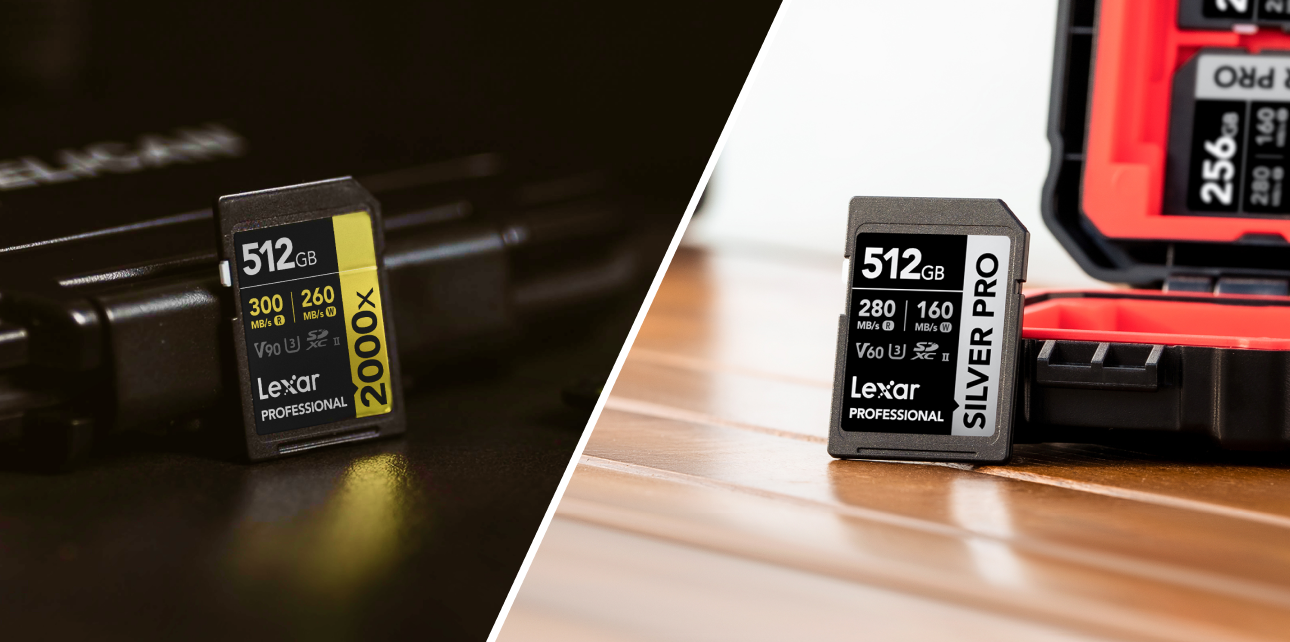
- V60 (minimum 60MB/s write): Covers most photo-focused workflows and 4K video up to standard bitrates. Adequate for cameras without high-speed burst or internal 4K 120fps modes.
- V90 (minimum 90MB/s write): The standard for demanding mirrorless work – high-speed bursts, 4K 120fps, 8K video. If your camera body has a high-resolution sensor paired with fast continuous shooting, V90 is where the floor is.
UHS-II slots are backward compatible with UHS-I cards, but UHS-I cards will only operate at UHS-I speeds – you won’t get UHS-II performance from a UHS-I card.
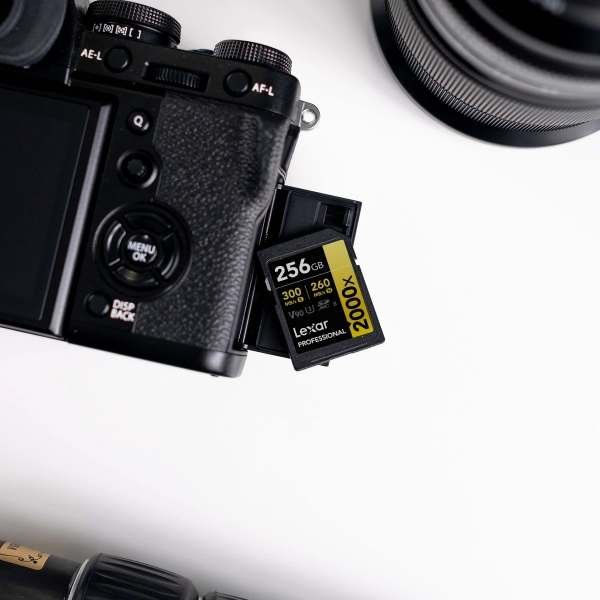
Fujifilm X-series and GFX bodies primarily use UHS-II SD slots. Many Panasonic bodies use a combination of UHS-II SD and XQD or CFexpress. Nikon Z-series bodies have moved away from SD entirely in their flagship lineup, but mid-range Z bodies retain UHS-II SD as the primary or secondary slot.
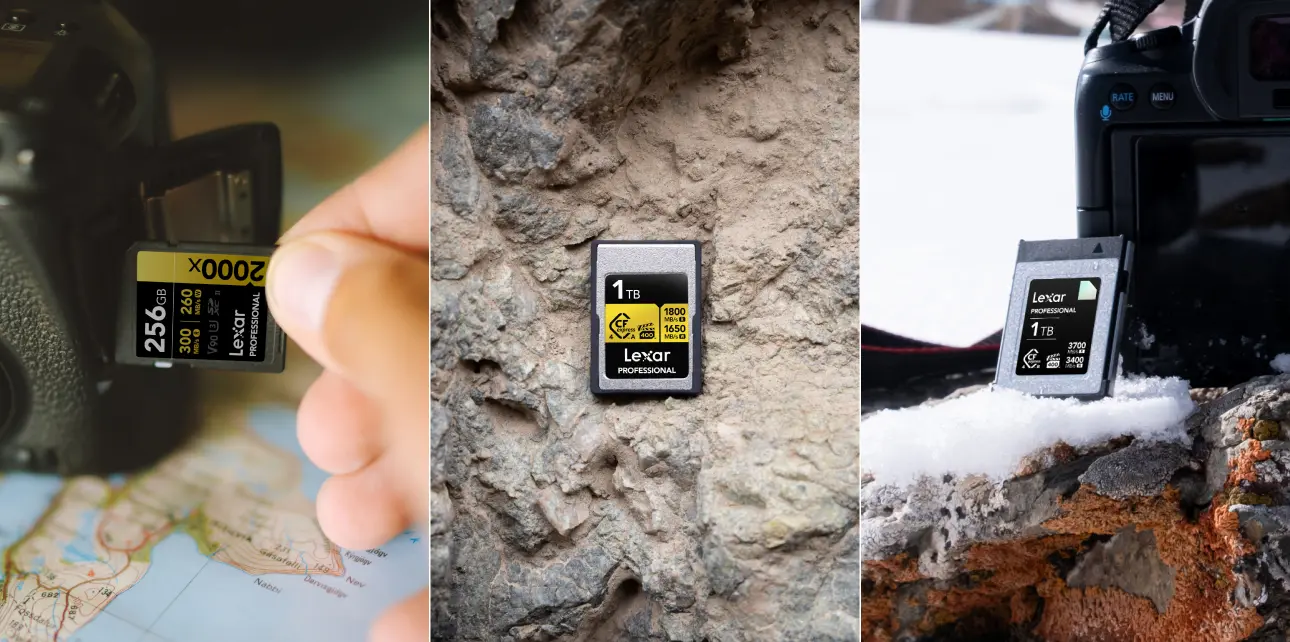
CFexpress Type A: Small Format, High Performance
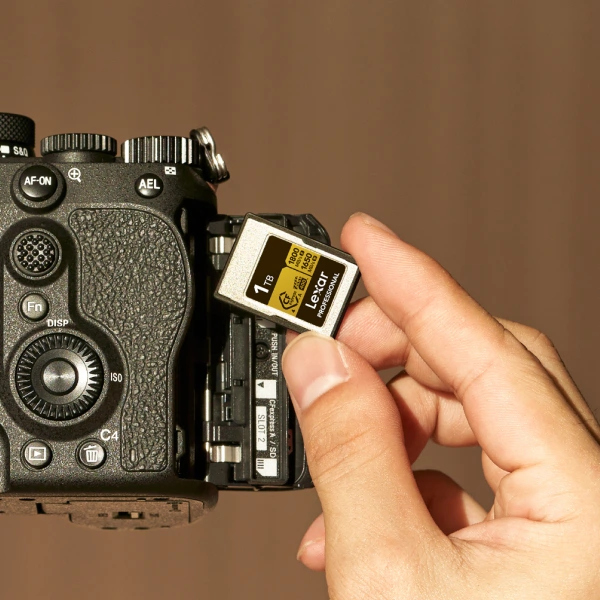
CFexpress Type A is Sony’s format of choice for flagship mirrorless bodies including the A1, A7R V, A7 IV, A7S III, and A9 III. It’s a compact card roughly the size of a microSD card with an adapter, and it operates over two PCIe lanes using the NVMe protocol.
Theoretical interface speed reaches 2000MB/s. Real-world sustained write speeds on current Type A cards land in the 700-800MB/s range, which represents a significant step beyond what even the best UHS-II SD cards deliver.
The critical point about CFexpress Type A: Sony’s flagship slots accept both CFexpress Type A and SD UHS-II cards in the same physical slot. You can use either format. The performance difference is substantial, and for internal 4K 120fps in XAVC HS or high-speed uncompressed raw bursts, CFexpress Type A is the appropriate choice.
CFexpress Type B: Maximum Throughput for Demanding Workflows
CFexpress Type B is the larger-format CFexpress card, physically similar to an XQD card (and backward compatible with XQD slots in many cases). The CompactFlash Association CFexpress standard defines the full specification.
It operates over four PCIe lanes rather than two, which means the bandwidth ceiling is roughly double that of Type A.
Canon’s EOS R3, EOS R5 Mark II, and EOS R5 C use CFexpress Type B. Nikon’s Z9, Z8, and Z6 III use CFexpress Type B. Panasonic’s Lumix S5 II and S5 IIX use a CFexpress Type B slot alongside a UHS-II SD slot.
Type A and Type B are not interchangeable. The physical form factors are different, the pin configurations are different, and a Type A card will not fit a Type B slot or vice versa. Always confirm which CFexpress type your specific body requires before purchasing.
How to Find Your Mirrorless Camera’s Minimum Write Speed
The fastest card on the market won’t help you if you don’t know what your camera actually needs. Here’s how to find the real number.
Every major mirrorless camera manufacturer publishes noted memory card specifications in the official user manual and on the product support page. The spec to look for is “recommended write speed” or “minimum write speed for video recording.” This isn’t a marketing figure – it’s an engineering requirement derived from the buffer and codec architecture of that specific body.
A few practical ways to find it:
- Check the official user manual: Usually listed in the “memory card compatibility” section or the video recording chapter. PDF versions are available on the manufacturer’s support site.
- Look at the product specs page: Most current mirrorless bodies list recommended memory card speed class and interface directly in the technical specifications.
- Use the manufacturer’s compatibility list: Sony, Canon, and Fujifilm all maintain tested memory card compatibility lists by camera model – Sony’s is available at Sony Alpha Memory Card Compatibility. These are the most reliable reference because they reflect real-world buffer testing, not just theoretical interface specs.
The number you’re looking for is the minimum sustained write speed – not peak or burst speed. A card that hits 300MB/s peak but drops to 60MB/s under sustained write load will still cause buffer stalls in cameras that need 90MB/s or more.
That gap between peak and sustained performance is where a lot of confusion originates when a “fast” card underperforms in practice.
Mirrorless Camera Memory Card Slots by Brand
Here’s where the format decisions land by camera brand across current mirrorless systems.
| Camera | Slot Format | Min. Speed | Recommended Lexar Card |
|---|---|---|---|
| Sony (A1, A7R V, A7S III) | CFexpress Type A / UHS-II SD | V90 or CFexpress Type A | CFexpress Type A GOLD Series |
| Canon (R3, R5 Mark II) | CFexpress Type B | CFexpress Type B | CFexpress Type B DIAMOND Series |
| Nikon (Z9, Z8, Z6 III) | CFexpress Type B | CFexpress Type B | CFexpress Type B DIAMOND Series |
| Fujifilm (X-H2, X-H2S) | UHS-II SD (Dual) | V90 | 2000x SDXC™ UHS-II GOLD Series |
| Panasonic (S5 II) | CFexpress Type B + UHS-II SD | CFexpress Type B (primary) | CFexpress Type B DIAMOND Series |
| Canon (R6 Mark II, R8) | UHS-II SD | V90 | 2000x SDXC™ UHS-II GOLD Series |
Sony
Sony Alpha flagship bodies – including the A1, A7R V, A7 IV, A7S III, and A9 III – use dual slots that accept either CFexpress Type A or UHS-II SD cards. For video and high-speed burst work, CFexpress Type A delivers the headroom those sensors and codecs require. SD UHS-II V90 is a viable option for photographers working at moderate frame rates or 4K 30fps and below.
The A6000-series bodies use UHS-I SD, which puts them in a different category – UHS-II speed isn’t a priority there.
Canon
Canon EOS R flagship and professional bodies use CFexpress Type B exclusively or as the primary slot. The EOS R3 and R5 Mark II use dual CFexpress Type B slots. The EOS R6 Mark II and R8 use UHS-II SD. The R5 C uses a CFexpress Type B slot alongside a UHS-II SD slot.
Canon has been consistent about this split: cinema-influenced bodies and high-resolution/high-speed stills bodies get CFexpress Type B, while value and enthusiast bodies stay on UHS-II SD.
Nikon
Nikon Z-series flagships – the Z9, Z8, and Z6 III – use dual CFexpress Type B slots. The Z8 in particular has driven strong interest in CFexpress Type B because of its 8K raw video capability and 20fps mechanical equivalent shooting mode. Mid-range Z bodies including the Z5 II use a combination of CFexpress Type B and UHS-II SD, which provides flexibility during the transition to the faster format.
Fujifilm
Fujifilm’s X-series and GFX medium format bodies are predominantly UHS-II SD-based. The X-H2 and X-H2S use dual UHS-II SD slots with V90 being the recommended minimum for high-speed burst and 8K video recording. The GFX 100 II uses CFexpress Type B alongside UHS-II SD – a deliberate choice given the demands of 100MP medium format capture.
Panasonic
Panasonic Lumix S-series bodies typically pair a CFexpress Type B slot with a UHS-II SD slot. The S5 II uses this combination, allowing CFexpress for primary recording and UHS-II SD for overflow or backup. The Lumix G-series Micro Four Thirds bodies continue to use UHS-II SD.
Read Speed
Read Speed
Read Speed
Best Memory Card for Mirrorless Camera: Lexar Picks by Slot
Choosing the right card comes down to matching format and sustained write speed to your camera’s requirements. Here are the Lexar products aligned by slot type.
For UHS-II SD Slots: Lexar® Professional 2000x SDXC™ UHS-II Card GOLD Series
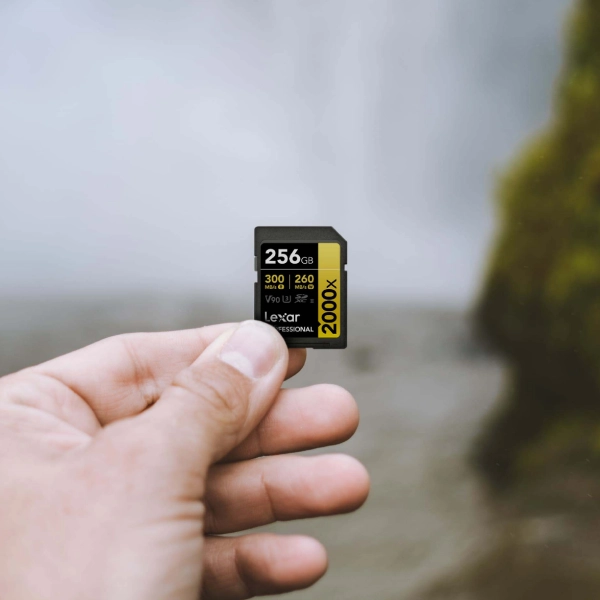
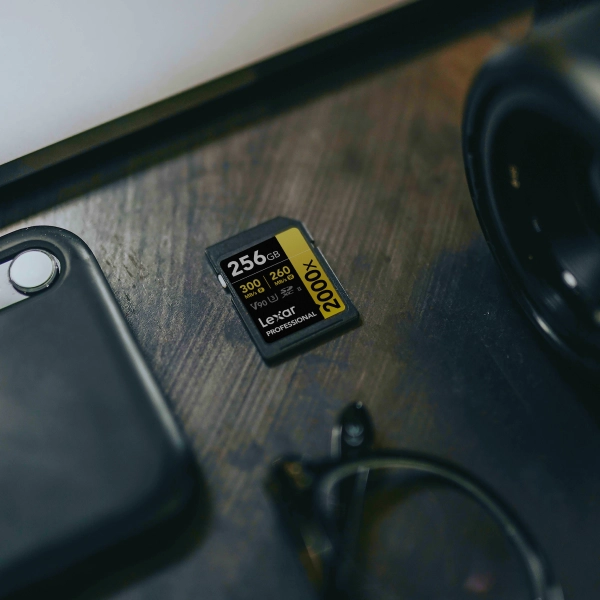
The Lexar® Professional 2000x SDXC™ UHS-II Card GOLD Series is built around V90 performance – the highest speed class for SD cards – with read speeds up to 300MB/s and write speeds up to 260MB/s. That sustained write performance places it well above the minimum threshold for 8K video recording on Fujifilm bodies, 4K 120fps on cameras with that capability, and continuous raw burst shooting on high-resolution sensors.
This card is the right choice for:
- Fujifilm X-H2 and X-H2S users running 8K video or high-speed burst modes that require V90 minimum
- Fujifilm GFX body users in the SD slot, where write speed directly affects buffer clearance
- Sony Alpha users who prefer SD UHS-II for moderate shooting rates and 4K workflows without CFexpress investment
- Nikon Z5 II users and other bodies with UHS-II SD as the primary or sole slot
- Canon EOS R6 Mark II and R8 users where SD UHS-II V90 is the appropriate format
The 2000x rating refers to the speed rating using the 150KB/s base reference, which translates to the 300MB/s read figure. It comes in capacities up to 256GB, with the GOLD Series designation reflecting the V90 speed class tier within Lexar’s lineup. For the deeper format breakdown, the V90 SD card guide covers when V90 matters versus V60 across recording modes.

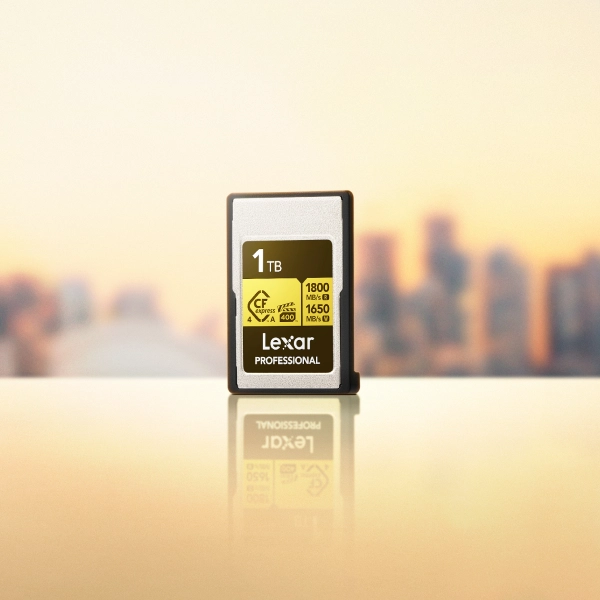
For CFexpress Type A Slots: Lexar® Professional CFexpress Type A GOLD Series
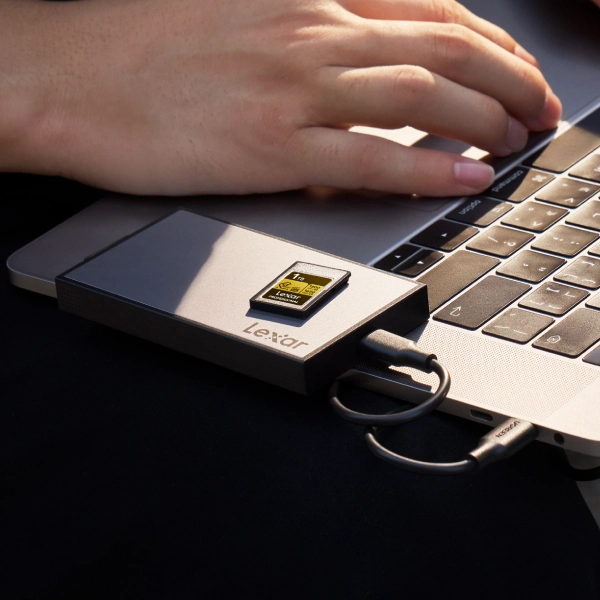
The Lexar® Professional CFexpress Type A GOLD Series is designed specifically for Sony Alpha bodies that accept CFexpress Type A. With read speeds up to 900MB/s and write speeds up to 800MB/s, this card gives Sony’s flagship cameras the throughput they need for the most demanding shooting scenarios.
That 800MB/s write figure matters in concrete terms. The Sony A7R V producing uncompressed raw at high burst rates, the A7S III recording internal 4K 120fps in XAVC HS, or the A1 running 30fps continuous raw – these workflows require sustained write performance that UHS-II SD simply cannot deliver. CFexpress Type A removes that ceiling.
This card is the right choice for:
- Sony A1 users shooting high-speed continuous raw or 8K video workflows
- Sony A7R V users where the 60MP sensor and large uncompressed raw files create real buffer pressure at burst rates
- Sony A7S III users recording internal 4K 120fps or working in demanding video codecs
- Sony A9 III users taking advantage of the global shutter sensor’s 120fps capability
- Sony A7 IV users who want to eliminate buffer limitations and maximize workflow speed

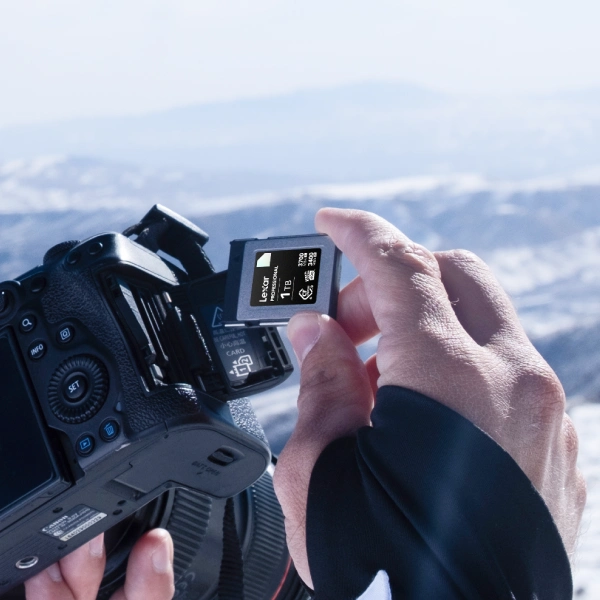
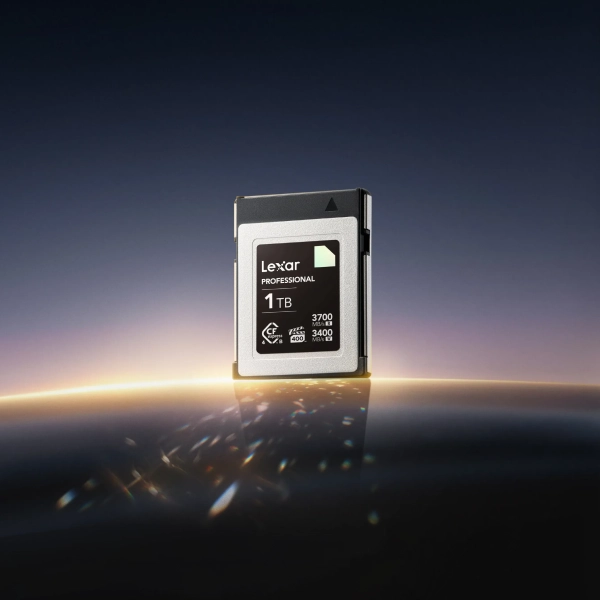
For CFexpress Type B Slots: Lexar® Professional CFexpress Type B DIAMOND Series
The Lexar® Professional CFexpress Type B DIAMOND Series represents Lexar’s highest-performance offering in the CFexpress Type B format, with read speeds up to 1900MB/s and write speeds up to 1700MB/s. Those figures reflect four-lane PCIe operation and are designed for the most data-intensive professional workflows in current mirrorless systems. The CFexpress card guide covers the broader ecosystem and how Type B fits within it.
Canon EOS R3 and R5 Mark II users recording internal RAW video, Nikon Z9 users pushing 8K raw capture, or any workflow where buffer clearance speed directly affects how quickly you can return to shooting – the DIAMOND Series addresses all of these scenarios.
This card is the right choice for:
- Canon EOS R3 and R5 Mark II users where CFexpress Type B is the primary and often only slot format
- Nikon Z9 and Z8 users recording 8K RAW or running the extended high-speed burst modes
- Nikon Z6 III users who want full performance from the dual CFexpress Type B configuration
- Panasonic Lumix S5 II users using the CFexpress Type B slot for primary recording in demanding codecs
- Fujifilm GFX 100 II users leveraging the CFexpress Type B slot for 100MP capture at higher burst rates
Dual-Slot Workflows for Mirrorless Cameras
Most professional and enthusiast mirrorless bodies include two card slots, and how you configure them has a real impact on reliability and workflow efficiency.
There are three standard dual-slot configurations worth understanding:
- Simultaneous backup (overflow off): Every file writes to both cards at the same time. When Slot 1 is full, the camera stops – it doesn’t continue to Slot 2 alone. This is the choice for wedding photographers, event work, or any situation where losing a file is unacceptable. The tradeoff is that your effective capacity is limited to the smaller of the two cards.
- Sequential overflow: The camera fills Slot 1 completely, then continues to Slot 2. This maximizes total capacity and is common for long documentary or travel shoots. There’s no real-time redundancy – if Slot 1 fails before it fills, those files are gone.
- Format-separated recording: On cameras with mixed-format dual slots (like many Sony bodies with one CFexpress Type A slot and one SD slot), you can assign raw to the fast slot and JPEG or video proxy to the SD slot. This is a practical workflow for photographers who want raw originals on the faster card and delivery-ready JPEGs available immediately without post-processing.
Speed matching between slots matters more than most people account for. In simultaneous backup mode, both slots write at the speed of the slower card. If you put a Lexar® Professional CFexpress Type A GOLD Series in Slot 1 and a UHS-I SD card in Slot 2, the entire simultaneous write operation runs at UHS-I speed.
Match card performance to your workflow mode – don’t let one card become the bottleneck.
For mixed-format bodies, the practical recommendation is to put your fastest card in the primary slot and match the secondary slot to the data rate of what you’re recording there. A V60 UHS-II card is perfectly adequate as a JPEG overflow or proxy video card. It doesn’t need to be V90 if the data rate doesn’t require it.
Memory Card for Mirrorless Camera: Common Questions
What memory card does the Sony A7R V use?
The Sony A7R V has dual slots that accept either CFexpress Type A or UHS-II SD cards. For demanding shooting at higher burst rates and uncompressed raw, the Lexar® Professional CFexpress Type A GOLD Series is the appropriate card for the primary slot. For moderate shooting rates and standard raw workflows, the Lexar® Professional 2000x SDXC™ UHS-II Card GOLD Series (V90) is compatible and performs well.
Do I need a CFexpress card for mirrorless video?
It depends on your camera and what you’re recording. For most 4K recording at standard bitrates (up to roughly 200Mbps), a V90 UHS-II SD card covers the requirement. Once you move into 4K 120fps, 8K recording, or high-bitrate cinema codecs like XAVC HS All-I or Canon RAW Light, CFexpress becomes a real requirement rather than a recommendation. Check your camera’s user manual for the specific minimum write speed listed for each recording format – the spec sheet will tell you exactly where the threshold is.
Is UHS-II worth it over UHS-I for mirrorless cameras?
Yes, in almost every mirrorless use case. If your camera has UHS-II slots, putting a UHS-I card in it caps performance at UHS-I speeds regardless of the card’s marketing. The practical difference shows up in buffer clearance times after a burst, sustained write speed during continuous video recording, and overall shooting responsiveness. The Lexar® Professional 2000x SDXC™ UHS-II Card GOLD Series at up to 260MB/s write versus a typical UHS-I card at 60MB/s-100MB/s write – that’s not a marginal gap. It directly affects how fast you can shoot again after clearing the buffer.
Can I use a CFexpress Type B card in a CFexpress Type A slot?
No. Type A and Type B are physically different form factors and are not interchangeable in either direction. Type A cards use a smaller physical format with two PCIe lanes. Type B uses a larger format with four PCIe lanes. Always confirm which CFexpress type your camera requires before purchasing.
What’s the difference between the Lexar GOLD Series and DIAMOND Series CFexpress cards?
The Lexar® Professional CFexpress Type A GOLD Series is designed for the CFexpress Type A format used in Sony Alpha bodies, with read speeds up to 900MB/s and write speeds up to 800MB/s. The Lexar® Professional CFexpress Type B DIAMOND Series is for CFexpress Type B slots found in Canon, Nikon, Panasonic, and Fujifilm GFX cameras, and delivers higher peak performance at up to 1900MB/s read and 1700MB/s write due to the four-lane PCIe architecture of Type B. They are different products for different slot types – format compatibility is the primary determining factor in choosing between them, not performance tier alone.
How to Choose the Right Memory Card for Your Mirrorless Camera
Choosing the best memory card for a mirrorless camera comes down to three questions: What slot type does your body have? What is the minimum write speed your camera requires for the way you shoot? And does the card you’re considering actually sustain that write speed under real-world load?
Answer those three questions and the decision becomes clear. UHS-II SD V90 for Fujifilm, Sony mid-range, and Canon/Nikon enthusiast bodies. CFexpress Type A for Sony Alpha flagships. CFexpress Type B for Canon and Nikon professional bodies, Panasonic Lumix S5 II, and Fujifilm GFX 100 II.
The Lexar® Professional 2000x SDXC™ UHS-II Card GOLD Series, the Lexar® Professional CFexpress Type A GOLD Series, and the Lexar® Professional CFexpress Type B DIAMOND Series each target a specific segment of that map. Match the card to the slot, match the write speed to the camera’s requirements, and the rest of the decision process takes care of itself.
FIND YOUR CARD
Built for Every Mirrorless Slot. Backed by 30 Years of Lexar.
V90 SD for Fujifilm and enthusiast bodies. CFexpress Type A for Sony Alpha. CFexpress Type B for Canon, Nikon, Panasonic, and Fujifilm GFX flagships.