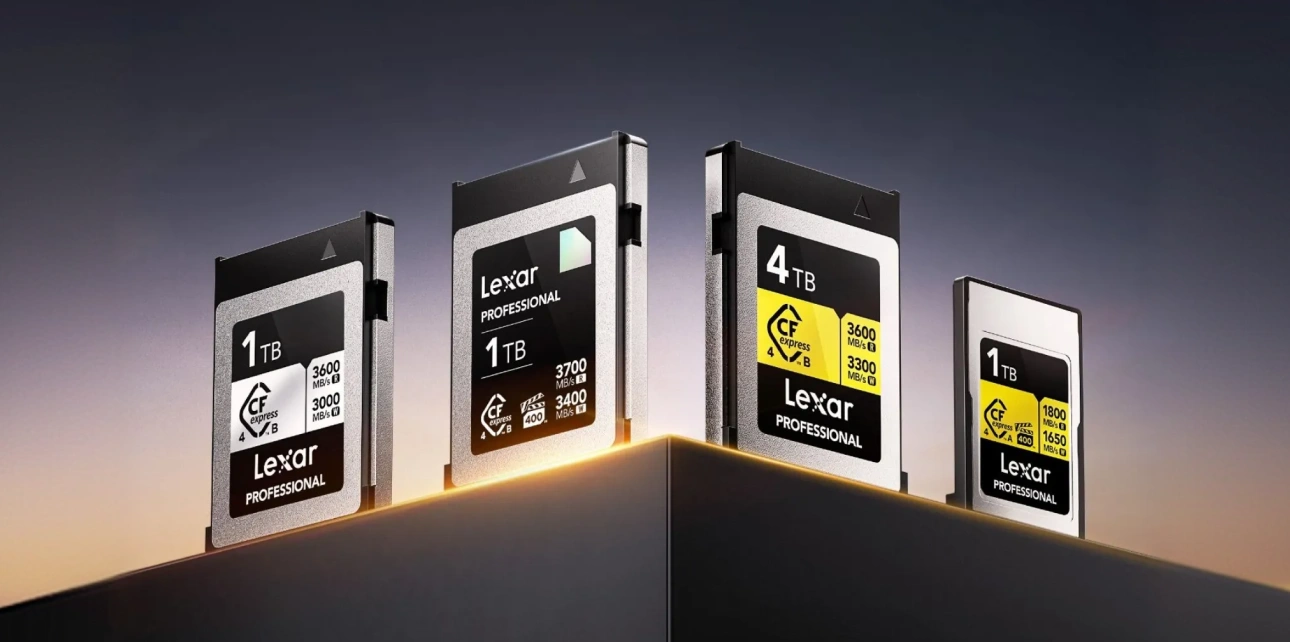


CFexpress 4.0 cards advertise 3700MB/s read speeds. Premium cards commanding $450+ price tags promise revolutionary workflow acceleration through these blazing transfer rates. Yet countless photographers and videographers report identical frustration across online forums — new cards delivering only 850MB/s transfers despite specifications claiming four times that performance.
The confusion stems from a widespread technical mismatch most creators don’t realize exists. Your CFexpress 4.0 card isn’t the problem. The bottleneck sits between the card and your computer — specifically, your card reader’s interface technology. Most creators own CFexpress 4.0 cards but continue using USB 3.2 Gen 2 readers maxing out around 900MB/s. These readers physically cannot access the 40Gbps bandwidth CFexpress 4.0 delivers. You need USB 4.0 or Thunderbolt 4 connectivity achieving 40Gbps (5000MB/s) to unlock your card’s true performance.
This technical mismatch wastes hours across shooting schedules. The 1TB card requiring 4 minutes with proper USB 4.0 infrastructure stretches to 16 minutes through older readers. Understanding why this happens, and how to fix it, determines whether your premium cards accelerate workflows or simply wait for outdated transfer technology to catch up.
Why Isn’t My Card As Fast As Advertised?
Your card reader acts as a gateway between card and computer. Traditional USB 3.2 Gen 2 readers max out around 10Gbps (1250MB/s). Real-world transfers through these interfaces plateau around 850MB/s-900MB/s. Even premium CFexpress 4.0 cards hitting 3600MB/s cannot exceed that 900MB/s ceiling when the reader itself creates the bottleneck.
This means that when someone uses an expensive CFexpress 4.0 card with a USB 3.2 Gen 2 reader, transfer speeds remain unchanged from older CFexpress 2.0 cards. The card works perfectly, but it simply cannot transmit data faster than the reader’s interface allows.
Computer specifications add another layer of complexity. Only USB 4.0 or Thunderbolt 4 connections provide sufficient bandwidth for CFexpress 4.0 cards reaching full speed. Older USB-C connectors might only support USB 3.2 Gen 2 (10Gbps), USB 3.2 Gen 2×2 (20Gbps), or USB 4.0 (40Gbps), limiting the full capabilities of a CFexpress 4.0 card.

Understanding USB Interface Limitations
The USB standard has evolved dramatically over the past decade, creating confusion around capabilities and compatibility. Each generation delivers different maximum bandwidths directly impacting memory card transfer speeds.
USB 3.2 Gen 2 (10Gbps): Most existing card readers use the USB 3.2 Gen 2 standard. Real-world transfers around 850MB/s-900MB/s. Adequate for CFexpress 2.0 cards but severe bottleneck for CFexpress 4.0 performance.
USB 3.2 Gen 2×2 (20Gbps): Doubles bandwidth to 2500MB/s. Real-world transfers reach 1800MB/s-2000MB/s. Improves CFexpress 4.0 performance but still cannot access full card capabilities. Limited adoption – most manufacturers skipped this generation entirely.
USB 4.0 (40Gbps): Matches Thunderbolt 3 bandwidth at 5000MB/s. Real-world transfers achieve 3000MB/s-3500MB/s, which is fully capable of enabling CFexpress 4.0 cards to reach advertised speeds.
Thunderbolt 4 (40Gbps): Guarantees 40Gbps performance, unlike optional USB 4.0 implementation. Functionally equivalent to USB 4.0 for card reader purposes but ensures consistent performance across all certified devices.
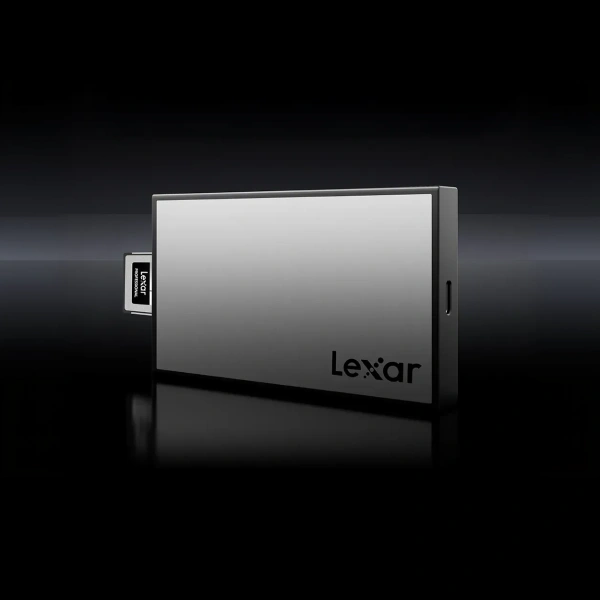
The Lexar® Professional Workflow CFexpress 4.0 Type B Card Reader addresses this bottleneck directly through 40Gbps USB 4.0 interface. When paired with Lexar® Professional CFexpress 4.0 Type B DIAMOND cards, the reader achieves up to 3300MB/s transfer speeds – over three times faster than USB 3.2 Gen 2 alternatives.
Real-World Time Savings
Abstract bandwidth numbers become meaningful when translated into actual workflow time savings.
1TB Card Offload
USB 3.2 Gen 2 reader (900MB/s): 19 minutes
USB 4.0 reader (3300MB/s): 5.2 minutes
Time saved per card: 13.8 minutes
Three-camera shoot with two 1TB cards per camera creates six card offload operations. USB 3.2 Gen 2: 114 minutes total. USB 4.0: 31 minutes total. Difference: 83 minutes saved per shooting day.
8K Video Dailies Transfer
A typical 8K RAW shoot generates 45GB per minute of footage. Four-hour interview recording creates 10,800GB (10.5TB) across multiple cards.
USB 3.2 Gen 2 reader: 3.3 hours
USB 4.0 reader: 55 minutes
Time saved: 2.4 hours
For productions on deadline where editors need footage same-day, that 2.4-hour difference determines whether dailies reach the cutting room before crew wrap or wait until the following morning.
Wedding Photography Multi-Card Workflow
Wedding photographers typically fill 4-6 cards across ceremony, portraits, and reception. Average 512GB per card totals 3TB for a complete wedding day.
USB 3.2 Gen 2 reader: 56 minutes
USB 4.0 reader: 15 minutes
Time saved: 41 minutes
Those 41 minutes determine whether a photographer reviews images the same evening for client preview selection, or waits until the next day.
In-Camera Performance vs Post-Production Speed
Why do post-production transfer speeds matter if cameras cannot write at 3600MB/s? The answer lies in understanding where performance bottlenecks actually occur throughout workflow.
Current professional cameras support CFexpress 2.0 interface maxing around 2000MB/s sustained write speeds. The Nikon Z9 shooting 8K 60fps N-RAW generates 730MB/s sustained – below CFexpress 2.0 ceiling. No production camera currently maxes out even older CFexpress 2.0 cards.
Post-production tells a different story. Once shooting completes, cards connect to computers via external readers rather than camera interfaces. Computer systems support USB 4.0 and Thunderbolt 4 delivering 40Gbps bandwidth. CFexpress 4.0 cards paired with USB 4.0 readers achieve 3300MB/s transfers despite camera limitations.
CFexpress 4.0 investment makes sense even for current cameras. In-camera recording speed matches older cards. Post-production offload speed jumps 3x-4x faster when using a proper reader. The workflow acceleration happens during file transfer, not during capture.

Cable and Computer Requirements
Card reader specifications tell an incomplete story. Cable connecting a reader to a computer dramatically affects real-world performance. Not all USB-C cables support identical speeds despite identical physical connectors.
USB-C describes connector type, not performance capability. A single USB-C cable might support USB 2.0 (480Mbps), USB 3.2 Gen 2 (10Gbps), or USB 4.0 (40Gbps). Physical appearance provides no indication. Users purchase a proper USB 4.0 reader but connect via USB 3.2 cable, immediately bottlenecking transfers regardless of reader capabilities.
Cable length additionally impacts performance. USB 4.0 standard maintains 40Gbps speeds up to 0.8 meters. Beyond that length, some cables drop to 20Gbps operation. Quality manufacturing affects reliability – cheap cables use inadequate shielding allowing interference degrading signal integrity.
The Lexar® Professional Workflow CFexpress 4.0 Type B Card Reader includes a USB-C to USB-C cable tested for 40Gbps operation. This ensures users achieve advertised performance immediately without cable compatibility detective work.
Computer compatibility requires verification. Windows computers vary dramatically in USB 4.0 adoption. High-end motherboards added USB 4.0 support starting 2021-2022 but implementation remains inconsistent. Budget systems frequently omit USB 4.0 entirely even in 2026.
Mac systems show more consistent implementation. All M1 series Macs (2020 onward) support Thunderbolt 4 providing identical 40Gbps bandwidth as USB 4.0. However, Apple silicon Macs do not support USB 3.2 Gen 2×2 standard, jumping directly from USB 3.2 Gen 2 (10Gbps) to full Thunderbolt 4 (40Gbps).
Identifying Your Current Bottleneck
Determining where a performance bottleneck exists requires systematic testing across workflow components.
Step 1: Check Card Specifications – Verify your CFexpress card generation and rated speeds. CFexpress 2.0 cards typically advertise 1400MB/s-1850MB/s read speeds. CFexpress 4.0 cards rate 3000MB/s and above.
Step 2: Identify Card Reader Interface – Look for “USB 3.2 Gen 2,” “USB 4.0,” or “Thunderbolt 4” specifications. Readers manufactured before 2023 almost certainly use USB 3.2 Gen 2 (10Gbps).
Step 3: Verify Computer Port Specifications – Check manufacturer specifications for each USB-C port. Some systems provide mixed port types. Thunderbolt ports typically marked with a lightning bolt symbol.
Step 4: Test Cable Performance – If reader and computer both support USB 4.0 but transfers remain slow, cable likely causes bottleneck. Swap cable with known USB 4.0 certified alternative.
Step 5: Conduct Transfer Speed Test – Transfer large file from CFexpress 4.0 card to computer SSD. Monitor sustained transfer speed over 10 to 20 seconds. Results interpretation:
800MB/s-1000MB/s: USB 3.2 Gen 2 bottleneck
1800MB/s-2000MB/s: USB 3.2 Gen 2×2 limitation
3000MB/s-3500MB/s: Proper USB 4.0 operation
Below 800MB/s: Multiple bottlenecks or cable issue


Upgrading Your Transfer Infrastructure
Once a bottleneck is identified, strategic upgrades restore proper CFexpress 4.0 performance. The Lexar® Professional Workflow ecosystem provides a complete solution addressing every transfer infrastructure component.
The Lexar® Professional Workflow CFexpress 4.0 Type B Card Reader eliminates reader-based bottlenecks through native USB 4.0 support achieving 40Gbps bandwidth. Aluminum construction provides scratch resistance during location use while maintaining lightweight portability. Backwards compatibility with CFexpress 2.0 Type B cards protects existing card investments.
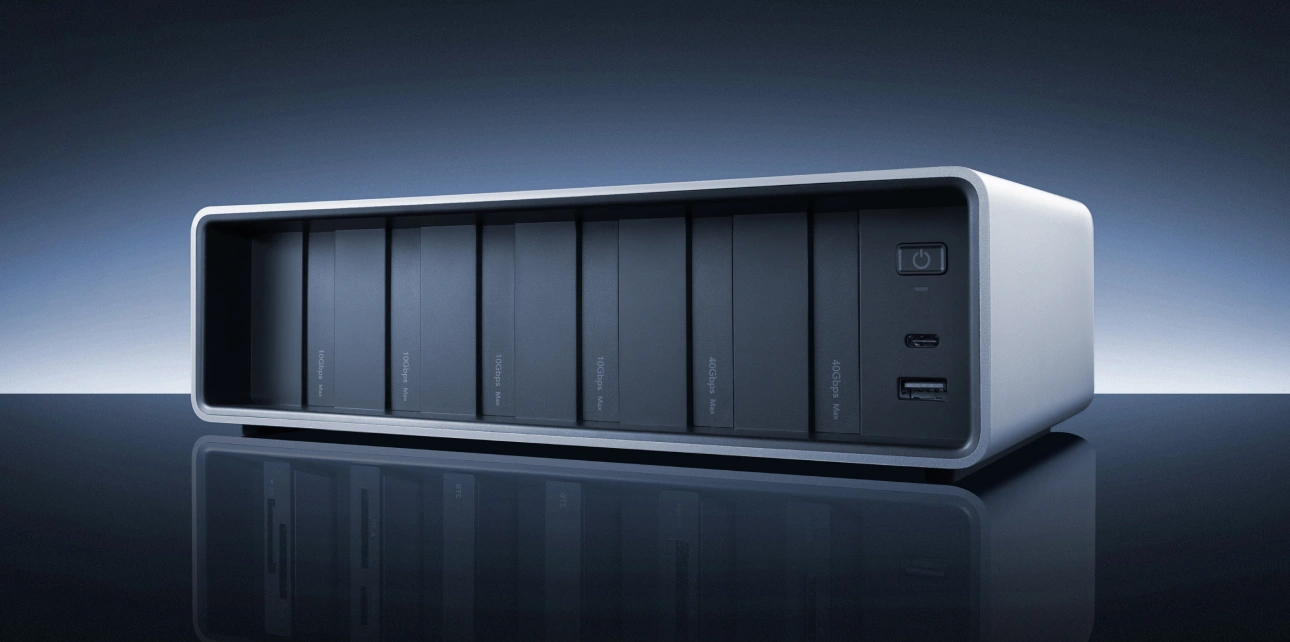
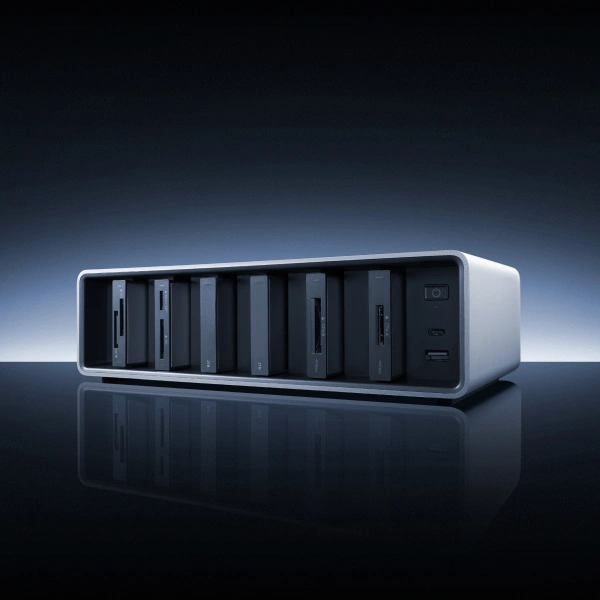
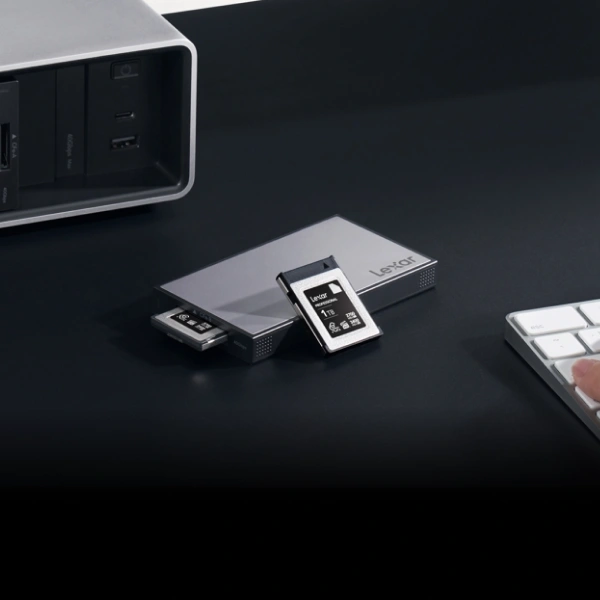
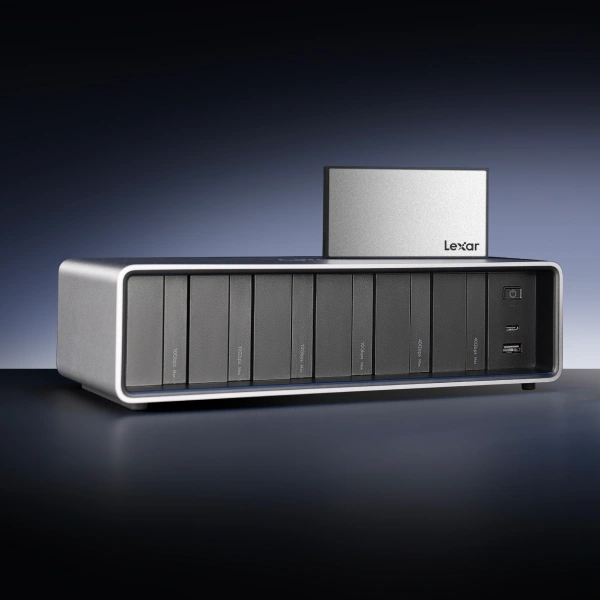
The reader functions as a standalone device via the included USB-C cable, or it can integrate with the Lexar® Professional Workflow Docking Station for multi-card workflows. The docking station accommodates up to six modules to simultaneously transform single-card serial offloads into a parallel multi-card operation. Three CFexpress 4.0 readers in a docking station transfers three cards concurrently, tripling the effective workflow speed.
For Type A format users (primarily Sony cameras), the Lexar® Professional Workflow CFexpress 4.0 Type A Card Reader provides equivalent USB 4.0 performance in a smaller form factor.
A complete workflow infrastructure includes proper storage destinations. Fortunately, the Lexar® Professional Workflow Portable SSD delivers read and write speeds up to 2000MB/s via USB 3.2 Gen 2×2 to receive data transfers from fast cards without creating a destination bottleneck. IP68 water and dust resistance protects drives during field use.
Take Action: Accelerate Your Workflow Today
Start measuring your workflow needs by testing current transfer speeds. Time how long 100GB transfer requires. Calculate MB/s: 102,400MB divided by transfer seconds. Results below 1000MB/s confirm a USB 3.2 Gen 2 bottleneck. Only consistent speeds over 3000MB/s demonstrates proper USB 4.0 operation.
For creators ready to eliminate reader bottlenecks, the Lexar® Professional Workflow CFexpress 4.0 Type B Card Reader provides a proven solution. USB 4.0 interface accessing 40Gbps bandwidth pairs perfectly with high-performance cards achieving 3300MB/s transfer speeds. Modular design integrates with Lexar® Professional Workflow Docking Station or functions standalone via included USB-C cable.
Multi-camera operators and high-volume shooters should evaluate the Lexar® Professional Workflow Docking Station ecosystem. Six configurable bays accommodate multiple card readers and portable SSDs simultaneously. Two 40Gbps Thunderbolt 4 bays handle CFexpress 4.0 cards at full speed while four 10Gbps bays manage SD cards and older formats.
Remember that proper cables are critical. Using a USB 4.0 reader with a USB 3.2 cable immediately throttles performance regardless of other specifications. Verify cables explicitly certified for USB 4.0 or Thunderbolt 4 operation.
The difference between 19 minutes and 5 minutes to offload a single 1TB card compounds across every shooting day, every project, every year of professional work. The time you can save with a fast file transfer means more time there is for the actual creative work, client communication, or personal time.
Premium CFexpress 4.0 cards deserve premium transfer infrastructure accessing their full performance. Upgrade your reader. Verify your cables. Stop waiting on outdated technology bottlenecking workflow at the finish line.
Frequently Asked Questions
Q: Will CFexpress 4.0 cards work in my camera that only supports CFexpress 2.0?
Yes. CFexpress 4.0 cards maintain full backwards compatibility with CFexpress 2.0 camera interfaces. The card will record at the camera’s maximum speed (typically 1400MB/s-2000MB/s sustained write) just like CFexpress 2.0 cards. You won’t achieve 3700MB/s in-camera recording with current cameras, but you will see dramatically faster transfer speeds during post-production offload when using USB 4.0 card reader.
Q: My computer has USB-C ports but I still get slow transfers. Why?
USB-C describes only the connector shape, not the performance capability. Your USB-C ports might support USB 2.0 (480Mbps), USB 3.2 Gen 2 (10Gbps), or USB 4.0 (40Gbps). Only USB 4.0 or Thunderbolt 4 provides sufficient bandwidth for CFexpress 4.0 cards. Check your computer’s specifications for the exact USB generation that’s supported. If specifications list only “USB-C” without a generation number, it’s likely USB 3.2 Gen 2 maxing around 900MB/s.
Q: Do I need different cables for USB 4.0 versus USB 3.2?
Yes. While USB-C cables look identical externally, internal wiring differs dramatically. USB 3.2 Gen 2 cables support only 10Gbps. USB 4.0 cables must support 40Gbps requiring upgraded conductors and shielding. Using USB 3.2 cable with USB 4.0 reader immediately bottlenecks transfer at 10Gbps regardless of reader and card capabilities. Always verify cables explicitly certified for USB 4.0 or Thunderbolt 4.
Q: What’s the difference between USB 4.0 and Thunderbolt 4 for card readers?
Both provide 40Gbps bandwidth, which is functionally equivalent for card reader purposes. Thunderbolt 4 mandates 40Gbps support while USB 4.0 standard allows optional 20Gbps or 40Gbps implementation. For card transfers, either technology delivers identical maximum performance. Mac users benefit from Thunderbolt 4 native support across all M-series systems.
Q: Can I use a USB 4.0 card reader with a laptop that only has USB 3.2 ports?
Yes, through backwards compatibility. USB 4.0 readers function perfectly well with USB 3.2 ports, but they simply operate at reduced speeds. Your transfers will max around 900MB/s rather than 3300MB/s. Many creators purchase USB 4.0 readers even with USB 3.2 systems, accepting temporary speed limitations, knowing full performance becomes available once a laptop is eventually upgraded.