Write speed is the rate at which your memory card saves image data from your camera’s buffer. Think of your camera’s buffer as a temporary holding area. When you hold down the shutter in burst mode, images pile up in this buffer faster than most cards can clear them. Once the buffer fills completely, your camera stops shooting until space opens up.
A memory card with 90MB/s write speed can clear your camera’s buffer roughly three times faster than a card rated at 30MB/s. That difference means capturing 40 consecutive shots versus 12 before hitting the wall. For sports photography where athletes move at incredible speeds, those extra frames often contain the peak action moment you’re after.
Here’s what happens with different write speeds during a typical burst sequence:
- 30MB/s cards: Adequate for casual photography, but struggle with RAW burst sequences. Your camera will pause frequently, often after just 8 to 12 shots.
- 90MB/s cards: Handle most burst photography scenarios well. You’ll get 20 to 30 shots before any slowdown, enough for many action sequences.
- 150MB/s cards: Professional-grade performance that keeps pace with high-resolution cameras. Shoot 40+ frames without interruption.
- 260MB/s cards: Top-tier performance for demanding workflows. Handle RAW plus JPEG bursts effortlessly, even with 45+ megapixel cameras.
Understanding Sustained Write Speed vs. Maximum Write Speed
Maximum write speed sounds impressive on the package. But sustained write speed determines real-world performance during extended burst sequences. Many cards advertise peak speeds they only achieve briefly before dropping to lower sustained rates.
Maximum write speed represents the card’s fastest possible data transfer under optimal conditions. Your card might hit 150MB/s for the first few images, but what happens at frame 25? Sustained write speed guarantees minimum performance levels throughout your entire burst sequence, regardless of how long you hold that shutter button.
This distinction matters enormously for sports and wildlife photography. A football game includes dozens of plays. A bird photography session involves multiple takeoff sequences. You need consistent performance across hundreds of burst captures, not just the first few frames of the day.
Video Speed Class ratings (V30, V60, V90) indicate guaranteed sustained write speeds. A V30 card maintains at least 30MB/s, V60 guarantees 60MB/s, and V90 ensures 90MB/s minimum sustained performance. These ratings prove especially valuable for videographers, but burst photographers benefit from the performance guarantee too.
How Camera Buffer Capacity Interacts with Card Speed
Your camera’s internal buffer size determines how many images it can hold before requiring card write operations. Different cameras offer vastly different buffer capacities, and understanding your specific model’s buffer affects memory card selection.
A camera with a large buffer (50+ RAW images) paired with a slower card will eventually bog down, but you’ll get more shots before hitting that limit. A camera with a small buffer (12 to 15 RAW images) needs faster write speeds immediately to maintain burst shooting capability.
Professional sports cameras typically feature larger buffers precisely because action photographers demand extended burst sequences. Entry-level and mid-range cameras often have smaller buffers, making fast memory cards even more critical for maintaining performance.
Testing your specific camera-card combination reveals practical burst depth. Load a card, set your camera to its highest continuous shooting mode, and fire away in RAW format. Count how many frames you capture before the camera slows down. That number represents your practical burst depth with that particular card.
Faster cards reduce buffer clearing time between bursts too. After capturing a sequence, you need to wait while your camera transfers data from buffer to card. A card with 150MB/s write speed clears a full buffer two to three times faster than a 50MB/s card, getting you ready for the next burst sequence sooner.

RAW vs. JPEG: How File Format Impacts Memory Card Performance
RAW files contain significantly more data than JPEGs. A single RAW image from a modern 24-megapixel camera typically measures 25MB-35MB, while the equivalent JPEG might be 5MB-8MB. When you’re shooting 10 frames per second, that difference compounds quickly.
When you are shooting RAW in burst mode, this demands substantially faster write speeds. Ten frames per second of RAW images generates approximately 300MB of data every second. Your memory card needs to handle that data flow continuously, or your camera’s buffer fills and shooting stops.
Many photographers shoot RAW plus JPEG simultaneously for workflow flexibility. This approach doubles your data output, requiring even faster write speeds to maintain burst performance. A memory card that handles RAW-only shooting adequately might struggle when you add JPEG capture to the equation.
JPEG-only shooting reduces memory card speed requirements considerably. If you primarily shoot JPEG for sports, you can work with slower, more affordable cards. However, RAW format provides substantially more editing flexibility for recovering highlights, adjusting exposure, and perfecting color – advantages that outweigh the speed requirements for many photographers.

UHS-I vs. UHS-II: Choosing the Right Interface for Your Camera
Ultra high speed (UHS) interfaces determine maximum data transfer rates between your camera and memory card. UHS-I cards max out around 104MB/s theoretical speed, while UHS-II cards can reach 312MB/s through an additional row of pins.
UHS-II cards feature two rows of contact pins on the back, compared to one row on UHS-I cards. That extra row enables dramatically faster data transfer when paired with a UHS-II compatible camera. However, UHS-II cards work perfectly fine in UHS-I cameras too—they simply operate at UHS-I speeds.
Your camera’s specifications determine which interface you can fully utilize. A camera with UHS-II support extracts maximum performance from UHS-II cards. A camera limited to UHS-I won’t benefit from UHS-II card capabilities, though the card still functions normally at UHS-I speeds.
For burst photography, UHS-II cards provide headroom that keeps camera buffers clearing quickly even during intense shooting sequences. The speed advantage becomes especially noticeable when shooting high-resolution RAW files or recording 4K video alongside burst photography.
Consider your workflow beyond just shooting. UHS-II cards dramatically reduce file transfer times when transferring the images to your computer. After a full day shooting sports, that speed difference can save 30 to 45 minutes of waiting for file transfers to complete.
Capacity Planning for Extended Shooting Sessions
Running out of storage mid-shoot ranks among the most frustrating experiences in action photography. A basketball game includes hundreds of possessions. A wildlife photography session might span several hours. You need sufficient capacity to cover entire events without constant card swaps.
Calculate your capacity needs based on shooting volume and file sizes. A 24-megapixel camera shooting RAW files produces approximately 25MB per image. At 10 frames per second during burst sequences, you generate 250MB of data every second. A 64GB card fills after roughly 2,000 images—less than five minutes of continuous burst shooting.
Professional photographers typically carry multiple cards rather than relying on one massive capacity card. This approach provides backup if a card fails and allows swapping cards during brief breaks in action. Two 128GB cards offer more flexibility and security than one 256GB card.
However, capacity decisions involve trade-offs. Higher capacity cards often provide better cost per gigabyte. They also reduce card swapping frequency during shoots, minimizing chances of missing action while changing cards.
For most sports and action photographers, 256GB to 512GB represents the sweet spot for capacity. That size provides adequate storage for typical shooting sessions without excessive cost or the workflow complications that come with managing dozens of smaller cards.
Consider shooting style when selecting capacity. Wedding photographers who capture both action sequences and posed portraits might prefer 256GB cards for all-day coverage. Sports photographers shooting a single game might work comfortably with 128GB-256GB cards, swapping between quarters or periods.
Weather Resistance and Durability for Field Conditions
Memory cards face harsh conditions during field photography. Rain at outdoor sporting events. Dust at motocross tracks. Temperature extremes at winter skiing competitions or summer baseball games. Your memory card needs to handle these environmental challenges without data loss.
Professional-grade memory cards include multiple protection features. Water resistance protects against rain and accidental submersion. Temperature resistance ensures operation in extreme heat and cold. Shock resistance guards against drops and impacts that occur during active photography.
These durability features matter more than many photographers realize. A card failure during a shoot means lost images that can never be recreated. For professional photographers, that loss translates directly into lost income and damaged client relationships.
X-ray protection is particularly valuable for traveling photographers. Airport security scanners pose no risk to properly protected memory cards, but lower quality cards without adequate shielding could potentially suffer data corruption after repeated security screenings.
Lexar Professional memory cards include comprehensive protection against water, shock, temperature extremes, X-rays, and magnetic fields. That full-spectrum durability gives you confidence shooting in any conditions, from tropical rainforests to arctic environments.
Real-World Performance: What to Expect During Actual Shooting
Real-world testing reveals how cards actually perform during demanding shooting sessions. Factors including camera model, firmware version, shooting settings, and even ambient temperature affect practical performance.
A memory card rated for 150MB/s write speed might achieve 120MB/s-140MB/s during actual burst photography, depending on your specific camera’s data processing. This performance variance occurs because cameras vary in how efficiently they handle data transfer operations.
Testing memory cards with your specific camera provides the most accurate performance picture. Shoot a long burst sequence in RAW format. Count how many frames you capture before the camera slows down. Time how long your camera takes to clear its buffer. These measurements reveal practical performance with your equipment.
Temperature affects memory card performance. Cards may slow slightly in extreme cold or heat compared to moderate temperatures. This performance variation rarely causes problems, but awareness helps explain occasional performance differences during field shooting.
Card health degrades over time and usage. After thousands of write cycles, cards may develop slower sectors or reduced overall performance. Professional photographers typically retire high-use cards after 12 to 18 months, ensuring consistent performance for critical assignments.
Regular card maintenance includes formatting in-camera rather than deleting individual images. This practice maintains optimal card performance and reduces risk of file system errors that could compromise data integrity.
Lexar SD Card Recommendations for Different Burst Photography Scenarios
Different shooting situations demand different performance levels. Matching your memory card to your specific photography needs optimizes both performance and budget. Here’s how Lexar Professional memory cards align with various burst photography applications.
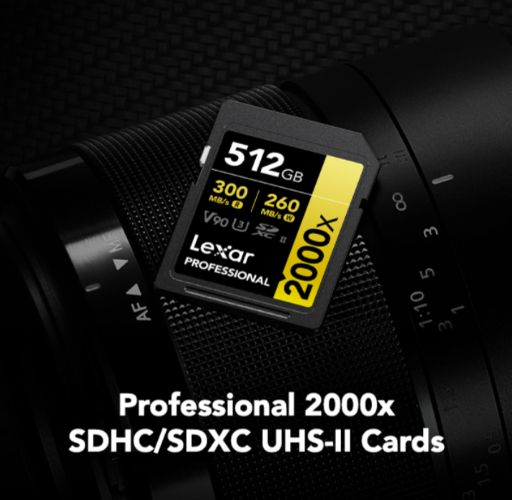

High-Speed Sports and Wildlife Photography
Professional sports photographers and wildlife specialists shooting with high-resolution cameras need maximum write speeds to maintain continuous burst performance. These photographers typically shoot 8 to 12 frames per second with 24+ megapixel cameras, generating massive data volumes during action sequences.
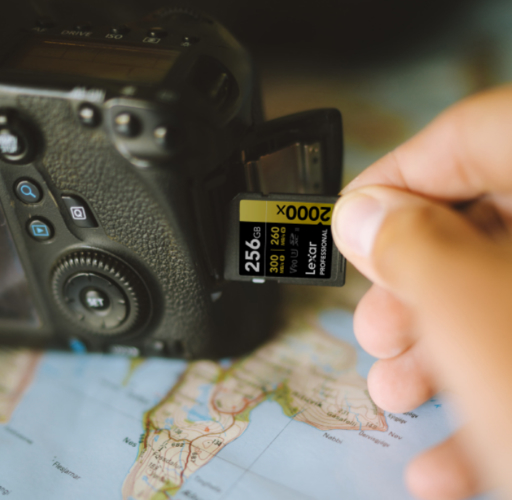
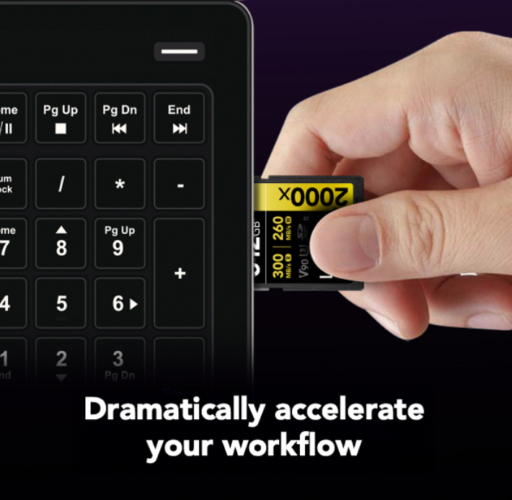
The Lexar® Professional 2000x SDXC™ UHS-II Card GOLD Series stands out for these demanding applications. With 300MB/s read speeds and 260MB/s write speeds, the 2000x GOLD Series handles sequential burst mode and RAW plus JPEG capture without dropping frames. The V90 rating guarantees sustained 90MB/s minimum write speed, ensuring consistent video performance throughout extended shooting sessions.This performance level supports modern professional cameras shooting 14-bit RAW files at 10+ frames per second. Whether you’re tracking a wide receiver down the sideline or following an osprey diving for fish, the 2000x GOLD Series keeps your camera’s buffer clearing quickly enough to maintain continuous shooting.
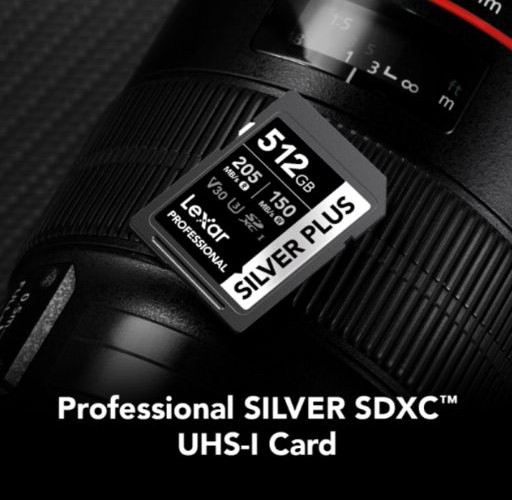

Enthusiast Sports and Action Photography
Enthusiast photographers shooting youth sports, school athletics, or recreational action photography need reliable burst performance without professional-level pricing. These photographers typically work with mid-range cameras shooting 5 to 8 frames per second.
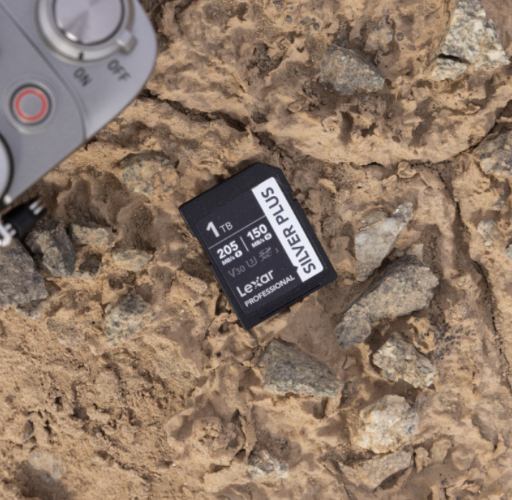
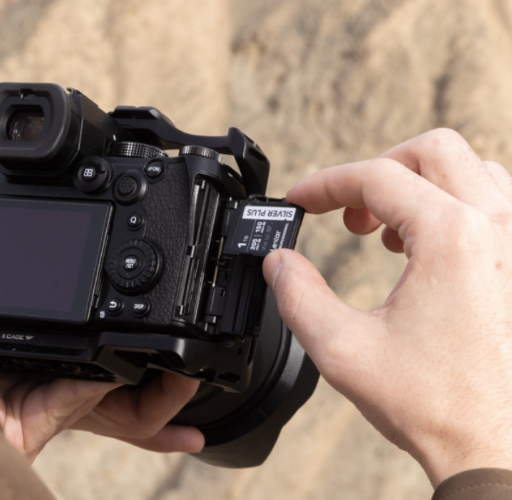
The Lexar® Professional SILVER PLUS SDXC™ UHS-I Card delivers 205MB/s read speeds and 150 MB/s write speeds, providing excellent performance for burst photography at an accessible price point. The V30 rating ensures consistent video performance for capturing sequences without missing shots.
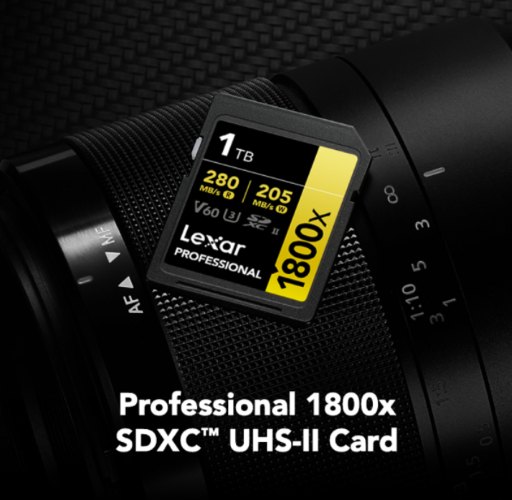

Wedding and Event Photography with Burst Sequences
Wedding photographers capture bursts during key moments – the first kiss, bouquet toss, grand entrance—but also shoot portraits and detail shots. They need cards that handle burst sequences reliably while providing substantial capacity for all-day coverage.
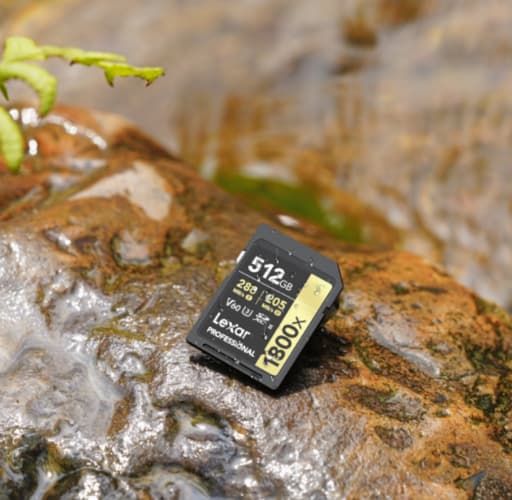
The Lexar® Professional 1800x SDXC™ UHS-II Card GOLD Series offers an optimal balance of speed and capacity for wedding work. With up to 280MB/s read speeds and up to 210MB/s write speeds plus V60 rating, it handles photo and video with ease while providing the capacity needed for full wedding day coverage.
The V60 rating proves particularly valuable for wedding videographers who capture ceremony footage and reception highlights in 4K. One card handles both high-resolution burst stills and extended 4K video recording without requiring format changes mid-event.
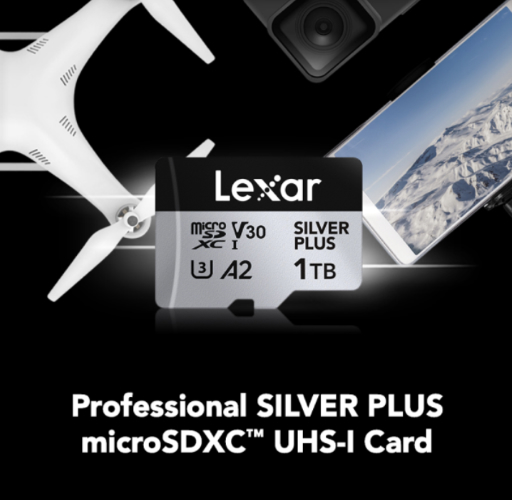

Drone and Action Camera Burst Photography
Drone photographers capturing aerial action sequences and action camera users recording high-speed activities need compact memory cards with robust burst performance. These applications demand microSD format cards rather than full-size SD cards.
The Lexar® Professional SILVER PLUS microSDXC™ UHS-I Card provides 205MB/s read speeds and 150MB/s write speeds in microSD format. This card handles burst photography from drones capturing aerial sports or action cameras mounted on helmets, bikes, or other moving platforms.
The compact microSD format fits seamlessly in drones, action cameras, and handheld gaming consoles. With V30 rating and comprehensive durability protection, it performs reliably in demanding conditions from dusty motocross tracks to humid beach volleyball tournaments.
Common Memory Card Mistakes That Cost Photographers Shots
Even experienced photographers sometimes make memory card choices that compromise their shooting. Avoiding these common mistakes improves burst photography performance and protects your valuable images.
Prioritizing Capacity Over Speed
The biggest mistake burst photographers make involves buying high-capacity cards with inadequate write speeds. A 512GB card sounds appealing until you realize its 30MB/s write speed causes constant buffer issues during burst sequences.
For burst photography, write speed matters more than capacity. Better to carry three 128GB cards rated at 150MB/s than one 512GB card at 30MB/s. The faster cards maintain shooting performance while multiple cards provide backup redundancy if one fails.
Mixing Card Speeds in Multi-Slot Cameras
Many cameras offer dual card slots for backup or overflow storage. Some photographers load a fast card in slot one and a slower, cheaper card in slot two. This approach creates problems when the camera writes to both cards simultaneously for backup.
Your camera’s write performance drops to match your slowest card when shooting to both slots simultaneously. That fast 150MB/s card in slot one performs only as well as the 30MB/s card in slot two. Use matched card speeds in both slots to maintain optimal burst performance with backup protection.
Ignoring Camera Compatibility
Not all cameras support all card speeds and interfaces. Loading a UHS-II card rated at 260 MB/s into a camera with only UHS-I support wastes the card’s performance potential. The camera simply cannot access speeds beyond UHS-I limitations. However, the extra UHS-II speeds can be justified in post-production for faster transferring of the content.
Check your camera specifications before purchasing memory cards. If your camera supports only UHS-I, buying UHS-II cards provides no performance advantage in camera, and only in post-production.
Failing to Format Cards Properly
Many photographers delete images individually rather than formatting cards between shoots. This practice fragments the card’s file system, potentially slowing write performance over time. It also increases risk of file system errors that could compromise data.
Always format cards in-camera before important shoots. This practice optimizes the card’s file system for your specific camera and ensures maximum write performance. Download all images before formatting to avoid accidental data loss.
Continuing to Use Aging Cards
Memory cards wear out. After thousands of write cycles, cards may develop slower performance or even complete failure. Professional photographers replace heavily-used cards annually, while enthusiasts should replace cards showing any performance degradation or errors.
Warning signs include slower write speeds than when new, occasional write errors, or file system corruption. Don’t risk critical shots on aging cards. Retire suspicious cards to less critical applications or discard them entirely.
Workflow Optimization: Getting Images from Card to Computer Quickly
Burst photography generates massive volumes of data. A single sporting event might produce 2,000 to 5,000 images. Transferring those files from memory card to computer efficiently matters nearly as much as shooting performance itself.
Card reader quality significantly impacts transfer speeds. A cheap USB 2.0 card reader bottlenecks even the fastest memory cards. Professional photographers invest in USB 3.2 or USB-C card readers that fully utilize high-speed memory card capabilities.
Read speed specifications become relevant during file transfers. The Lexar® Professional 2000x SDXC™ UHS-II Card GOLD Series with 300MB/s read speed transfers a full 128GB card in approximately 7-8 minutes with a quality card reader. A slower card might require 20 to 30 minutes for the same transfer. When paired with the Lexar® Professional Workflow SD/microSD UHS-II Card Reader, you can take advantage of the fast UHS-II speeds when offloading your content.
Time those transfer speed differences across multiple shoots per week, and faster cards save hours of waiting. For professional photographers working under tight deadlines, that time savings translates directly into faster turnaround for clients.
Some photographers work directly from memory cards, previewing and editing images without transferring files. This workflow only works reliably with high-speed cards. Slower cards cause frustrating lag when previewing RAW files or applying adjustments in editing software.
Consider dual-slot camera configurations for workflow efficiency. Shoot RAW to one card and JPEG to another. This approach provides RAW files for thorough editing while offering quick JPEG access for social media posting or client previews immediately after the shoot.
Future-Proofing Your Memory Card Investment
Camera technology advances rapidly. Today’s cutting-edge camera becomes tomorrow’s mid-range model. When investing in memory cards, consider not just your current camera but potential upgrades.
Higher resolution sensors generate larger file sizes. A 45-megapixel camera produces RAW files nearly twice the size of a 24-megapixel camera. If you plan to upgrade to higher resolution cameras, memory cards need to handle that increased data volume.
Faster burst rates continue emerging in new camera models. Cameras shooting 20 frames per second are becoming increasingly common at professional and enthusiast levels. Memory cards that handle today’s 10 fps cameras might struggle with tomorrow’s 20 fps models.
Video capabilities in hybrid cameras push memory card requirements higher. Recording 8K video demands sustained write speeds exceeding most burst photography needs. Cards meeting these video requirements automatically exceed burst photography requirements too.
UHS-II and newer standards will become increasingly prevalent. While UHS-I cards remain perfectly adequate for many current cameras, models will increasingly leverage UHS-II and beyond for maximum performance. Investing in UHS-II cards now provides headroom for camera upgrades.The Lexar Professional GOLD Series and the Lexar Professional SILVER Series both represent a future-ready investment. These cards provide performance headroom beyond most current camera requirements, ensuring compatibility and optimal performance with coming camera generations.

Building a Complete SD Memory Card System for Burst Photography
Professional burst photographers rarely rely on single memory cards. Building a complete system involves multiple cards with defined roles and backup strategies. This approach maximizes shooting flexibility while protecting against data loss.
Primary shooting cards should represent your fastest, most reliable options. These cards stay in your camera during critical moments. For professional work, this means cards like the Lexar® Professional 2000x SDXC™ UHS-II Card GOLD Series that deliver uncompromising performance.
Backup cards provide redundancy during extended shoots. These cards might be slightly slower or older models that still deliver adequate performance. They enable continued shooting if primary cards fill unexpectedly or experience issues.
Archive cards handle long-term storage after downloading images. These cards don’t require the same write speeds as shooting cards. Slower, higher-capacity cards work well for archiving processed images or storing backup copies of important shoots.
Most professional burst photographers maintain 3 to 5 high-speed cards for active shooting. This quantity provides enough capacity for typical shooting sessions while allowing card rotation and backup options. Additional lower-speed cards supplement for backup and archive purposes.
Card marking systems help track card status during shoots. Simple methods like colored cases or labels indicate formatted/ready cards versus cards containing un-downloaded images. This organization prevents accidental formatting of cards with valuable images.
Protecting Your Investment: Memory Card Care and Maintenance
Quality memory cards represent meaningful investments. Proper care extends card life and protects your valuable images. Follow these practices to maximize memory card longevity and reliability.
Store cards in protective cases when not in use. Loose cards in camera bags risk physical damage from drops or pressure. Dedicated memory card cases provide physical protection and help organize multiple cards during shoots.
Avoid extreme temperatures during storage. While professional cards handle temperature extremes during shooting, extended storage in hot vehicles or frozen environments degrades card electronics over time. Store cards in moderate temperature environments when possible.
Keep cards away from magnetic fields. Although modern flash memory cards resist magnetic interference better than older storage media, strong magnetic fields from speakers or motors could potentially cause damage. Store cards away from these sources.
Never remove cards while cameras are writing data. This practice risks data corruption and potentially damages card file systems. Always wait for write operations to complete before removing cards from cameras.
Format cards regularly but carefully. In-camera formatting optimizes card performance, but always verify you’ve downloaded all images before formatting. Accidentally formatting cards that haven’t been backed up causes permanent data loss.
Consider card rotation schedules. Professional photographers often rotate memory cards through regular use, preventing any single card from accumulating excessive write cycles. This practice extends overall card life across your memory card inventory.
Frequently Asked Questions: Memory Cards for Burst Mode Photography
What is the best memory card for burst mode photography?
The best memory card for burst mode photography is one with fast and sustained write speeds that can keep up with your camera’s continuous shooting rate. Cards rated at 90MB/s or higher—especially UHS-II cards—help prevent buffer slowdowns when capturing fast action sequences.
…
Why does write speed matter for burst mode shooting?
Write speed determines how quickly image data moves from your camera’s buffer to the memory card. In burst mode, images are captured faster than they can be written, so a slow memory card fills the buffer quickly and forces the camera to pause. Faster write speeds allow longer, uninterrupted burst sequences.
…
What is the difference between maximum and sustained write speed?
Maximum write speed refers to the card’s peak performance under ideal conditions, while sustained write speed reflects consistent performance over time. For burst mode photography, sustained write speed is more important because it ensures reliable performance throughout long shooting sequences, not just the first few frames.
…
Does shooting RAW affect memory card performance in burst mode?
Yes. RAW files are significantly larger than JPEGs, placing much higher demands on memory card write speed during burst mode. Shooting RAW—or RAW plus JPEG—requires a faster memory card to prevent buffer delays and missed shots during high-speed action.
…
Should I use a UHS-I or UHS-II memory card for burst photography?
UHS-II memory cards are ideal for burst mode photography if your camera supports them, as they offer much higher data transfer rates and faster buffer clearing. UHS-I cards can still perform well for moderate burst shooting, but they may limit performance with high-resolution cameras or extended bursts.
…
How does camera buffer size affect memory card choice?
Cameras with smaller buffers rely more heavily on fast memory cards to maintain burst mode performance. A high-speed memory card clears the buffer faster, allowing you to resume shooting sooner. Pairing the right memory card with your camera’s buffer capacity maximizes real-world burst depth.