

Wedding photography presents unique workflow demands that differ from other professional photography genres.
A 12-hour wedding day generates 3,000 to 5,000 images. Cocktail hour alone might produce 400 shots in forty-five minutes. High-capacity memory cards help, but eventually every card fills. Swapping cards during critical moments like the ceremony, first dance, or cake cutting, risks missing irreplaceable shots.
Photographers like luxury wedding photographer Vanessa Joy shoot with dual-slot cameras specifically for this reason. Both slots record simultaneously. If one card develops issues, the second contains complete backup coverage. But dual-slot shooting generates even more data. Her primary camera writes RAW files to both slots, roughly 50MB per image across two cards. Those 3,000 images occupy 300GB across multiple cards by day’s end.
“Photographing with a camera, like the Canon EOS R6 Mark III, is a non-negotiable for me on a wedding day,” says Joy. “There’s no other priority quite as high for a wedding photographer as preserving the images that I capture.”
Studio photographers reshoot if something goes wrong. Wedding photographers don’t have that luxury. The ceremony happens once. When the bride walks down the aisle, your equipment must work flawlessly. This zero-failure tolerance drives every workflow decision.
Professional contracts often specify delivering backup copies before leaving the venue. Couples pay thousands for photography services. They expect photographers to protect their investment through proper data management.
For Vanessa Joy, a backup workflow begins the moment she stops shooting. She doesn’t wait until returning home. Critical backup steps happen on-site while the reception continues.

Photo by Vanessa Joy
The Equipment Foundation
Reliable workflows start with reliable equipment matched to specific demands.
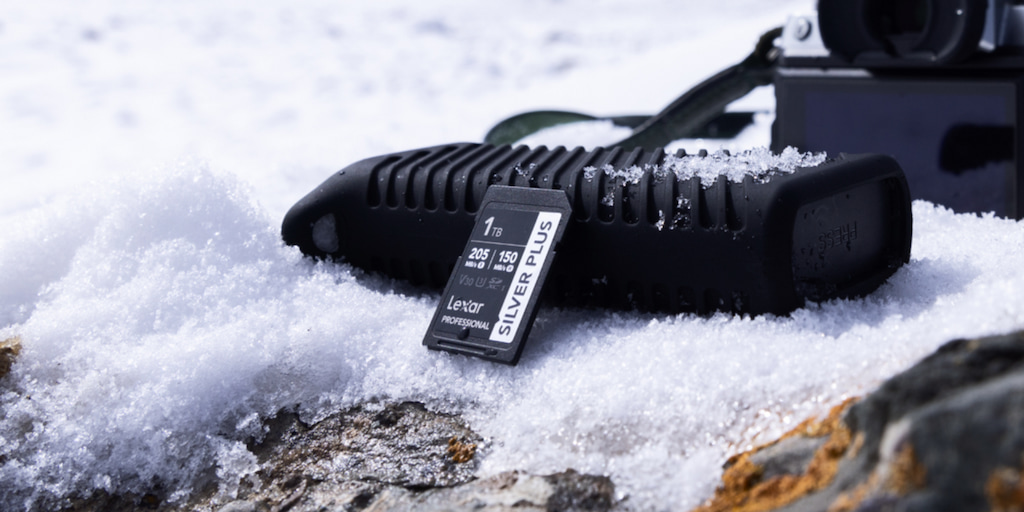
Memory cards. The Lexar® Professional GOLD CFexpress™ 4.0 Type B Card delivers 3600MB/s read speeds, allowing continuous shooting during fast-paced moments without buffer delays. 512GB cards are usually large enough to cover major portions of the day without constant swapping, small enough that catastrophic card failure doesn’t lose everything.
Wedding photographers debate card capacity strategies. Some prefer smaller 64GB cards, swapping more frequently to limit potential data loss. Others choose 1TB cards to minimize swaps during critical moments. A 512GB card splits the difference and can hold roughly 7,000 RAW images, and should be enough for most ceremony and reception coverage without swap anxiety.
Dual-slot shooting configuration. Joy’s Canon cameras write identical RAW files to both slots. Some photographers write RAW to one slot and JPEG to the second. Storage costs less than explaining to a bride why you only have JPEG backups when the primary card fails.
“Personally, I’m using 512MB and 1TB cards in my cameras,” explains Joy. “I don’t like the idea of switching out cards until I can sit down with my Lexar Workflow Go and back them up immediately after they come out of my camera.”
This configuration means four 512GB cards per camera (eight in total) can capture the full day with proper redundancy. That’s roughly 4TB of data across multiple cards requiring systematic backup.
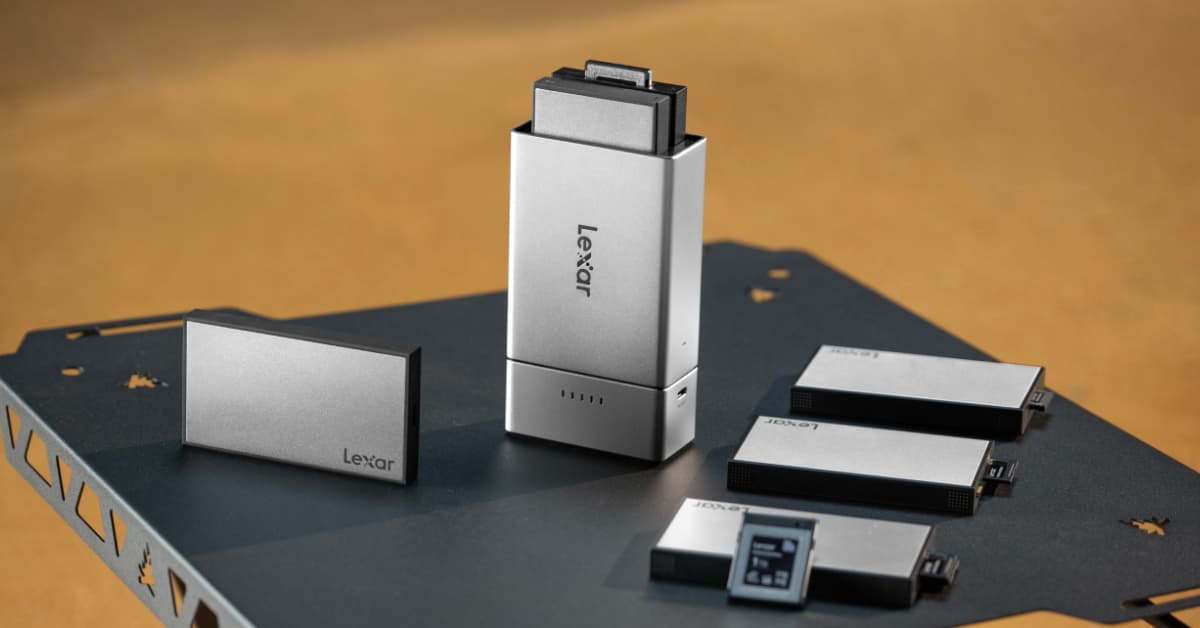
Field backup solution. The Lexar® Professional Workflow Go portable two-bay dock with battery for on-site backup. This compact system accepts card reader modules and portable SSD modules, enabling field backups without a laptop.
The battery-powered operation matters. Venues don’t always provide convenient power access. The magnetic battery pack provides several hours of transfer time without searching for outlets or running extension cables across dance floors.
For backup storage, the Lexar® Professional Workflow Portable SSD provides rugged IP68-rated drive handles the abuse of field work while providing 2000MB/s read/write speeds, and up to 2TB of capacity accommodates the full wedding day with room for additional coverage.
The On-Site Backup Workflow

Photo by Vanessa Joy
First backup: After ceremony. The ceremony is the most critical coverage of the day and generates 800 to 1,200 images. A perfect time to perform the first backup is during cocktail hour, while guests enjoy appetizers and the couple takes formal portraits.
This timing works because cocktail hour provides natural downtime. Guests socialize. The couple poses for portraits with family. Vanessa doesn’t need to shoot intensively during this window, freeing attention for data management.
Second backup: Before reception. Perform a second backup on all remaining filled cards after formal portraits but before reception introductions. In this backup, Joy recommends including the getting-ready coverage, ceremony backup cards, and cocktail hour shooting.
Final backup: Before leaving the venue. Perform your final backup of all reception coverage after the couple’s exit but before tearing down equipment. This provides complete redundancy before driving home. If something happens to camera equipment or memory cards during transport, the portable SSD contains every image from the day.
“I reassure my couples by letting them know that before I leave the reception hall, there are at least three copies of their wedding memories,” Joy says. “By the time I go to bed at night there are at least 5, in two separate locations.”

Photo by Vanessa Joy
The Home Studio Workflow
On-site backups protect against immediate data loss, but a good photography workflow includes additional protection layers once home.
Immediate import. When returning from the venue, photographers can connect the Workflow Go’s portable SSD directly to an editing workstation. There’s no need to backup the original memory cards just yet. Those stay in camera bags as additional backup until the import process completes.
With a Lexar® NM790 SSD as a primary editing drive, any system has up to 7400MB/s read speeds, allowing smooth scrubbing through thousands of high-resolution RAW files during culling.
Once all images are imported from the portable SSD to the editing drive, Lightroom’s import process takes roughly twenty minutes for a full wedding. The NM790’s speed advantage appears during culling and editing. Generating 1:1 previews for 4,000 images happens noticeably faster than with previous SATA SSDs. Scrolling through images, applying edits, and building export queues all feel more responsive.
At this point, five independent copies exist in different locations:
- Original memory cards (still in camera bags)
- Portable SSD from field backup
- Editing workstation SSD
Memory card formatting. Only format the original memory cards after confirming successful import to multiple locations, and the file counts match across all copies. Be sure to spot-check random images from each backup.
This comprehensive approach takes extra time but provides peace of mind. Wedding images represent irreplaceable moments. Losing them destroys client trust and reputation. The extra thirty minutes verifying backups costs far less than the consequences of data loss.

Equipment Integration and Modularity
The Workflow Go’s modular design means any photographer can swap reader modules based on changing camera systems or adding cameras with different card formats. When using a second camera body using CFexpress Type B cards, a Lexar® Professional Workflow CFexpress™ 4.0 Type B Card Reader module quickly adds an extra storage format without replacing an entire backup system.
“Since I travel for work a ton, I love being able to have an SSD drive on the go,” Joy says. “I can edit off of it on an airplane, and then seamlessly pop it right into my system when I get home.”
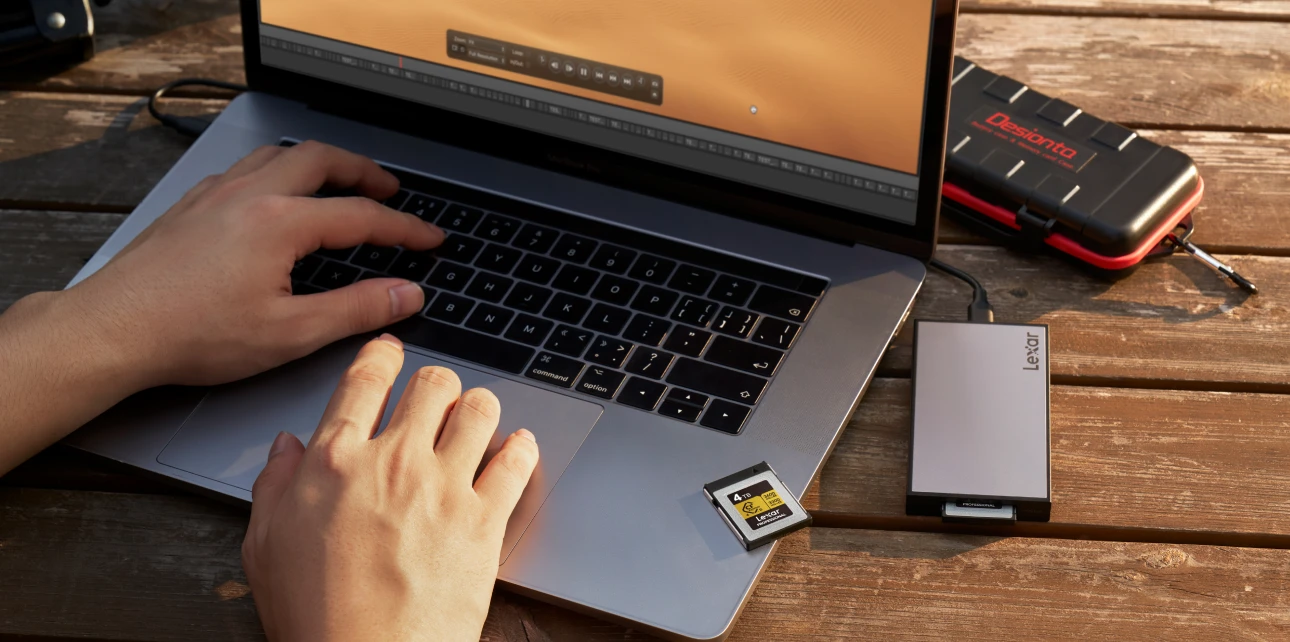
The portable SSD modules work independently when needed. The card reader modules also function independently. During slower portrait sessions or engagement shoots, a CFe card reader provides a powerful solution that connects directly to a laptop rather than carrying the full Workflow Go system. The modularity provides flexibility for varying workflow demands.
The ROI of Reliable Backup
Professional photography equipment represents significant investment. A complete Lexar backup system that includes memory cards, Workflow Go dock, reader modules, and portable SSD costs roughly $800. For context, she charges $4,500 to $7,000 per wedding.
One lost wedding would cost far more than the equipment investment. Beyond the immediate refund, the reputation damage would affect future bookings. Wedding photographers live or die by word-of-mouth recommendations. One couple’s lost images could torpedo years of reputation building.
A good backup system is professional liability insurance. It costs money upfront but prevents catastrophic losses. The equipment pays for itself if it prevents a single data loss event throughout its working life.
As of late, couples request to know more about Joy’s backup process more often than not.
“Many couples have horror stories about friends getting married and never getting their photos back because the photographer lost them in some digital disaster,” Joy recalls. “Consumers are more aware that these problems can be avoided with a photographer that takes care of their digital assets using the best technology possible.”
The workflow efficiency also delivers value. The Workflow Go’s battery operation means any photographer can perform backups during natural downtime rather than extending their time at venues or rushing home to protect data. The portable SSD’s speed means imports complete quickly rather than consuming evening hours waiting for transfers.
Common Failure Points and Solutions
Forgotten backups. After shooting for eight hours, exhausted photographers sometimes skip field backups. By building backup into contractual obligations, including on-site backups before leaving venues, forces discipline even when exhausted.
According to Joy, a quick dropbox sync may be annoying when you get home late from a wedding, but it’s worth the extra few minutes. That small step could save your entire reputation and livelihood as a wedding photographer.
Single backup dependency. Never format cards until multiple independent backups exist. Cards cost less than client relationships. Photographers sometimes perform field backups but immediately format original cards. If the backup drive fails during transport, all images vanish.
Unverified backups. Spot-check random images from backups before trusting them and formatting original cards. Corrupted writes or interrupted transfers can produce incomplete backups without obvious warnings.
Format confusion. Shoots in universally supported RAW formats and tested import workflows during practice shoots long before booking actual weddings.

Workflow Scalability
These guidelines scale based on shooting volume and project requirements.
For engagement sessions generating 500 to 800 images, perform one backup after shooting completes. The smaller dataset transfers quickly. Skip the elaborate multi-stage backup and simply transfer cards to the portable SSD before leaving the location.
For multi-day destination weddings, perform daily backups using the same three-stage approach but with smaller datasets per day. A portable SSD’s 2TB capacity handles multiple days of coverage easily.
When second-shooting for other photographers, bring your own backup system. Primary photographers appreciate knowing their second shooter maintains professional backup practices rather than assuming the primary handles all data protection.
In fact, Joy insists that the photographers working for her use cameras with dual card slots, and that they back up the photos as soon as they get home. “You really can’t be too careful when it comes to once-in-a-lifetime moments.”
The modular system grows with changing needs. When a photographer eventually upgrades to cameras using different card formats, they’ll just need to purchase new reader modules rather than replacing the entire backup infrastructure.
The Confidence Factor
Wedding photography involves substantial stress. Photographers manage complex timelines, difficult lighting, demanding family dynamics, and the pressure of capturing once-in-a-lifetime moments. Equipment anxiety shouldn’t add to that stress.
A reliable backup workflow removes the fear of data loss. Every image exists in multiple locations. Processes work because they’ve been tested dozens of times. Equipment performs reliably because Lexar products undergo the same quality testing that makes them trusted by professionals.
This confidence affects shooting performance. Photographers who worry about data loss shoot conservatively, constantly checking cards and second-guessing technical choices. Photographers confident in their backup systems shoot creatively, taking risks that produce better images.
Wedding photography success depends on many factors: artistic vision, technical skill, business acumen, interpersonal abilities. But underlying everything is fundamental data reliability. Beautiful images matter little if they disappear before delivery. A thorough backup workflow provides the foundation that allows creativity and business growth to flourish without data loss anxiety undermining everything else.