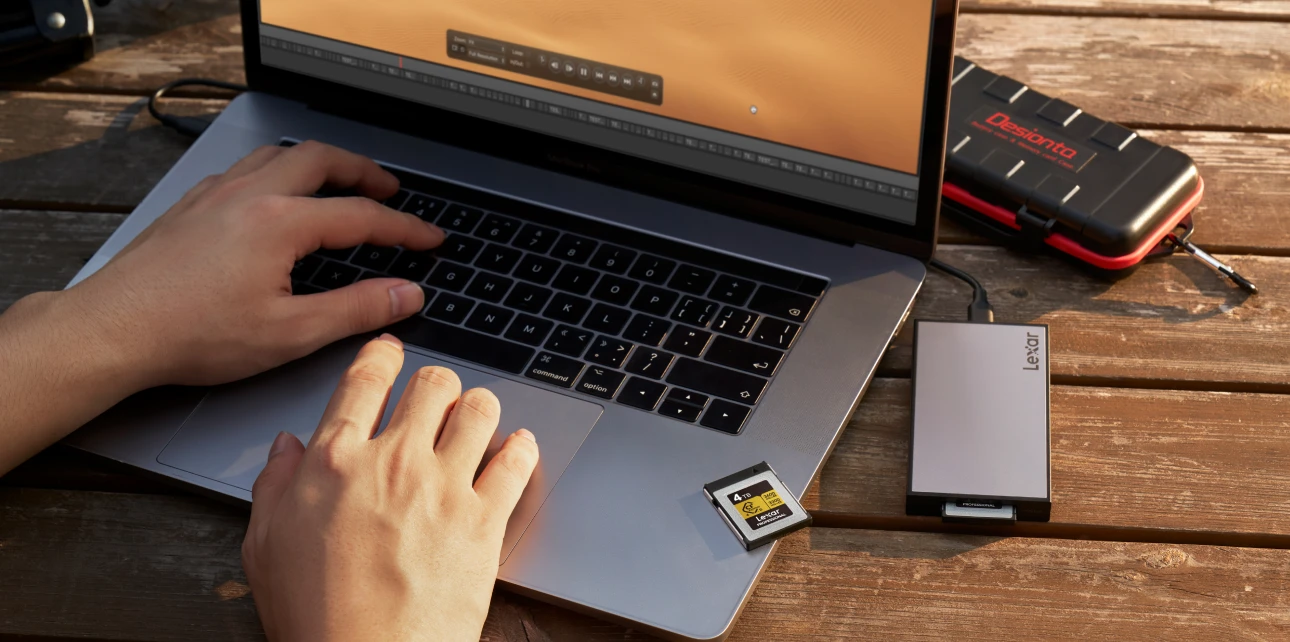
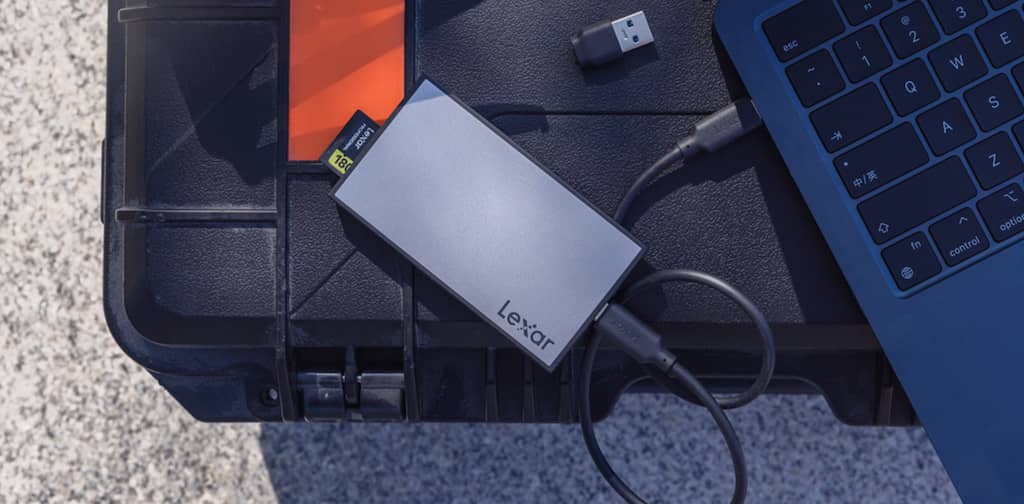


The choice between USB4 vs Thunderbolt 4 isn’t just about speed specs on paper. It’s about whether your external storage will maintain consistent performance during those 2 AM render sessions, whether your dual 4K monitor setup will work flawlessly across different devices, and whether you’ll spend more time troubleshooting connections than creating.
Intel made Thunderbolt 3 royalty-free, which allowed the USB Implementers Forum to build USB4 around it. So USB4 devices can theoretically support Thunderbolt 3 devices, but they don’t have to.
This “don’t have to” part is where things can get messy for creators.
Some “USB4” devices offer full 40Gbps speeds with excellent device compatibility, while others max out at 20Gbps or struggle with certain external drives. The USB4 specification allows for this variability, with manufacturers able to implement different performance tiers — 20Gbps or 40Gbps — and optional Thunderbolt 3 compatibility.
Meanwhile, Thunderbolt 4 takes a different approach. Every Thunderbolt 4 port must meet Intel’s strict requirements: 40 Gbps data transfer, support for two 4K displays or one 8K display, 32Gbps PCIe data, and wake from sleep capabilities. No variability, no “optional” features.
External GPU enclosure — essential for video rendering — woun’t work properly. The USB4 implementation on that laptop didn’t include full Thunderbolt compatibility.
The real kicker? Both ports looked identical, both were labeled as “high-speed,” and both used the same USB-C connector. But only one would handle our professional workflow without compromise.
When you’re choosing between a laptop with USB4 vs one with Thunderbolt 4, you need to know whether you’re getting guaranteed performance or taking a gamble on implementation quality.
USB4 vs Thunderbolt 4: The Technical Breakdown
Let us walk you through the specs that impact your daily creative work, not just the numbers that look good in marketing materials.
Speed: The 40Gbps Promise
Both standards claim 40Gbps maximum throughput, but here’s where the similarities end. Thunderbolt 4 delivers consistent 40Gbps bidirectional performance, meaning you get full speed in both directions simultaneously. This matters when you’re backing up files while importing new footage.
USB4’s speed story is more complex. USB4 starts at 20Gbps but can reach 40Gbps, with implementation varying dramatically. We’ve measured USB4 ports ranging from 20Gbps to full 40Gbps, depending on the manufacturer’s choices and cost considerations. Some USB4 ports even fall back to USB 3.2 speeds (10Gbps) when connecting certain devices.
For context, here’s what these speeds mean in practical terms:
- 40Gbps: Transfer 100GB of 4K footage in about 20 seconds
- 20Gbps: Same transfer takes 40 seconds
- 10Gbps: You’re waiting 80 seconds
When you’re working with terabytes of content, these differences add up to hours of lost productivity.
Power Delivery: Keeping Your Gear Charged
Thunderbolt 4 mandates 100W power delivery capability, enough to charge most laptops while simultaneously powering external devices. This isn’t optional — every certified Thunderbolt 4 port must support it.
USB4 takes a more flexible approach. Both Thunderbolt 4 and most USB4 implementations now support the latest USB PD 3.1 standard that allows for maximum charging of 240W, but you won’t know what your specific USB4 port supports until you test it or dig deep into technical specifications.
Display Support: Multi-Monitor Workflows
This is where Thunderbolt 4’s strict requirements really shine. Thunderbolt 4 guarantees support for one 8K display or two 4K displays. No exceptions, no variations based on manufacturer implementation.
USB4 display support varies significantly. A USB4 port can only support one display with no mention of resolution minimums, and some USB4 ports will not support video at all. If you’re running dual monitors for video editing or large photo displays, this inconsistency becomes a real problem.
Device Compatibility: The Hidden Challenge
Here’s something most reviews don’t mention: device compatibility isn’t just about speed. Thunderbolt 4 is fully compatible with prior generations of Thunderbolt and USB peripherals. It’s engineered for universal compatibility.
USB4’s compatibility depends on implementation choices. While USB4 can support Thunderbolt 3 devices, since USB4 incorporates Thunderbolt 3 support, manufacturers aren’t required to include this support. Some USB4 ports work flawlessly with Thunderbolt devices, while others don’t recognize them at all.
The practical impact? With Thunderbolt 4, external audio interface, storage drives, and displays will work together seamlessly. With USB4, you need to research compatibility for each device combination, or risk discovering incompatibilities during critical projects.
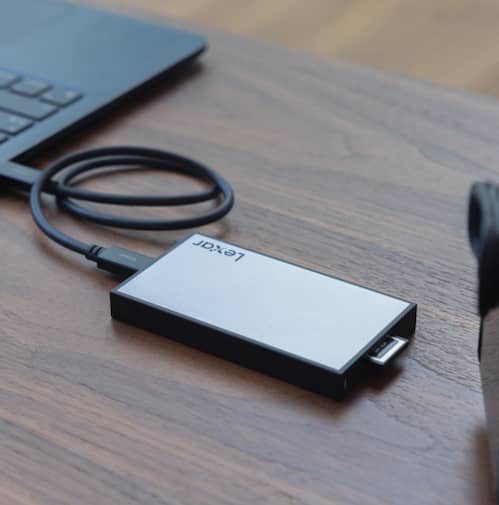

What USB4 vs Thunderbolt 4 Means for Your Creative Workflow
Video Editing: Where Consistency Matters Most
When editing 4K footage, a workflow depends on seamless data flow between multiple devices. We’re simultaneously accessing media files from external storage, outputting to a reference monitor, and sometimes recording audio through a Thunderbolt interface.
With Thunderbolt 4, this setup just works. The guaranteed 40Gbps bandwidth handles multiple high-bandwidth streams without stuttering. You can scrub through 4K ProRes footage while the system previews effects in real-time, all while maintaining stable connections to external devices.
The difference comes down to how each standard manages bandwidth allocation and maintains device connections under load. Thunderbolt 4’s stricter implementation requirements translate to more predictable performance when you need it most.
Photography: Managing Massive File Libraries
Photography workflows present different challenges. When importing 50 to 100 RAW files from a high-resolution camera, you need sustained write speeds to your storage systems, not just peak performance.
Thunderbolt 4 external storage maintains consistent write speeds throughout large transfers. The same storage device, connected via some USB4 implementations, shows excellent initial speeds that gradually decrease as thermal throttling kicks in or as the system reallocates bandwidth.
For batch processing large photo libraries, this consistency matters enormously. Lightroom catalog sync, RAW processing, and backup operations all benefit from sustained, predictable performance. The difference between a 30-minute backup and a 45-minute backup might seem small, but it compounds across daily workflows.
Gaming and Streaming: Low Latency Requirements
Content creators who game and stream simultaneously face unique connectivity challenges. External capture devices, multiple displays, high-speed storage, and audio interfaces all compete for bandwidth and system resources.
Thunderbolt 4’s deterministic behavior helps here. The standard includes specific provisions for maintaining low-latency connections – crucial for real-time audio processing and game capture.
USB4’s variable implementation makes this more unpredictable. Some systems handle multi-device streaming setups flawlessly, while others struggle with bandwidth prioritization or introduce subtle latency issues that affect stream quality.
Mobile Workflows: Single-Cable Simplicity
One of the biggest advantages of modern connectivity is the promise of single-cable setups – connecting power, data, and display through one USB-C connection.
Thunderbolt 4 delivers on this promise consistently. You can connect our laptop to a dock that provides power, drives dual 4K displays, and connects to all our peripherals through a single cable.
USB4’s variable power delivery and display support makes single-cable setups less reliable. We’ve encountered USB4 systems that require separate power connections or can’t drive multiple displays at full resolution. The inconsistency forces you to carry backup cables and adapters — defeating the purpose of simplified connectivity.
USB4 vs Thunderbolt 4: Making the Right Choice for Your Setup
After testing both standards across dozens of devices and workflows, we’ve developed a decision framework that cuts through the marketing confusion and focuses on practical considerations.
When Thunderbolt 4 Makes Sense
Choose Thunderbolt 4 if you need guaranteed, consistent performance. This isn’t about having the “best” technology — it’s about predictable workflows and universal compatibility.
Professional video editors should prioritize Thunderbolt 4. The consistent 40Gbps performance, reliable multi-device connections, and universal compatibility with existing Thunderbolt 3 gear make it the safer choice for revenue-generating work. When client deadlines are tight, you can’t afford compatibility surprises.
Photographers managing large RAW libraries benefit from Thunderbolt 4’s sustained transfer speeds and reliable external storage performance. The premium over USB4 devices pays for itself in time savings during import and backup operations.
Content creators running complex setups — multiple displays, audio interfaces, external GPUs, and high-speed storage — need Thunderbolt 4’s deterministic behavior. The standard’s strict requirements eliminate the guesswork around device compatibility and bandwidth allocation.
When USB4 Can Work
USB4 makes sense when you understand its limitations and choose implementations carefully. Not all USB4 is created equal, but high-quality implementations can match Thunderbolt 4 performance at lower cost.
Budget-conscious creators can find excellent value in well-implemented USB4 systems. Research the specific devices you’re considering – some manufacturers implement USB4 with full 40Gbps speeds and excellent Thunderbolt device compatibility. You get most of the benefits at a fraction of the cost.
Simple workflows with basic connectivity needs don’t require Thunderbolt 4’s premium features. If you’re connecting a single external display and occasional storage devices, USB4’s flexibility allows manufacturers to offer more affordable options.
The Investigation Process
Since USB4 implementation varies so widely, you need to research specific devices rather than trusting the standard alone. Here’s our evaluation approach:
First, identify the exact USB4 implementation. Does it support 40Gbps speeds? Can it handle Thunderbolt 3 devices? What’s the power delivery capability? Manufacturers who clearly specify these details are more likely to have robust implementations.
Second, look for real-world testing from creators with similar workflows. Synthetic benchmarks don’t tell the whole story — you need to understand performance under the specific conditions you’ll encounter.
Third, consider the total cost of ownership. A cheaper USB4 system might require additional adapters, docks, or cables to match Thunderbolt 4’s plug-and-play experience. Factor these costs into your decision.
Long-Term Considerations
Technology evolves quickly, but connectivity standards tend to have longer lifecycles. Thunderbolt 4’s universal compatibility and consistent implementation make it a safer long-term investment.
The next generation — Thunderbolt 5 and USB 4 Version 2.0 – promise even higher speeds, but they’re built on the same architectural differences we see today. Thunderbolt 5 offers up to 80 Gbps bidirectional performance with tightly regulated certification, while USB4 continues focusing on standardization and flexibility.
For professional creators, investing in proven, consistent technology often makes more sense than chasing the latest specifications. Thunderbolt 4’s reliability and universal compatibility provide a stable foundation that will serve you well as other components of your setup evolve.
Lexar’s Approach to High-Speed Connectivity
Throughout our testing of various connectivity standards, one thing becomes clear: the storage device itself plays a crucial role in realizing the full potential of both USB4 and Thunderbolt 4 connections.
Lexar’s storage solutions are engineered to take advantage of these high-speed connections without becoming the bottleneck in your workflow. When you’re transferring large video files or backing up photo libraries, the storage device’s internal architecture matters as much as the connection standard.
Professional Workflow Solutions
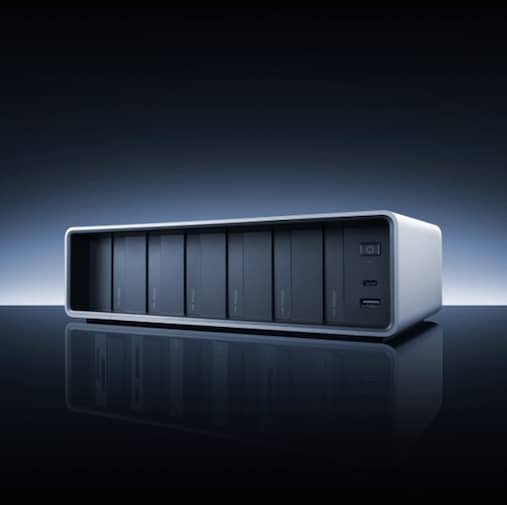
The Lexar® Professional Workflow 6-Bay Docking Station exemplifies this philosophy, combining Thunderbolt 4 connectivity with modular storage and reader bays.
This dock delivers 40Gbps Thunderbolt 4 speeds across six customizable bays, with two bays supporting full 40Gbps Thunderbolt 4 and four supporting 10Gbps for simultaneous operation. For creators managing multiple projects, this means backing up to several drives while simultaneously importing from different card types — all through a single Thunderbolt 4 connection.
We’ve tested this workflow extensively, and the ability to customize the six bays with different combinations of card readers and portable SSDs transforms post-production efficiency. Whether you’re working with CFexpress 4.0 cards from the latest cameras or managing large photo libraries across multiple storage drives, the modular approach adapts to your specific needs.
Sustained Performance Focus
What sets Lexar products apart in our testing is their focus on sustained performance rather than just peak speeds. Many storage devices deliver impressive burst speeds but slow down during extended transfers. Lexar engineers their products to maintain consistent performance throughout the entire transfer process – exactly what creators need for large file workflows.
The Lexar® Professional Workflow Portable SSD delivers up to 2000 MB/s read and write speeds when used independently, but we’ve found the real value in the sustained performance during lengthy transfers. When paired with the Workflow docking station, these drives maintain up to 1,050 MB/s speeds, providing predictable performance for backup operations.
Universal Compatibility Approach
Lexar engineers their storage solutions to work reliably across both USB4 and Thunderbolt 4 implementations. This matters more than you might think — some storage devices are optimized for specific connection types and perform poorly with others.
We’ve tested Lexar drives across various USB4 and Thunderbolt 4 systems, and the performance remains predictably high regardless of the host device.
This universal compatibility approach means you can confidently upgrade your connectivity infrastructure without worrying about storage performance regressions. Whether you’re connecting via USB4 or Thunderbolt 4, Lexar products deliver consistent results.
Professional Workflow Integration
Beyond raw performance, Lexar considers how their products integrate into professional creative workflows. Features like robust error correction, wear leveling, and thermal management become critical when you’re relying on external storage for active project work.
The reliability factor becomes especially important with high-speed connections. When you’re moving terabytes of data regularly through Thunderbolt 4 or USB4 connections, you need storage that can handle the increased throughput without introducing errors or experiencing premature wear.
For creators evaluating storage solutions, remember that the connection standard is only part of the equation. A well-engineered storage device will deliver consistent performance whether connected via USB4 or Thunderbolt 4, while poorly designed storage will bottleneck even the fastest connections.
The key is choosing storage solutions from manufacturers who understand the demands of creative workflows and engineer their products accordingly. This approach ensures that your investment in high-speed connectivity translates into real-world productivity gains.
The Path Forward: Making Connectivity Work for You
When choosing the right solution, here’s something to remember: the best connectivity solution is the one that disappears into the background of your creative process.
The Core Truth About USB4 vs Thunderbolt 4
Thunderbolt 4 offers guaranteed performance and universal compatibility at a premium price. USB4 provides flexible implementation options that can match Thunderbolt 4’s capabilities but require careful device selection. Neither is inherently superior — they serve different needs and budgets.
For professional creators whose livelihoods depend on reliable, high-speed data transfers, Thunderbolt 4’s consistency and predictability make it worth the investment. For budget-conscious creators or simpler workflows, well-implemented USB4 can provide excellent value.
Your Next Steps When Choosing between USB4 vs Thunderbolt 4
Start by honestly assessing your workflow requirements. Do you need the absolute reliability of Thunderbolt 4, or can you research specific USB4 implementations to find the right balance of performance and cost?
If you choose USB4, invest time in researching specific implementations rather than trusting the standard name alone. Look for detailed specifications, real-world testing, and compatibility verification with your existing devices.
If you choose Thunderbolt 4, you’re paying for the peace of mind that comes with guaranteed performance and universal compatibility. This premium often pays for itself in time savings and reduced troubleshooting.
Looking Ahead
The connectivity landscape continues evolving, but the fundamental choice between guaranteed performance and flexible implementation will persist. Whether you’re building a new creative workstation or upgrading existing equipment, understanding these differences helps you make informed decisions that support your creative goals.
Remember, when it comes to USB4 vs Thunderbolt 4: the best technology is the technology that gets out of your way and lets you focus on creating. Whether that’s USB4 or Thunderbolt 4 depends on your specific needs, workflow, and tolerance for variability.
Your creativity deserves reliable, fast connectivity. Now you have the knowledge to choose the right path forward.
USB4 vs Thunderbolt 4: Frequently Asked Questions
What is the main difference between USB4 vs Thunderbolt 4?
The main difference between USB4 vs Thunderbolt 4 is consistency. Thunderbolt 4 requires strict certification standards, guaranteeing 40Gbps speeds, display support, and compatibility. USB4 allows variable implementations, meaning performance and features depend on the manufacturer.
_
Is USB4 as fast as Thunderbolt 4?
USB4 can reach 40Gbps, but it is not guaranteed. Some USB4 ports operate at 20Gbps or limit compatibility with certain devices. Thunderbolt 4 consistently delivers full 40Gbps bidirectional performance.
_
Does USB4 support Thunderbolt devices?
USB4 can support Thunderbolt 3 devices, but this support is optional. In contrast, Thunderbolt 4 guarantees backward compatibility with Thunderbolt and USB peripherals.
_
Which is better for video editing: USB4 or Thunderbolt 4?
For professional video editing, Thunderbolt 4 is typically the better choice due to consistent bandwidth, stable multi-device performance, and guaranteed support for high-resolution displays and external storage.
_
Can USB4 handle dual 4K monitors?
Some USB4 implementations can support dual displays, but it is not required by the specification. Thunderbolt 4 guarantees support for two 4K displays or one 8K display.
_
Is Thunderbolt 4 worth the extra cost for creators?
For creators who rely on predictable performance, fast external storage, and complex workflows, Thunderbolt 4 is often worth the investment. Budget-conscious users with simpler setups may find well-implemented USB4 solutions sufficient.