


A solid-state drive (SSD) is a data storage device that uses integrated circuit assemblies to store information persistently using NAND flash memory. Unlike traditional hard disk drives that rely on spinning magnetic platters and mechanical read/write heads, SSDs contain no moving parts at all. The term “solid-state” refers to electronic circuitry built entirely from semiconductors – data lives in memory chips rather than on magnetic surfaces.
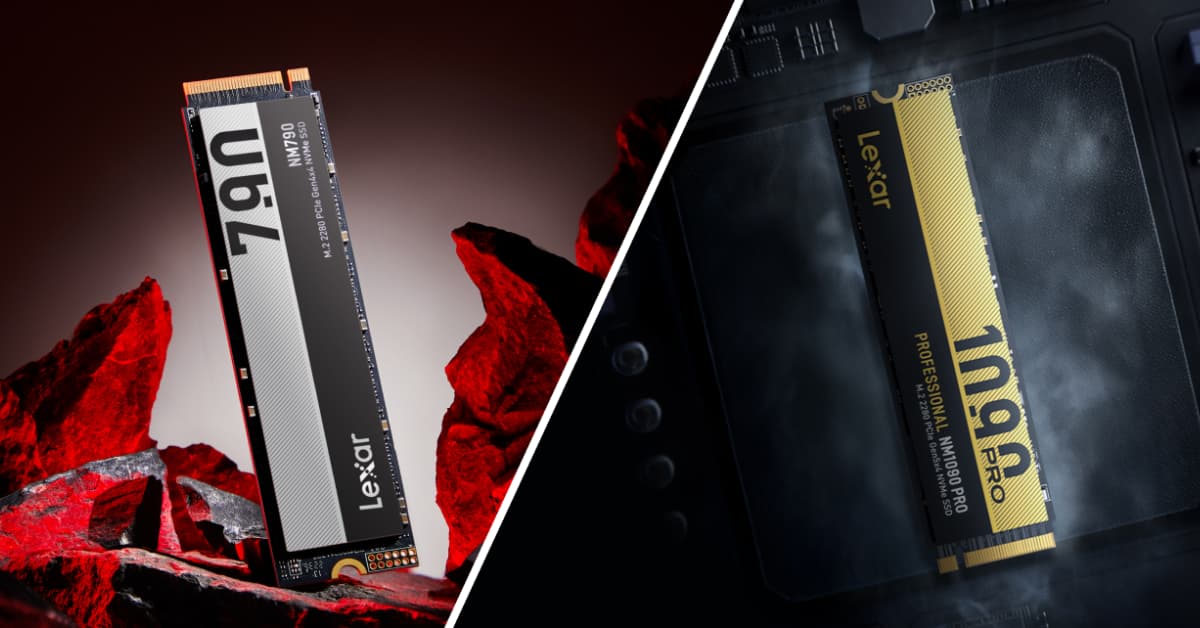
This fundamental architectural difference eliminates mechanical latency, which is the delay caused by physical components needing to physically move into position before your data can be accessed. The result? Read speeds that reach up to 14,000MB/s on high-performance drives like the Lexar® Professional NM1090 PRO PCIe 5.0 NVMe M.2 2280 SSD. That’s nearly 100 times faster than a traditional hard drive.
Whether you’re a gamer tired of loading screens, a content creator waiting on file transfers, or a PC builder planning your next rig, understanding SSD technology helps you make the right storage choice. This guide breaks down how SSDs work, the different types and form factors available, what the specs actually mean for real-world performance, and how to pick the right drive for your specific workflow.
Inside an SSD: How Solid State Storage Works
Three core components make an SSD tick: NAND flash memory chips, a controller, and firmware. Each plays a distinct role in how your data gets stored, retrieved, and maintained over time.
NAND Flash Memory
This is where your actual data lives. NAND flash consists of memory cells arranged in a grid structure, and each cell stores electrical charges that represent binary data. Modern SSDs use different NAND types based on how many bits each cell holds:
- Single-level cell (SLC) stores one bit per cell and offers the highest performance and endurance, but costs significantly more
- Multi-level cell (MLC) stores two bits per cell, balancing performance with cost
- Triple-level cell (TLC) stores three bits per cell, which is the standard in high-performance consumer drives
- Quad-level cell (QLC) stores four bits per cell, prioritizing capacity and affordability
The tradeoff is simple. More bits per cell reduce cost and increase density, but decrease speed and endurance. The Lexar® Professional NM1090 PRO PCIe 5.0 NVMe M.2 2280 SSD uses advanced 232-layer 3D TLC NAND, stacking memory cells vertically across 232 layers to deliver both high capacity and the exceptional speed that creators and gamers need.
The Controller
Think of the controller as the SSD’s brain. This embedded processor executes firmware code that manages every read and write operation happening on the drive. When your operating system requests data, the controller determines which NAND cells contain that information and retrieves it at the hardware level.
The controller also handles wear leveling – tracking which blocks have been written to most frequently and redirecting new writes to less-used areas. This keeps all cells aging at roughly the same rate, which directly extends the drive’s useful life. Controller quality has a major impact on real-world performance, which is why the NM1090 PRO uses an advanced 6nm controller. At high-performance loads, this controller keeps peak temperatures 36% lower compared to older 12nm controller designs, meaning the drive maintains its speed even during long, intensive sessions.
Firmware
The software running on the controller determines how the SSD actually operates day to day. Firmware manages the translation layer between your operating system’s logical addresses and physical locations in NAND flash. It implements error correction algorithms, handles bad block management, and optimizes performance based on workload patterns.
Some SSDs include DRAM cache – additional volatile memory that stores frequently accessed data and mapping tables. DRAM-equipped drives deliver better performance, especially for random read/write operations. The Lexar® Professional NM1090 PRO PCIe 5.0 NVMe M.2 2280 SSD features both DRAM cache and SLC dynamic cache, greatly improving data transfer speeds and overall system responsiveness.
Newer Host Memory Buffer (HMB) 3.0 technology offers another approach. HMB allows DRAM-less drives to use a portion of your system RAM for similar purposes, reducing drive cost while maintaining competitive performance. The Lexar® NM790 M.2 2280 PCIe Gen 4×4 NVMe SSD uses HMB 3.0 along with Dynamic SLC cache to deliver read speeds up to 7400MB/s – proving that DRAM-less designs can still perform at a very high level when the engineering is right.
How Data Gets Written
Writing data to an SSD works differently from reading it. NAND flash requires entire blocks to be erased before new data can be written to those cells. The drive uses a write buffer and dynamic SLC caching to speed this up – storing incoming data in faster SLC mode first, then migrating it to TLC or QLC storage during idle periods.
This is why SSD write speeds can vary depending on how much data you’re transferring and the drive’s current state. A small file might write at peak speed, while a massive sustained transfer could slow down once the SLC cache fills up. High-quality drives with larger caches and more advanced controllers handle this transition more gracefully.
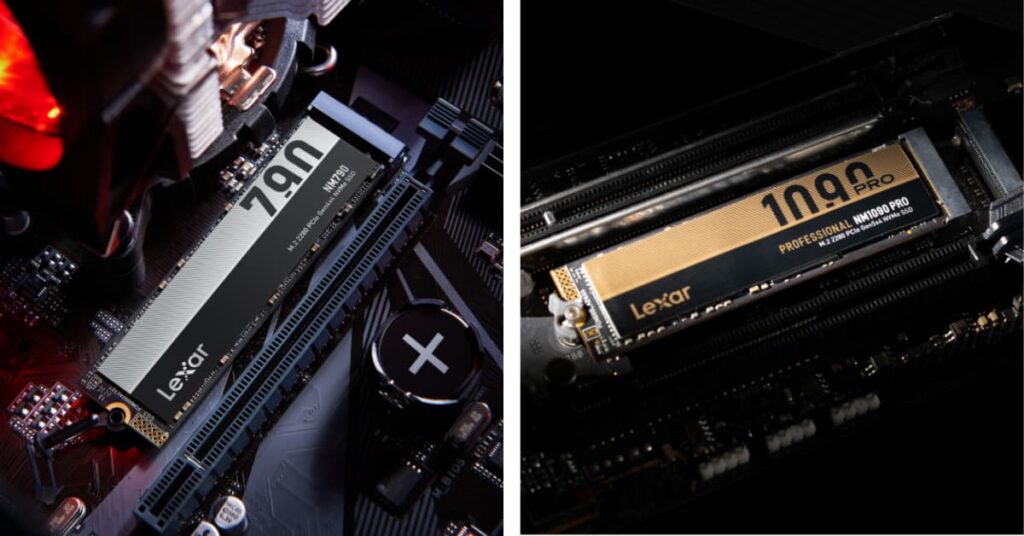
SSD Types and Form Factors: Which One Fits Your System
SSDs come in multiple physical formats and connection interfaces, each designed for specific use cases and performance requirements. Knowing the differences helps you pick the right drive – and avoid buying something your system can’t actually use.
2.5-Inch SATA SSDs
These look identical to traditional laptop hard drives and connect via SATA III cables. They fit easily into existing drive bays in desktop computers and laptops, making them the easiest upgrade path from a mechanical hard drive. The SATA III interface limits transfer speeds to approximately 600MB/s, which is considerably slower than newer NVMe drives. That said, even a SATA SSD delivers dramatically faster operating system responsiveness and application loading compared to any hard drive.
M.2 NVMe SSDs
These small, rectangular drives connect directly to M.2 motherboard slots and use PCIe lanes for data transfer, bypassing the SATA interface bottleneck entirely. The most common M.2 size is 2280 (22mm wide by 80mm long), though smaller formats like 2230 are increasingly popular in portable devices like gaming handhelds.
Performance scales with PCIe generation. PCIe Gen 3 NVMe drives reach around 3500MB/s. PCIe Gen 4 drives – like the Lexar® NM790 M.2 2280 PCIe Gen 4×4 NVMe SSD with read speeds up to 7400MB/s – roughly double that. And PCIe Gen 5 drives push the boundary even further, with the Lexar® Professional NM1090 PRO PCIe 5.0 NVMe M.2 2280 SSD reaching up to 14,000MB/s read and up to 13,000MB/s write (2TB and 4TB capacities).
External Portable SSDs
These connect via USB-C, Thunderbolt, or USB-A ports, providing fast external storage for laptops and desktops. Modern USB 3.2 Gen 2×2 and Thunderbolt 4 interfaces support transfer speeds exceeding 2000MB/s, making portable SSDs practical for video editing, backups, and transferring large files between systems.
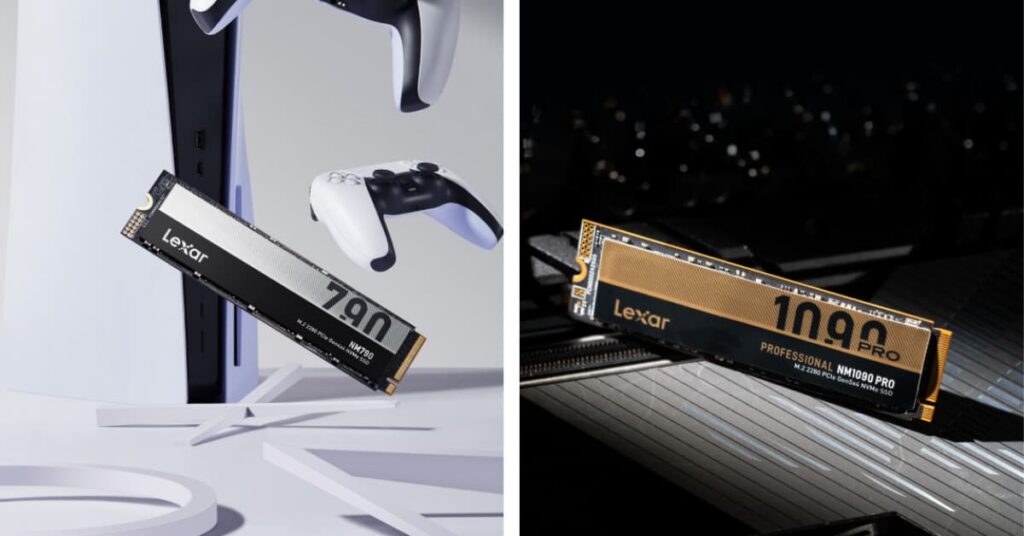
SSD vs. HDD: Why Solid State Drives Outperform Hard Drives
The performance gap between SSDs and hard disk drives (HDDs) is large enough to change how your entire system feels. Here’s where the differences show up most.
Speed
A typical 7200RPM hard drive achieves sequential read speeds of around 120MB/s to 160MB/s. Entry-level SATA SSDs hit around 550MB/s. High-end PCIe Gen 4 NVMe drives reach 7400MB/s. And PCIe Gen 5 models push past 14,000MB/s. In practical terms, an operating system that takes 45 seconds to boot from an HDD loads in roughly 10 seconds from an SSD. Applications launch almost instantly rather than requiring five- to ten-second wait times.
Random Access Performance
This is where the difference gets dramatic. Hard drives must physically move read/write heads across spinning platters, creating latency measured in milliseconds. SSDs access data electronically with latencies under 0.1 milliseconds. For workloads involving many small file operations – running database queries, compiling code, or loading complex game worlds – SSDs can be 100 times faster than HDDs.
Durability and Reliability
HDDs contain delicate mechanical components that are vulnerable to shock, vibration, and wear. Drop a laptop with a spinning hard drive, and you risk real data loss. SSDs have no moving parts, making them resistant to physical shock and well-suited for portable devices. Modern SSDs also include sophisticated error correction and over-provisioning to maintain data integrity even as individual memory cells degrade over time.
Power Consumption
SSDs consume 40% to 60% less power than mechanical drives during active use, and the gap grows even wider at idle. For laptops, switching from an HDD to an SSD can extend battery life by 30 to 45 minutes per charge. The Lexar® NM790 M.2 2280 PCIe Gen 4×4 NVMe SSD consumes up to 40% less power than DRAM cache-enabled PCIe Gen 4 SSDs, stretching laptop battery life further while still delivering read speeds up to 7400MB/s.
Noise and Heat
HDDs generate audible noise from spinning platters and moving actuator arms. That clicking and whirring disappear entirely with SSDs. Heat generation also drops significantly – SSDs typically run cooler than HDDs under equivalent workloads. High-performance NVMe drives can still get warm during sustained transfers, which is why drives like the Lexar® Professional NM1090 PRO PCIe 5.0 NVMe M.2 2280 SSD use advanced thermal management through their 6nm controller to maintain consistent speeds.
Cost
HDDs still hold the price advantage for bulk storage. Large-capacity hard drives (8TB and above) cost approximately $15 to $20 per terabyte. Consumer SSDs range from $50 to $100 per terabyte. The performance benefits justify the price difference for operating system drives and frequently accessed data. For archival storage and large media libraries where speed isn’t the priority, HDDs remain economically practical.

SSD Specifications Explained: What the Numbers Actually Mean
Spec sheets can feel overwhelming if you don’t know which numbers actually matter for your use case. Here’s what to pay attention to – and what you can safely ignore for most consumer applications.
Sequential Read/Write Speeds
These numbers represent maximum throughput when transferring large, contiguous files. Marketing materials feature sequential speeds prominently because they produce the most impressive numbers. A PCIe Gen 4 drive might advertise 7400MB/s reads and 6500MB/s writes. These speeds apply to any task that involves moving big chunks of data in sequence, such as when copying large video files, loading game textures, or rendering video timelines. Keep in mind that advertised speeds often represent the highest-capacity model, and lower capacities may have different ratings.
Random IOPS
Input/output operations per second (IOPS) measure how many small, random read/write requests a drive can handle simultaneously. Random performance often matters more than sequential speeds for everyday responsiveness in operating system tasks, opening applications, running multiple programs at once. High-performance SSDs deliver 500,000 to over 1,000,000 random read IOPS. The Lexar® NM790 M.2 2280 PCIe Gen 4×4 NVMe SSD hits up to 1,000K random read IOPS and 900K random write IOPS (1TB and 2TB capacities), translating to a system that feels immediately responsive.
Interface and Protocol
The connection interface sets the maximum theoretical bandwidth your drive can use:
- SATA III: 6 Gbps (approximately 600MB/s)
- PCIe Gen 3 x4: Up to approximately 4000MB/s
- PCIe Gen 4 x4: Up to approximately 8000MB/s
- PCIe Gen 5 x4: Up to approximately 16,000MB/s theoretical
Real-world speeds land below theoretical maximums due to controller overhead and thermal management, but the generational jumps are substantial. Moving from SATA to PCIe Gen 4 alone represents roughly a 12x increase in available bandwidth.
Endurance Ratings
Terabytes Written (TBW) is the total amount of data you can write to the drive before wear becomes likely to cause failures. A 1TB consumer SSD might carry a 600TBW to 700TBW rating, meaning you could theoretically write that many terabytes over the drive’s lifetime. For typical consumer use (writing 10GB to 20GB per day), that translates to decades of reliable service.
Mean Time Between Failures (MTBF)
This statistical measure estimates average operational hours before failure. Consumer SSDs typically specify 1.5 million to 2 million hours MTBF: a number that’s less about individual drive life and more about overall reliability across a population of drives.
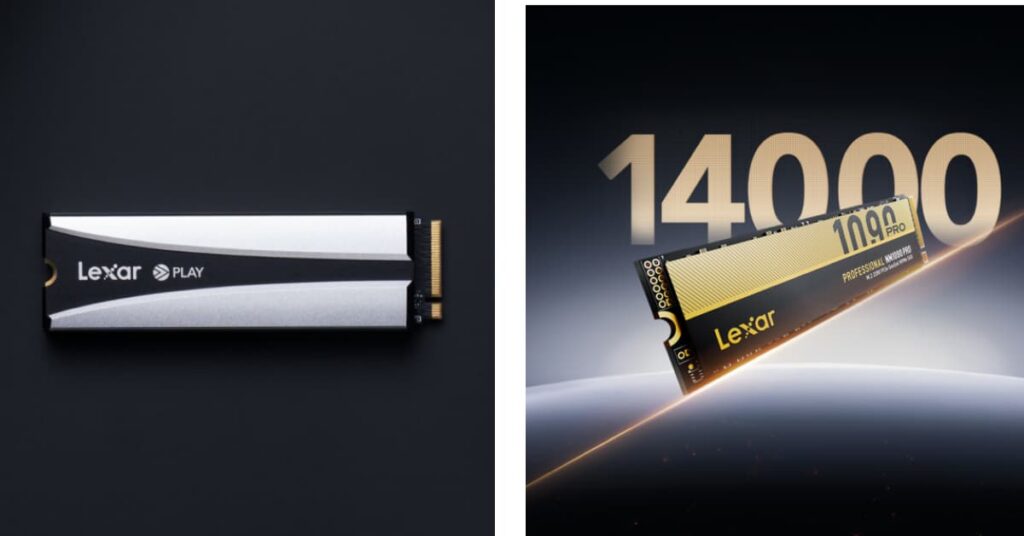
How to Choose the Right SSD: Matching Drives to Your Workflow
Different applications put different demands on storage. Matching SSD specifications to your actual use case prevents overspending on performance you won’t notice while avoiding bottlenecks that slow you down where it counts.
Gaming
For PC gamers who want maximum performance, the Lexar® Professional NM1090 PRO PCIe 5.0 NVMe M.2 2280 SSD leverages Microsoft DirectStorage to significantly reduce game load times and minimize delays. Capacity requirements vary by library size: 1TB serves most users, while 2TB or 4TB accommodates larger collections.
Content Creation
Video editors, 3D artists, and photographers benefit most from high sequential throughput combined with strong sustained write performance. Working with 4K or 8K footage means your drive needs to maintain high speeds even when the write buffer fills up. Look for drives with high TBW ratings and, ideally, a DRAM cache to maintain performance during long rendering sessions.
The Lexar® Professional NM1090 PRO PCIe 5.0 NVMe M.2 2280 SSD with its DRAM cache and SLC dynamic cache is built for these sustained creative workloads – the 2TB and 4TB models deliver the full 14,000/13,000MB/s read/write performance. For secondary or scratch drives, the Lexar® NM790 M.2 2280 PCIe Gen 4×4 NVMe SSD at up to 7400MB/s read provides excellent performance at a more accessible price point. Content creators typically need at least 2TB of fast storage.
General Computing
For web browsing, office applications, and media consumption, even a budget NVMe SSD delivers a noticeable improvement over any hard drive. Random read performance matters more than peak sequential speeds for system responsiveness.
The Lexar® NQ780 M.2 2280 PCIe Gen 4×4 NVMe SSD hits read/write speeds up to 7000MB/s read, 6000MB/s write (4TB capacity) with a single-sided design and Intelligent Power Control that make it particularly well-suited for laptops. A 1TB capacity provides ample space for your operating system and everyday applications.
Professional Workstations
Engineers running simulations, developers compiling large codebases, and data scientists processing datasets need high random IOPS and strong endurance ratings. Power-loss protection and higher over-provisioning reduce the risk of data corruption during unexpected shutdowns. Capacity requirements vary widely. software development might need 1TB, while engineering simulations could call for 4TB or more.
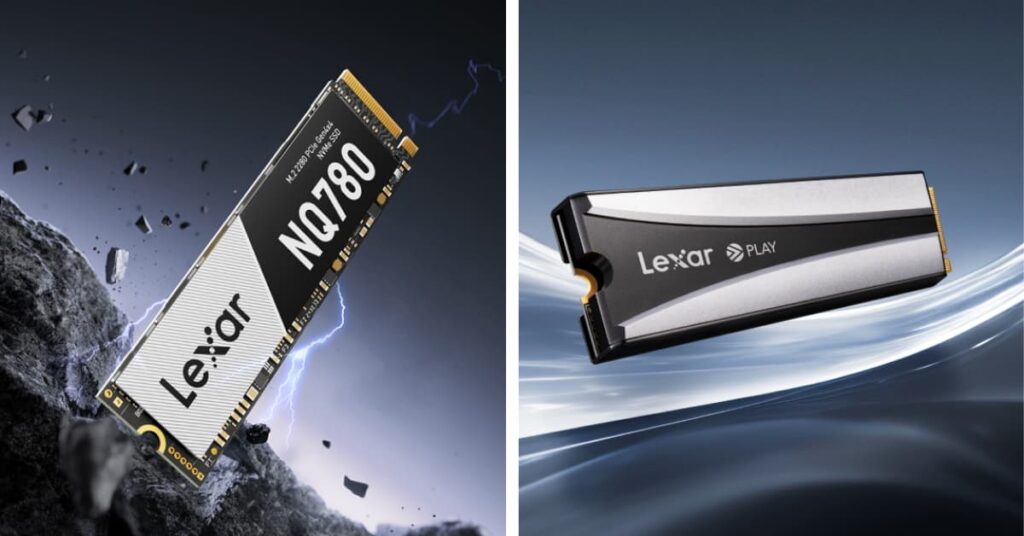
Lexar Consumer SSDs: Drives for Every Use Case
Lexar’s consumer SSD lineup covers everything from everyday productivity to professional-grade creative work and competitive gaming. Every Lexar drive undergoes extensive testing in the Lexar Quality Labs – facilities equipped with thousands of different cameras and digital devices to verify performance, quality, compatibility, and reliability.
- Lexar® Professional NM1090 PRO PCIe 5.0 NVMe M.2 2280 SSD – Up to 14,000MB/s read across all capacities. Write speeds reach up to 13,000MB/s on 2TB and 4TB models (up to 10,000MB/s on the 1TB). Powered by 232-layer 3D TLC NAND and an advanced 6nm controller. Features DRAM cache and SLC dynamic cache for sustained high-speed performance. Built to leverage Microsoft DirectStorage for faster game loads. Available in 1TB, 2TB, and 4TB.
- Lexar® NQ780 M.2 2280 PCIe Gen 4×4 NVMe SSD – Read/write speeds up to 7000MB/s read and 6000MB/s write (4TB) with a high-quality 8-channel Gen 4 controller. Single-sided design and Intelligent Power Control make it ideal for laptops. Includes the Lexar DiskMaster SSD Management tool for firmware updates, drive health monitoring, and secure file erasure. Available in 1TB, 2TB, and 4TB.
- Lexar® NM790 with Heatsink M.2 2280 PCIe Gen 4×4 NVMe SSD – Up to 7400MB/s read and 6500MB/s write speeds. Tested and approved storage for the PlayStation 5, with a heatsink designed for effortless installation and optimal cooling during intense gaming sessions. Available in 4TB – enough room for roughly 100 AAA titles.
- Lexar® NM790 M.2 2280 PCIe Gen 4×4 NVMe SSD – Up to 7400MB/s read and 6500MB/s write with HMB 3.0 and Dynamic SLC cache technology. Consumes up to 40% less power than DRAM cache-enabled PCIe Gen 4 SSDs, extending laptop battery life. Compatible with laptops, desktops, and the PS5. Available in 512GB, 1TB, 2TB, and 4TB.
Why Upgrading to an SSD Is the Biggest Performance Gain You Can Make
Your processor waits on storage thousands of times per second. Cutting those delays from milliseconds to microseconds changes the entire experience of using your computer. Applications respond without hesitation. File operations finish before you notice them starting. Games load fast enough that you stay in the flow instead of staring at progress bars.
If you’re still running a hard drive as your primary storage, upgrading to an SSD delivers a more noticeable improvement than spending three times as much on a faster processor. It’s the single biggest performance upgrade most systems can receive.
The right drive depends on what you do with your machine. Content creators need sustained write performance and the raw bandwidth of PCIe Gen 5 drives like the Lexar® Professional NM1090 PRO PCIe 5.0 NVMe M.2 2280 SSD. And for general productivity and laptop upgrades, drives like the Lexar® NQ780 M.2 2280 PCIe Gen 4×4 NVMe SSD and Lexar® NM790 M.2 2280 PCIe Gen 4×4 NVMe SSD deliver outstanding performance at accessible price points.
Evaluate what your workflows actually require, match those requirements to the right specifications, and choose storage from a manufacturer you can trust. Solid state drive technology serves every use case from casual browsing to intensive creative production – the key is picking the drive that fits yours.