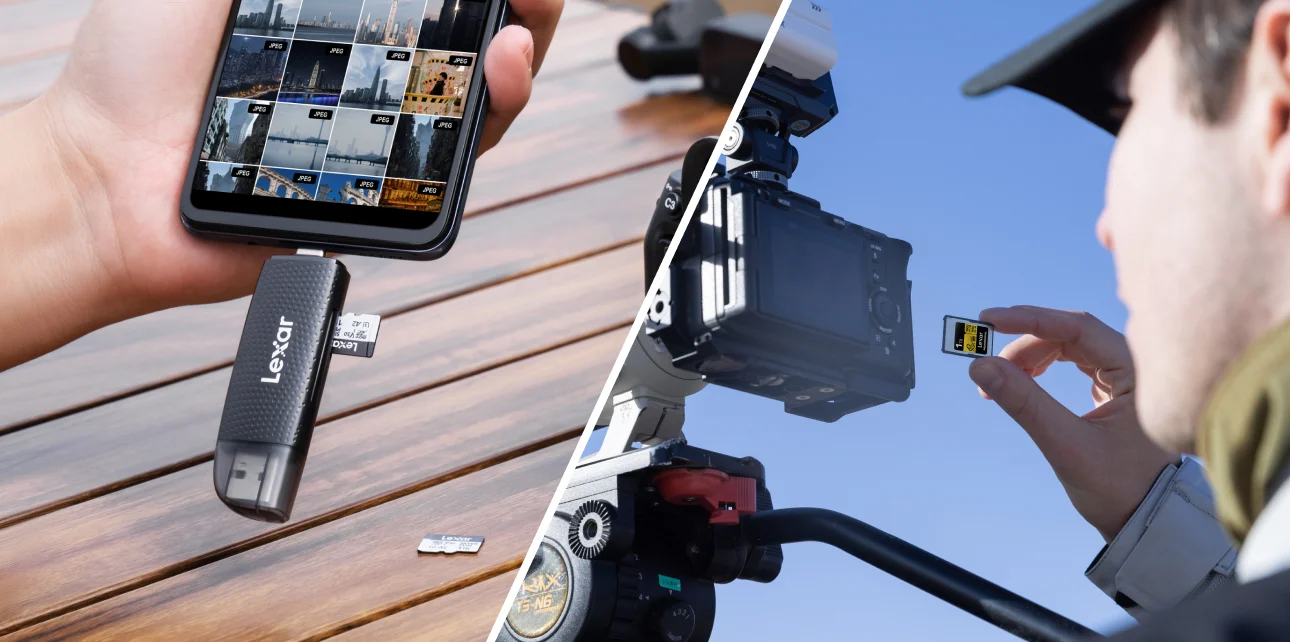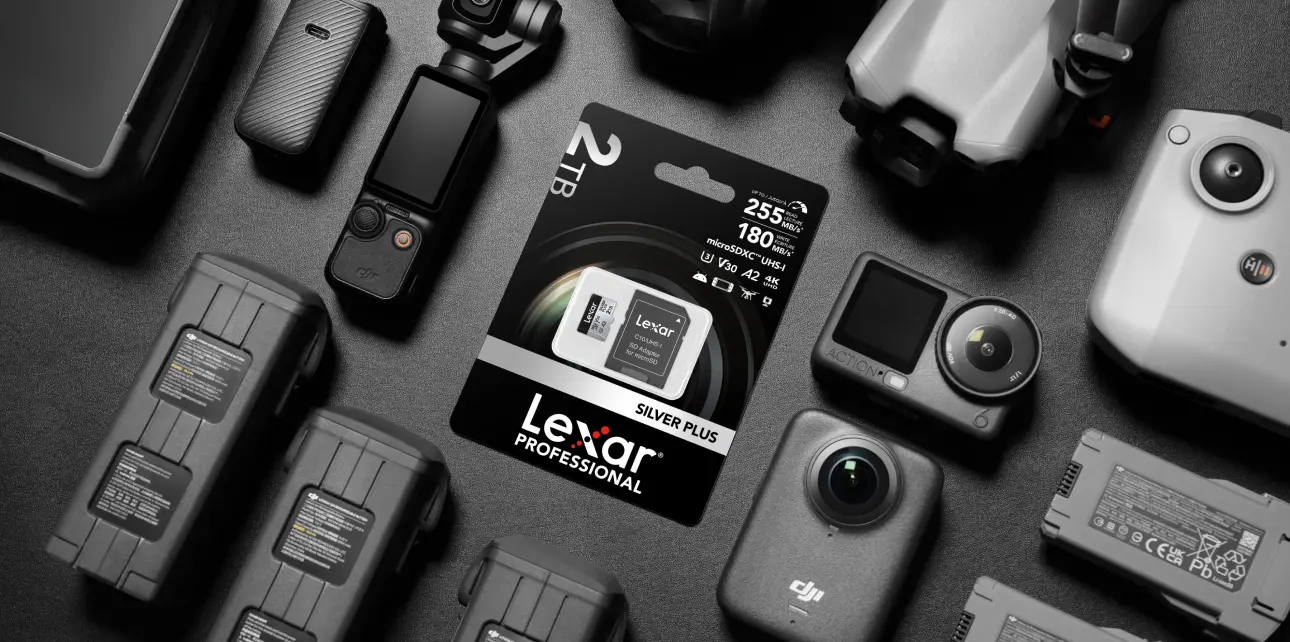


Multi-camera shoots generate massive data volumes requiring systematic management from capture through final delivery. Without established workflows, productions face cascading problems – mislabeled footage delays editing, missing backup copies risk catastrophic data loss, disorganized files waste hours during post-production.
Professional multi-camera data management requires more than fast card readers and large hard drives. It demands integrated systems handling simultaneous transfers, automated backups, and logical file organization preventing workflow breakdowns that cost time and money.
The Multi-Camera Data Challenge
Single-camera productions generate manageable data volumes with straightforward workflows. Multi-camera shoots multiply complexity exponentially. A typical three-camera corporate shoot recording 4K footage at 150Mbps per camera produces 450MB per second collectively — that creates 27GB every minute, and 1.6TB during standard six-hour shoot day.
Camera synchronization creates the first organizational challenge. Three cameras capturing the same scene from different angles generate three separate file sets requiring correlation during editing. Without proper labeling and metadata, editors waste significant time matching footage across cameras.
Storage redundancy becomes critical as camera count increases. Single-camera failure affects one footage angle. Multi-camera productions face cascading impact – missing Camera B footage renders Camera A and C angles less useful for edited sequences requiring multiple perspectives. This interdependency demands backup systems protecting the entire shoot simultaneously.
Memory card management scales poorly without systems. Three cameras using two cards each create six media cards cycling through the shoot. Productions must track which cards contain which footage, which cards await offload, which cards cleared for reuse. Manual tracking fails quickly under production pressure.
Transfer bottlenecks compound with camera count. Traditional workflows using a single card reader process one card at a time. Three cameras worth of footage requiring 40 minutes per card translates to 120 minutes minimum transfer time, assuming there are no technical issues. This processing creates delays preventing same-day editing starts.
Systematic Offload Workflows
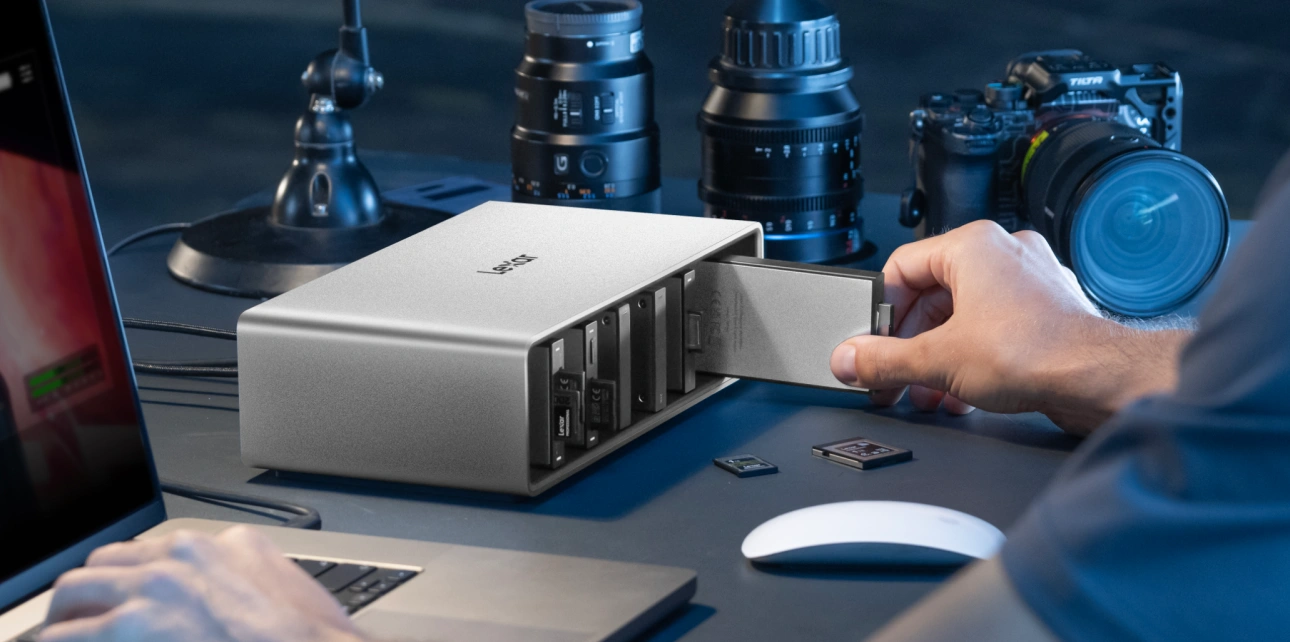
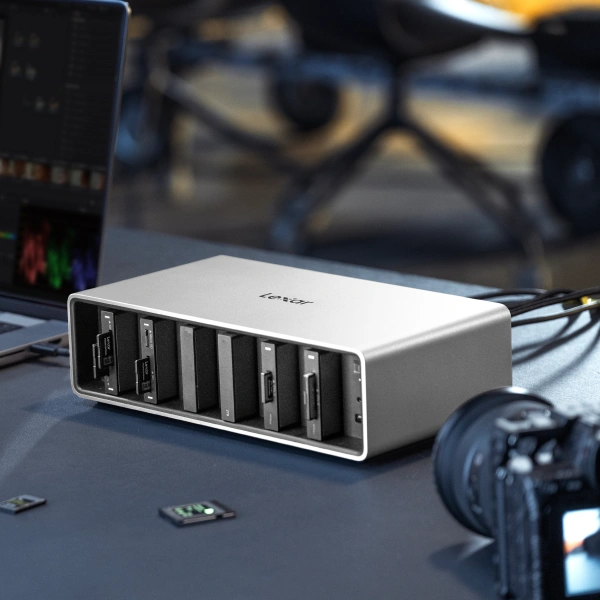
Professional multi-camera management begins with systematic offload processes handling multiple cards simultaneously while maintaining organization. The Lexar® Professional Workflow Docking Station addresses this challenge through modular six-bay design accommodating varied card formats and multiple simultaneous transfers.
The docking station configuration supports realistic multi-camera scenarios. Four bays running at 10Gbps handle standard workflow loads while two Thunderbolt 4 bays delivering 40Gbps accommodate high-speed CFexpress 4.0 cards from cinema cameras. This tiered speed architecture matches transfer rates to card types without creating bottlenecks.
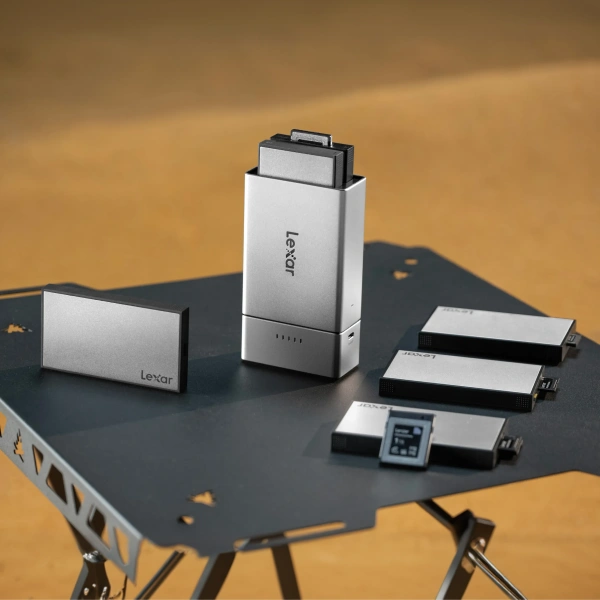
A modular bay system adapts to specific shoot requirements. Wedding videographers using three cameras with SD cards install three SD readers plus three backup SSD modules. Documentary crews mixing camera formats combine CFexpress Type B reader, CFexpress Type A reader, dual SD reader, plus SSD modules for immediate backup. This flexibility eliminates one-size-fits-all compromises.
Simultaneous transfer capability cuts offload time dramatically. Traditional sequential card reading requiring 120 minutes for three cameras worth of footage drops to 40 minutes when transferring three cards simultaneously. For productions on tight schedules, this time savings determines whether editors access footage the same day or wait until the following morning.
The system integrates Lexar® Professional Workflow CFexpress 4.0 Type B Card Reader supporting transfer speeds up to 3700MB/s when paired with CFexpress 4.0 cards. A 1TB card requiring 8 to 10 minutes on traditional readers offloads in about 6 minutes via Thunderbolt 4 connection. Across full day’s footage, these per-card time savings compound significantly.
Thermal management maintains performance during intensive multi-card operations. Aluminum housing with heat-dissipating channels and built-in temperature-sensitive fan prevents thermal throttling during extended transfer sessions. Six simultaneous transfers generate significant heat. Proper cooling protects transfer speeds and equipment longevity.
Automated Backup Strategies
Data protection requires more than copying files to an external drive. Professional backup workflows verify data integrity, maintain multiple copies, and organize files for efficient retrieval during editing and archival.
The 3-2-1 backup rule provides foundation for professional data protection. Three total copies of footage: the original on camera cards, primary working copy on editing drive, backup copy on separate storage. Two different storage media types: typically an SSD for the working copy, and different drive technology for backup. One offsite copy protecting against location-specific disasters like theft, fire, or equipment failure.
Implementing 3-2-1 during multi-camera shoots requires a systematic approach. The Lexar® Professional Workflow Docking Station enables simultaneous offload and backup by configuring bays with card readers feeding directly to multiple SSD modules. This parallel workflow creates primary and backup copies during single transfer operation rather than requiring separate backup pass after initial offload.
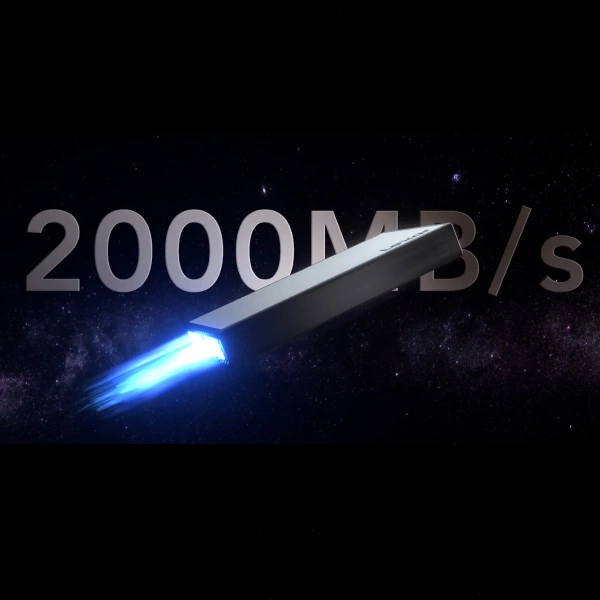
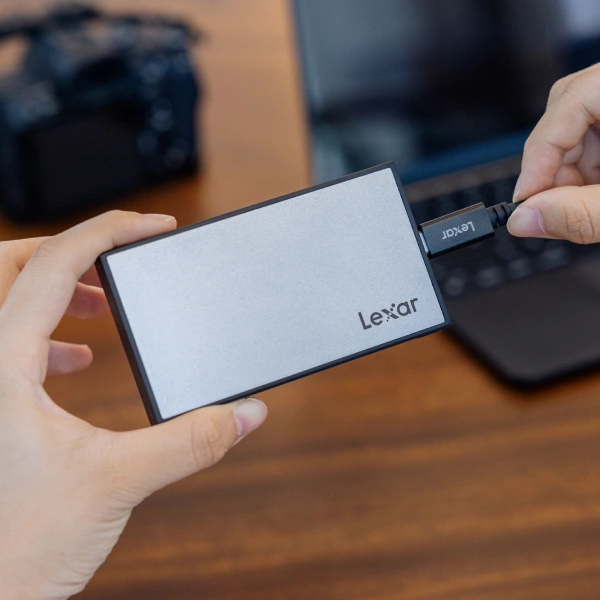
The Lexar® Professional Workflow Portable SSD delivers 2000MB/s read and write speeds maintaining pace with multi-card offload operations. IP68 rating provides highest-level protection against water and dust exposure during location shoots. Four-bay configuration using these SSDs creates 8TB total backup capacity, which should be adequate for multi-day shoots without drive swapping.
Automated workflows reduce human error during backup operations. Productions configure docking station bays designating specific SSDs for primary and backup copies. Card readers automatically route footage to designated drives without requiring manual file copying. This automation protects against backup oversight when teams work under production pressure.
File verification confirms backup integrity immediately after transfer. Hash checking or checksum verification compares original and copied files ensuring bit-perfect duplication. This verification step catches transfer errors before original cards undergo reformatting for continued use.

On-Location Workflow Management
Studio productions benefit from controlled environments with permanent infrastructure. Location shoots demand portable solutions maintaining workflow efficiency without desktop equipment.
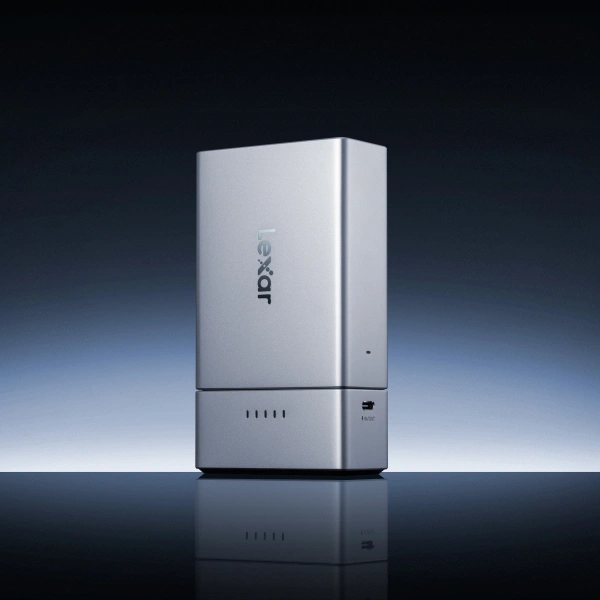
The Lexar® Professional Workflow Go provides a two-bay portable solution managing card offload and backup without laptop dependency. Removable battery powers operations independent of AC electricity. Smartphone app via Wi-Fi connection provides content preview, transfer management, and file organization from mobile device.
This portability changes location workflow fundamentals. Camera operators offload cards during shooting breaks without returning to basecamp or production trailer. Assistant editors preview footage immediately after capture confirming exposure, focus, and technical quality before crew strikes location. Directors review takes on-location determining whether additional coverage is necessary.
The system supports up to 4TB storage via Workflow Portable SSD modules. Two-bay configuration accommodates card reader plus SSD module for simultaneous offload and backup. An additional USB-C port connects supplementary devices when needed.
Mobile management eliminates laptop requirements for basic data operations. Productions reduce equipment weight and complexity while maintaining professional workflow capabilities. Single production assistant manages multi-camera offload using smartphone rather than requiring dedicated data technician with laptop workstation.
Field backup creates immediate data protection. Footage transfers directly from cards to portable SSDs creating redundant copies before cards cleared for reuse. This immediate backup protects against card failure, camera operator error, or equipment theft before footage reaches the studio for formal archival.
File Organization Systems
Multi-camera footage organization determines post-production efficiency. Poor file structure creates editing delays as teams search for specific angles, takes, or scenes. Systematic organization makes footage instantly accessible reducing editing friction.
Hierarchical folder structures separate footage by production day, camera position, and scene. Root folder identifies project and shoot date. Second-level folders designate cameras by position or function — Camera A Wide, Camera B Medium, Camera C Close. Third-level folders group footage by scene or location when appropriate.
Naming conventions encode critical metadata directly into filenames. Consistent patterns enable rapid footage identification without opening files. Effective naming includes camera identifier, scene number, take number, and relevant notes. Example: CamA_Scene04_Take03_MasterWide.mov provides immediate context for editors.
Metadata tagging during offload improves downstream workflow efficiency. Modern editing software reads embedded metadata accelerating multi-camera synchronization. Camera position tags, timecode information, and scene markers entered during offload save hours during editing assembly.
Backup folder structures mirror primary organization exactly. Identical hierarchy enables rapid file location across storage systems. When editors request specific footage from backup drives, consistent organization allows immediate retrieval without searching.
Documentation logs track footage status throughout workflow. Simple spreadsheet records which cards offloaded, which footage backed up, which files delivered to the editing team. This tracking prevents duplicate work and confirms data protection milestones complete before cards reused.
Post-Production Integration
Efficient multi-camera offload workflows connect directly to editing processes. The Lexar® Professional Workflow Docking Station supports major editing applications including Adobe Premiere Pro, Final Cut Pro, DaVinci Resolve, and Avid Media Composer through seamless drive mounting and media management.
Direct-attached storage via Thunderbolt 4 provides editing performance matching internal drives. Editors work directly from footage on Workflow Portable SSDs without requiring time-consuming transfers to internal storage. This direct-edit workflow cuts hours from project startup.
Daisy-chaining capability extends system scalability. Connect up to six docking stations accommodating truly massive multi-camera projects. Reality TV productions shooting dozens of hours daily across multiple camera teams access complete footage libraries through an integrated docking station network.
Display connectivity supports efficient editing setups. Thunderbolt 4 interface drives 8K displays for precise color work and detail verification. Alternatively, connect dual 4K monitors providing extensive screen space for complex multi-camera timelines.
The system’s 140W GaN charger with replaceable plugs provides reliable power supporting international productions. Consistent power delivery during transfer and editing operations protects data integrity and maintains system performance.
Equipment Investment Analysis
Professional workflow systems represent significant equipment investment. The Lexar® Professional Workflow Docking Station costs approximately $600 with individual reader and SSD modules adding $50-$400 per bay depending on configuration. Complete three-camera workflow kit with readers and backup storage reaches $2,000-$3,000.
This investment calculation shifts perspective when comparing against production delays and risk exposure. Single shoot day with $8,000 crew costs experiences 2-hour delay from inefficient file management wastes $2,000 in crew time. Two delayed shoots equal workflow system cost. Beyond direct costs, professional workflows protect against catastrophic data loss potentially destroying entire projects.
Time savings compound across projects. Multi-camera production company running 40 shoot days annually with improved offload workflows saves 80 hours yearly. That’s the equivalent to two full work weeks of productive capacity redirected from file management to revenue-generating activities.
Modular system design protects investment through adaptability. Productions start with essential modules matching the current camera kit and expand capability as needs grow. This scalability prevents over-investment in features not immediately required while providing a growth path as production capabilities expand.
Workflow Standards and Best Practices
Successful multi-camera data management requires establishing and maintaining consistent practices across the entire production team. Written procedures document offload processes, backup verification steps, and file organization standards preventing workflow drift as team members change.
Pre-production planning identifies data management requirements early. Calculate expected footage volumes based on camera count, recording formats, and shoot duration. Specify required card readers, backup storage capacity, and transfer speed needs. Confirm equipment availability before shoot dates.
On-set protocols maintain data protection throughout the shooting day. Establish card handling procedures preventing mix-ups between cameras. Implement chain-of-custody tracking as cards move from camera operators to data management. Verify backup completion before clearing cards for continued use.
Regular equipment testing confirms system reliability before critical shoots. Test card readers with actual camera media verifying compatibility and transfer speeds. Confirm backup drives mount reliably and provide expected performance. This testing identifies potential issues during preparation rather than discovering problems during production.
Post-shoot archival completes the data protection cycle. Transfer footage from working storage to long-term archival systems. Maintain organizational structure throughout the archival process. Document archive locations and retrieval procedures for future access needs.
Building Efficient Multi-Camera Infrastructure
Professional multi-camera production demands infrastructure matching creative ambitions with technical capabilities. The Lexar® Professional Workflow ecosystem provides a foundation for systematic data management eliminating bottlenecks that constrain production efficiency and threaten data security.
Productions investing in proper workflow systems gain competitive advantages beyond immediate technical capabilities. Faster offload workflows enable tighter production schedules. Reliable backup systems eliminate anxiety around data loss. Organized file structures accelerate editing and reduce post-production costs.
For production companies, videographers, and content creators working with multi-camera shoots, data management infrastructure represents critical investment determining whether productions run smoothly or struggle against preventable technical constraints. Modular workflow systems cost more initially than basic card readers but deliver value through eliminated delays, prevented data loss, and accelerated post-production timelines.
The corporate event case study demonstrates these principles clearly – three cameras, 540GB footage, 95 minutes total transfer time with complete backup, zero organizational errors, immediate editing start. These outcomes stem directly from workflow infrastructure matching multi-camera demands rather than hoping basic equipment suffices.
Multi-camera shoots will continue growing in complexity as cameras capture higher resolutions and productions adopt more ambitious coverage strategies. Workflow infrastructure providing simultaneous card offload, automated backup, and systematic organization positions productions for success rather than reactive problem-solving when basic approaches fail under production pressure.