
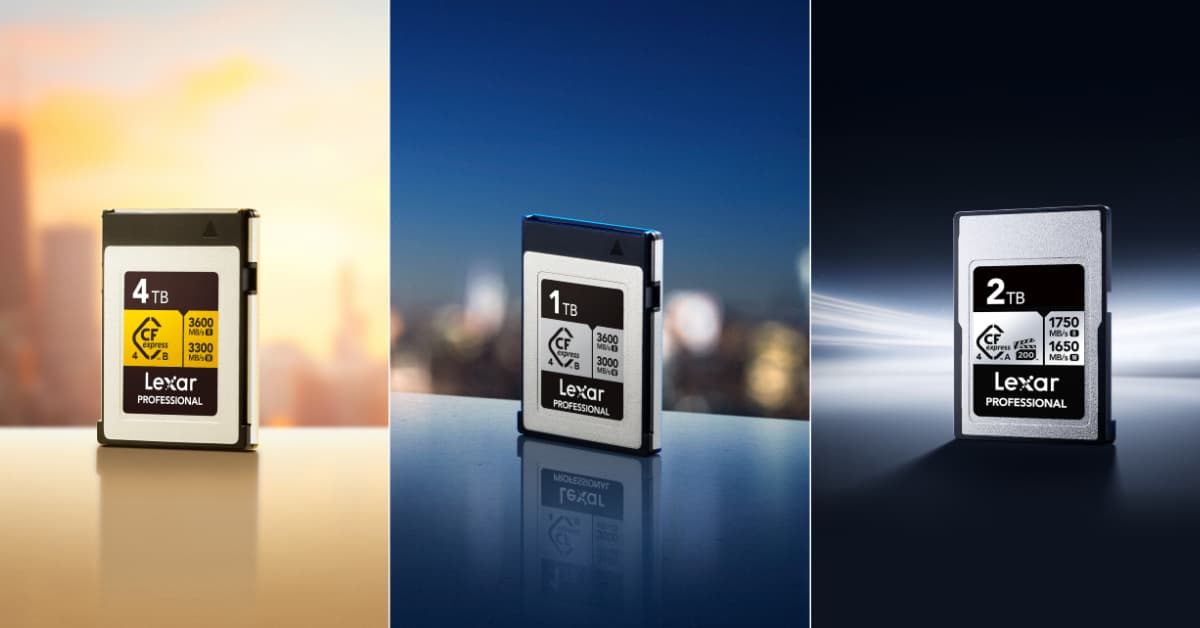


Here’s the honest answer in under 200 words: CFexpress 4.0 is worth it if your time has dollar value. The Lexar® Professional GOLD CFexpress™ 4.0 Type B Card delivers read speeds up to 3600MB/s. That’s roughly 4x faster than CFexpress 2.0 cards. A 1TB card of raw footage that took 18 minutes to offload with a CFexpress 2.0 card transfers in under 5 minutes. Multiply that across a full shoot week, and you’re reclaiming multiple hours per month. Hours you can spend shooting, editing, or sleeping.
Whether it’s worth that investment for you depends on your shooting volume, your time, and your workflow. This guide breaks all of that down with real numbers so you can decide with confidence.
CFexpress 4.0 vs 2.0: What Actually Changed
CFexpress 2.0 was already fast. Cards like the Lexar® Professional CFexpress™ Type A Card GOLD Series topped out at 900MB/s read, and 800MB/s write, which is more than enough for 4K and early 8K workflows. So what does 4.0 actually change?
The jump to PCIe 4.0 and updated NVMe protocols nearly doubles the available bandwidth on the interface itself. That enables sustained write speeds that CFexpress 2.0 simply couldn’t achieve in demanding capture scenarios. Here’s how the Lexar lineup compares directly:
| Spec | CFexpress 2.0 (Type A GOLD) | CFexpress 4.0 SILVER (Type A) | CFexpress 4.0 GOLD (Type A) |
| Max Read | 900MB/s | 1750MB/s | 1800MB/s |
| Max Write | 800MB/s | 1650MB/s | 1650MB/s |
| Sustained Write | 700MB/s | 1300MB/s | 1000MB/s |
| Max Capacity | 320GB | 2TB | 2TB |
The speed leap from 2.0 to 4.0 Type A alone is nearly 2x on read and more than double on sustained write. Going to Type B 4.0 pushes that even further, reaching territory that once required a dedicated NVMe SSD in your editing machine, not a card in your camera.
The practical implication isn’t just faster offloads. At 3000MB/s sustained write, the Lexar® Professional GOLD CFexpress™ 4.0 Type B Card captures uninterrupted 8K RAW video in cameras that previously couldn’t sustain that data rate without buffer issues. For high-frame-rate burst photography, that sustained headroom means longer burst sequences before the buffer forces you to pause and wait.
The Memory Card Investment: Time-Saved ROI by Creator Type
Abstract speed numbers are one thing. Let’s connect them to actual hours in an actual week.
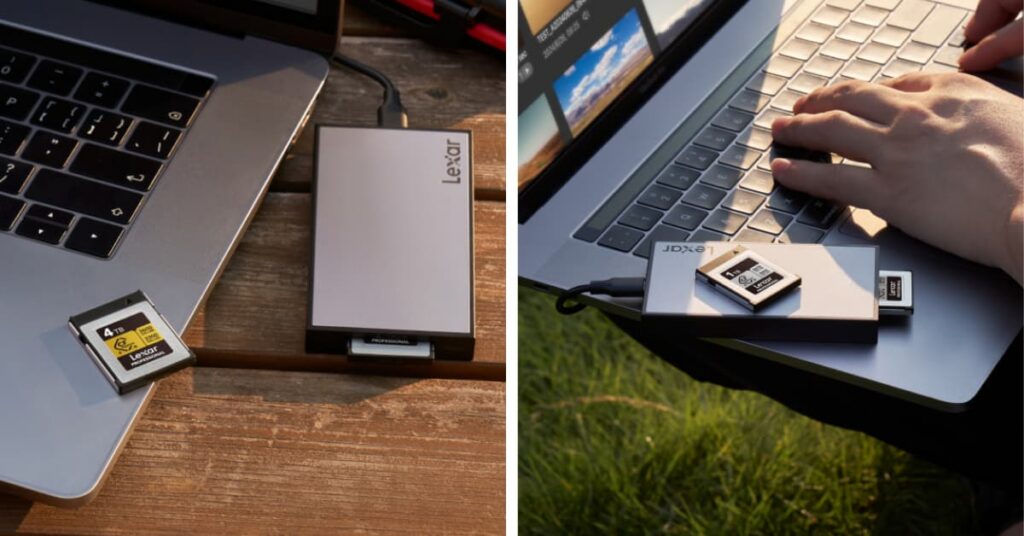
The math below uses a realistic scenario: offloading footage directly from the card to the editing workstation using a CFexpress 4.0-compatible reader. For Type A cards, that means pairing with the Lexar® Professional Workflow CFexpress™ 4.0 Type A Card Reader, which supports speeds up to 40Gbps. For Type B, the Lexar® Professional Workflow CFexpress 4.0™ Type B Card Reader matches that bandwidth ceiling.
ROI Time Calculator: How Much Time Does CFexpress 4.0 Save You?
Estimate your time savings using this formula:
How much time does CFexpress 4.0 save you?
Drag the slider to match your monthly offload volume and see your real-world time savings.
Annual savings (hrs) = Monthly savings × 12 ÷ 60
Calculations use sustained sequential read speeds. Real-world transfer speeds vary by reader, cable, and host interface. CFexpress 4.0 speeds require a USB 4.0 or Thunderbolt 4 reader and a compatible host port to reach peak performance.
A typical wedding fill rate runs 200GB - 400GB of RAW files per event. Over 2.5 average shoots monthly, that's roughly 750GB being offloaded. At 900MB/s (CFexpress 2.0 with a matched reader), that's about 14 minutes per offload or 35 minutes monthly. At 3600MB/s, the same data moves in under 4 minutes per session, roughly 9 minutes total monthly. That's 26 minutes saved per month, or about 5 hours per year on offloading alone.
That might sound modest, but pair faster offloads with reduced buffer waits during burst sequences on a ceremony or reception, and the real-world number climbs. Wedding photographers spending $200 per hour billing time recover the cost premium over CFexpress 2.0 inside a single season.
YouTuber / Solo Video Creator (weekly upload schedule)
A solo creator producing one long-form YouTube video per week typically generates 500GB - 1TB of 4K or 6K footage per month. At 1TB monthly, CFexpress 2.0 offloading takes roughly 18 minutes. Type A 4.0 at 1750MB/s brings that to under 10 minutes. Type B 4.0 at 3600MB/s drops it below 5 minutes.
But for this creator type, the bigger gain is capture reliability. Shooting high-bitrate 4K or 6K without buffer warnings, often mid-interview or during a critical b-roll window, protect takes that can't be repeated. One saved retake per week is easily worth more than the price delta between card generations.
Commercial Videographer (multi-day productions)
Commercial work regularly involves 2TB - 4TB of daily capture across multiple cameras. Offloading 4TB at CFexpress 2.0 speeds takes roughly 74 minutes. At Type B 4.0 speeds, that same 4TB moves in under 19 minutes. That's 55 minutes reclaimed per day. Across a 5-day production week, CFexpress 4.0 returns nearly 5 hours of production time that would otherwise disappear into offloading.
For a commercial crew where downtime is measured against day rates, this isn't a convenience upgrade. It's a line-item cost reduction.
Total Ecosystem Cost: Card, Reader, and Cable
One objection that deserves a direct answer: the cost of switching isn't just the card. To realize CFexpress 4.0 speeds, you need a reader that can actually deliver them. A USB 2.0 reader connected to a CFexpress 4.0 card will not transfer faster than that reader's bandwidth ceiling - the card's speed advantage is completely stranded.
Here's a realistic ecosystem view for each Type:
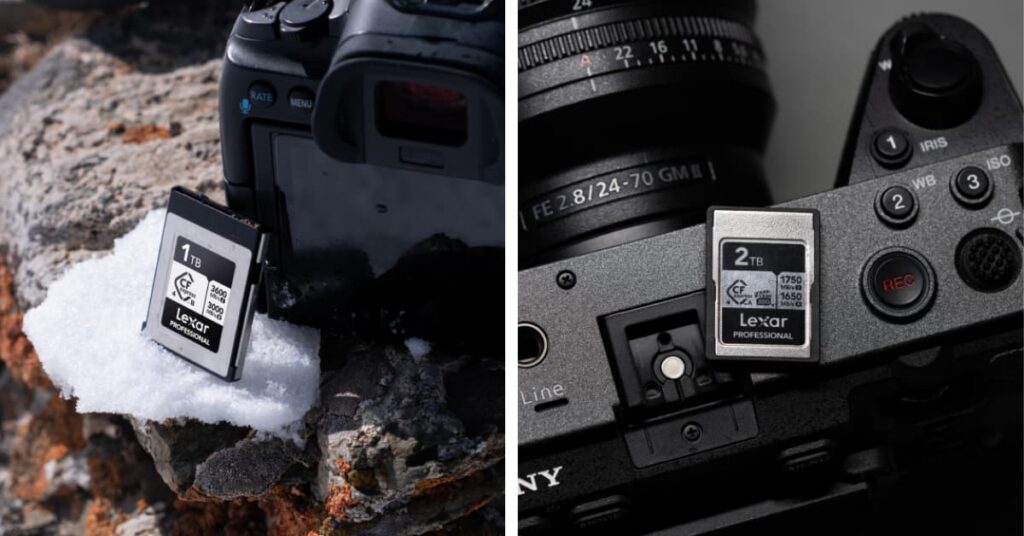
CFexpress 4.0 Type A ecosystem: The Lexar® Professional SILVER CFexpress™ 4.0 Type A Card (512GB) paired with the Lexar® Professional Workflow CFexpress™ 4.0 Type A Card Reader. Both come with USB-C to USB-C cables. Your host machine needs a USB 4.0 or Thunderbolt 3/4 port to access the full 40Gbps bandwidth.
CFexpress 4.0 Type B ecosystem: The Lexar® Professional GOLD CFexpress™ 4.0 Type B Card (2TB or 4TB options) paired with the Lexar® Professional Workflow CFexpress 4.0™ Type B Card Reader. Same USB-C cable requirement and USB 4.0 / Thunderbolt port dependency.
The cable and port requirements are not an afterthought. Many creators discover their workstation has USB 3.2 ports labeled as USB-C and wonder why transfer speeds fall short. Check your host device specs before assuming you're bottlenecked by the card.
The "My Camera Doesn't Support 4.0" Objection: Answered
This is the most common reason creators pause on the CFexpress 4.0 investment - and it deserves a clear, honest answer rather than a dismissal.
Current-generation Sony Alpha and Sony FX cameras that accept CFexpress Type A cards are compatible with Lexar CFexpress 4.0 Type A cards. However, Lexar's own product documentation is transparent that current-gen Sony cameras typically don't reach the 1650MB/s write ceiling the cards are rated for in camera. The cards will operate at the highest speed the camera supports - you won't be "wasting" the card, you'll just be using it at current-gen camera speeds with the full speed becoming available when your next camera body does support it.
That's the forward-cast value of CFexpress 4.0. You're not buying today's camera body alone. You're purchasing a card that will still be the fastest available option when you upgrade your camera in 2 or 3 years. CFexpress 2.0 cards, by contrast, will likely be constrained by camera bodies before CFexpress 4.0 cards are.
On the offload side, the reader speed is independent of camera write speed. Even if your camera only writes at CFexpress 2.0 rates, your CFexpress 4.0 card still transfers to your workstation at 4.0 speeds, so your offload time savings are real today, regardless of which camera you're shooting with.
CFexpress 4.0 vs 2.0: When to Invest Now vs Wait
The decision comes down to four honest questions:
- Do you offload more than 500GB per month? If yes, the time savings begin paying back the cost premium immediately. If you offload less, the savings are real but longer to recoup.
- Do you shoot sustained high-bitrate video (4K 120fps, 6K, 8K RAW)? If yes, sustained write speed matters during capture - not just offload. CFexpress 4.0 sustained write outperforms 2.0 significantly and directly protects your takes.
- Are you planning a camera body upgrade in the next 1 - 3 years? If yes, buying 4.0 now means your card is ready for that next body. Buying 2.0 now means a second card purchase at upgrade time.
- Does your current workstation have USB 4.0 or Thunderbolt ports? If no, you'll want to verify your host hardware before purchasing the reader - the card speed is only accessible through a capable pipeline.
If you answer yes to two or more of those questions, CFexpress 4.0 is worth the investment now. If you're an occasional shooter with a light monthly offload volume and no body upgrade on the horizon, CFexpress 2.0 cards remain a high-performance, cost-efficient option that won't hold back your current workflow.
Making the Right Call for Your Workflow
Professional storage ROI isn't measured in megabytes per second. It's measured in hours reclaimed, takes protected, and gear that keeps pace with your career - not gear you're already planning to replace.
The Lexar® Professional GOLD CFexpress™ 4.0 Type B Card and the Lexar® Professional SILVER CFexpress™ 4.0 Type A Card represent the current ceiling of what memory card technology can deliver. Both are IP68-rated, drop-proof to 5 meters, and backed by a limited lifetime warranty with access to the Lexar Recovery Tool. The performance is there. The durability is there. The capacity, up to 4TB on Type B, means you're also reducing card swaps mid-production.
Time is the one resource you can't buy back. CFexpress 4.0 gives a meaningful portion of it back to you every single week.
Explore the full Lexar CFexpress 4.0 lineup at and find the card that fits your camera, your workflow, and your next level of professional output.