

A common misunderstanding is what memory overclocking actually accomplishes. People often think faster memory just means bigger benchmark numbers. Memory speed directly affects how quickly CPUs can access data, how smoothly graphics cards receive textures and geometry, and how efficiently entire systems operate under load.
Another myth we see is that overclocking is automatically dangerous.
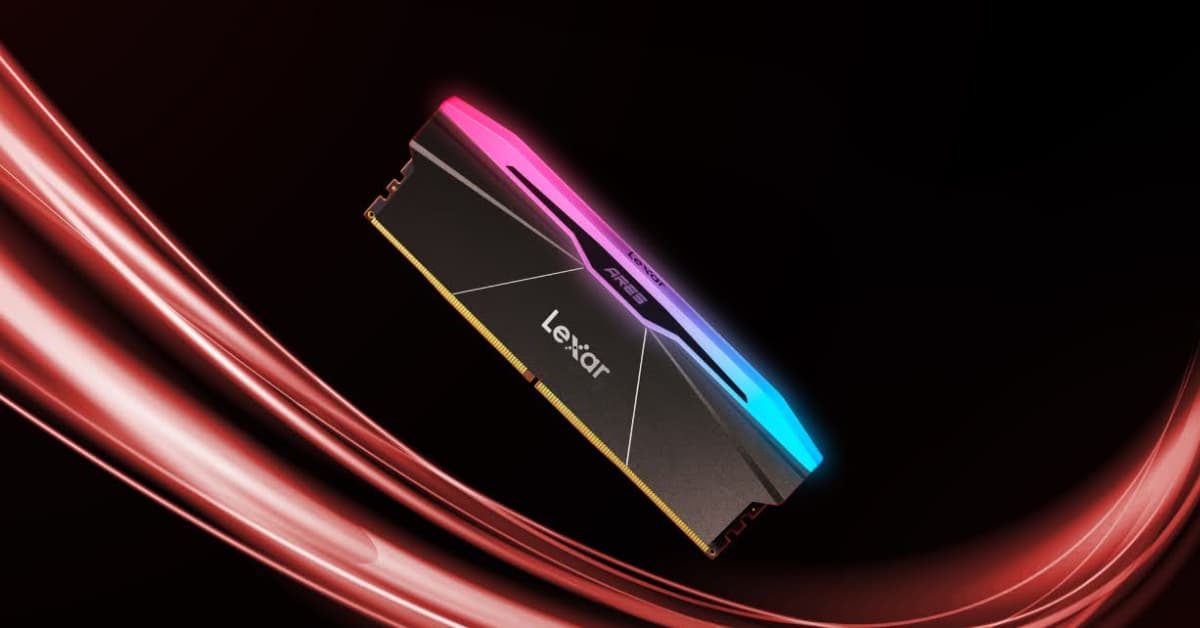
Modern memory modules like Lexar® ARES RGB DDR5 Desktop Memory come with extreme memory profiles (XMP) that are essentially factory-tested overclocks. These aren’t experimental settings — they’re carefully validated configurations that we guarantee will work. Enabling XMP overclocking is using the memory as it was designed to be used.
There are two common approaches that both leave significant performance on the table: users either ignore memory overclocking entirely, thinking their system is “fast enough,” or they dive into manual overclocking without understanding the fundamentals. Lexar® ARES RGB DDR4 Desktop Memory and Lexar® ARES RGB DDR5 Desktop Memory bridge this gap by providing aggressive factory profiles alongside the headroom for manual tuning when users want to push further.
Another frequent mistake is conflating storage capacity with performance capability. A high-capacity drive doesn’t automatically mean better reliability or speed. Performance depends on the quality of components, manufacturing processes, and engineering decisions — areas where we focus our development efforts.
Understanding Memory Performance: Beyond the Speed Numbers
Memory overclocking involves more than just increasing frequency until something fails. Effective overclocking requires understanding the relationship between memory speed, timings, and voltage, and how these factors work together to impact real-world performance.
Speed vs. Timing Balance
Memory speed, measured in MHz, indicates how many data transfers happen per second. But timing values determine how long the memory takes to respond to requests. Think of it like this: speed is how fast a car can go, while timings are how quickly it can accelerate, brake, and navigate corners.
Lexar® ARES RGB DDR5 Desktop Memory modules excel at this balance. They’re not just fast — they maintain tight timings even at elevated speeds. This combination delivers consistent performance improvements across diverse workloads, from gaming frame rates to rendering times.
Primary timings (CAS Latency, tRCD, tRP, tRAS) have the biggest impact on performance. Secondary and tertiary timings offer smaller gains but can add up, especially in memory-sensitive applications. The key is understanding which timings matter most for specific workloads and adjusting accordingly.
Voltage Considerations
Memory voltage directly affects stability and overclocking potential. Higher voltages enable faster speeds and tighter timings but generate more heat and stress the memory chips. Lexar® ARES RGB DDR5 Desktop Memory includes robust cooling solutions specifically to handle the thermal demands of high-voltage overclocking.
DDR4 typically runs at 1.2V JEDEC standard, but enthusiast modules like Lexar® ARES RGB DDR4 Desktop Memory are designed to operate safely at 1.35V to 1.45V for overclocked profiles. DDR5 operates at 1.1V JEDEC standard, with enthusiast modules supporting voltages up to 1.4V for aggressive overclocking. This voltage headroom enables the enhanced profiles that separate enthusiast memory from basic modules.
Platform Dependencies
Memory overclocking effectiveness varies significantly between platforms. AMD Ryzen processors, particularly newer generations, show dramatic performance improvements with faster memory due to their Infinity Fabric architecture. Intel platforms benefit too, but often with different scaling characteristics.
We conduct extensive compatibility testing across major platforms to ensure Lexar® ARES RGB DDR5 Desktop Memory and Lexar® ARES RGB DDR4 Desktop Memory deliver consistent performance. Whether users are running the latest Intel Core processors or AMD Ryzen chips, our modules provide verified compatibility and performance.
The Lexar ARES Advantage: Built for Overclocking
Not all memory modules are created equal when it comes to overclocking potential. Lexar® ARES RGB DDR5 Desktop Memory and Lexar® ARES RGB DDR4 Desktop Memory represent a purpose-built approach to enthusiast memory, incorporating design elements specifically chosen to maximize overclocking performance and stability.
Premium Component Selection
Lexar® ARES RGB DDR5 Desktop Memory modules use carefully binned memory chips — the highest-performing examples from each production batch. This selective process ensures consistent overclocking headroom across individual modules and kits. When users purchase Lexar ARES memory, they’re getting chips that have already proven their ability to operate reliably at elevated speeds.
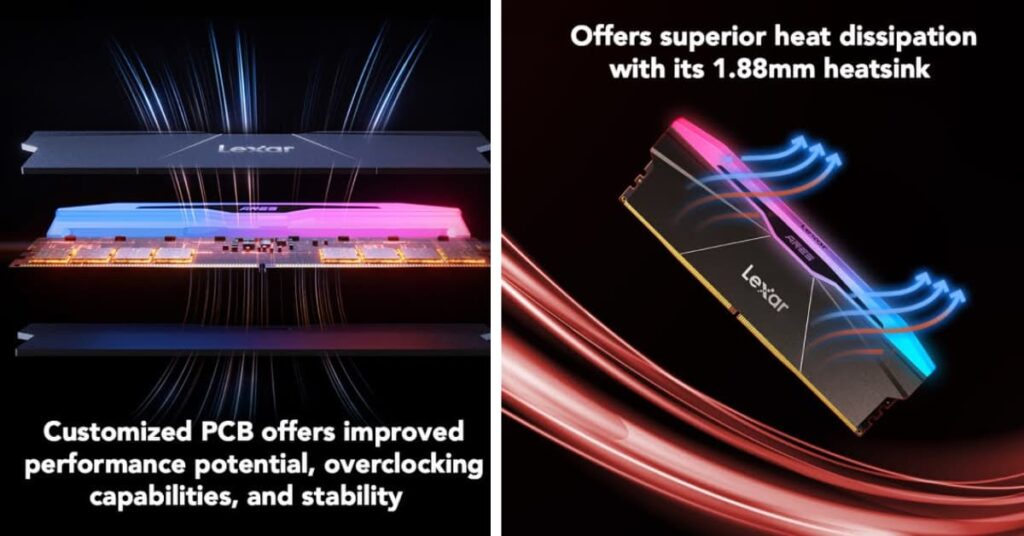
The printed circuit board (PCB) design incorporates additional layers and improved power delivery compared to standard modules. This enhanced infrastructure reduces electrical noise and provides cleaner power to the memory chips, enabling more stable operation at extreme settings.
Advanced Cooling Solutions
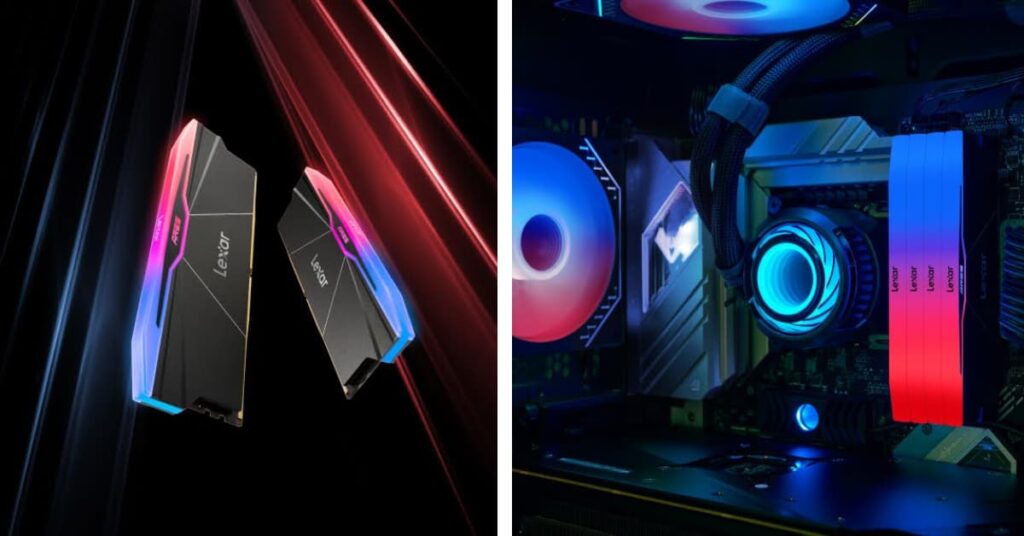
Heat is the enemy of stable overclocking, and Lexar® ARES RGB DDR5 Desktop Memory modules address this challenge with comprehensive thermal solutions. The distinctive heat spreaders aren’t just for aesthetics — they’re engineered to maximize surface area for heat dissipation while maintaining optimal airflow characteristics.
The aluminum construction provides excellent thermal conductivity, quickly moving heat away from the memory chips. The fin design creates turbulence that improves convective cooling, while the low-profile shape ensures compatibility with large CPU coolers and compact builds.
Factory-tested XMP Profiles
Every Lexar® ARES RGB DDR5 Desktop Memory kit includes multiple XMP profiles that have undergone extensive stability testing. These aren’t theoretical specifications — they’re verified configurations that users can enable with confidence. The profiles typically include conservative, performance, and extreme options, providing flexibility based on specific needs and cooling capabilities.
Beyond the standard profiles, Lexar® ARES RGB DDR4 Desktop Memory and Lexar® ARES RGB DDR5 Desktop Memory often include headroom for manual overclocking. Our factory testing provides a baseline, but experienced overclockers frequently achieve speeds well beyond the rated specifications.
Quality Assurance and Validation
We subject our ARES modules to rigorous testing procedures that simulate real-world usage scenarios. This includes extended stress testing at elevated temperatures, compatibility validation across major motherboard and processor combinations, and endurance testing to ensure long-term reliability.
Our validation process extends beyond basic functionality to include performance consistency. We ensure that modules not only reach their rated specifications but maintain stable operation under sustained loads typical of gaming, content creation, and professional applications.
Step-by-Step Overclocking Guide: From Basic to Advanced
Overclocking Lexar® ARES RGB DDR5 Desktop Memory doesn’t require a computer science degree or years of experience. With the right approach, users can achieve significant performance improvements safely and systematically. Here’s how to unlock the full potential of these modules.
Phase 1: XMP Profile Activation
Start with the easiest approach — enabling XMP profiles. These factory-tested configurations provide immediate performance improvements with minimal risk. Access the BIOS/UEFI setup during boot, navigate to memory settings, and select the appropriate XMP profile for the Lexar® ARES RGB DDR4 Desktop Memory or Lexar® ARES RGB DDR5 Desktop Memory.
Most of our Lexar ARES kits include multiple profiles optimized for different scenarios. Profile 1 typically offers a balanced approach between performance and compatibility, while Profile 2 might push higher speeds for maximum performance. Choose based on system cooling capabilities and stability requirements.
After enabling XMP, boot into the operating system and run memory stress tests to verify stability. Tools like MemTest86 or AIDA64 provide comprehensive validation that systems can handle the increased memory speeds under sustained loads.
Phase 2: Manual Fine-tuning
Once XMP profiles are stable, users can explore manual overclocking for additional performance. This involves adjusting memory frequency, timings, and voltage beyond the factory profiles while maintaining system stability.
Begin by increasing memory frequency in small increments – typically 100-200 MHz steps. Test stability at each step before proceeding further. Lexar® ARES RGB DDR5 Desktop Memory modules often have significant headroom beyond their rated specifications, but every system is different.
Timing optimization can yield substantial performance improvements even at the same frequency. Start with primary timings (CAS, tRCD, tRP, tRAS) and gradually tighten values while maintaining stability. Secondary timings offer smaller but cumulative benefits for memory-sensitive applications.
Phase 3: Advanced Optimization
Experienced overclockers can explore advanced techniques like memory subtimings, Infinity Fabric tuning (on AMD platforms), and voltage optimization. These adjustments require detailed understanding of memory subsystem behavior but can extract maximum performance from Lexar® ARES RGB DDR5 Desktop Memory.
We recommend starting conservatively with voltage adjustments and avoiding exceeding 1.45V for DDR4 or 1.4V for DDR5 to maintain component longevity. Lexar® ARES RGB DDR4 Desktop Memory premium components often enable stable operation at optimized voltages while maintaining reliability.
Platform-specific optimizations can further enhance performance. AMD systems benefit from synchronized Infinity Fabric clocks, while Intel platforms may respond to different timing optimization strategies. Research platform-specific guides for optimal results.
Real-World Performance Impact: Where Overclocking Matters Most
Memory overclocking delivers tangible performance improvements across diverse applications, but the benefits aren’t uniform. Understanding where overclocked memory provides the biggest impact helps users prioritize optimization efforts and set realistic expectations.
Gaming Performance Enhancement
Modern games increasingly rely on fast memory access for texture streaming, asset loading, and physics calculations. Our overclocked Lexar® ARES RGB DDR5 Desktop Memory can deliver substantial frame rate improvements, particularly in CPU-limited scenarios and at lower resolutions where memory bandwidth becomes more critical.
Competitive esports titles often show measurable scaling with memory speed. Games like CS2, Valorant, and Apex Legends can see performance improvements when moving from JEDEC speeds to properly overclocked enthusiast memory, with gains typically ranging from 5-15% depending on system configuration and specific game requirements. These improvements contribute to more responsive gameplay and competitive advantages.
Open-world games with large streaming requirements also benefit significantly. Titles like Cyberpunk 2077, Red Dead Redemption 2, and Microsoft Flight Simulator show improved frame consistency and reduced stuttering with faster memory, creating smoother overall experiences.
Content Creation Acceleration
Content creation workflows are often memory-intensive, making our overclocked Lexar® ARES RGB DDR5 Desktop Memory modules particularly valuable for creators. Video encoding, 3D rendering, and image processing applications frequently show substantial performance improvements with faster memory.
Adobe Premiere Pro, After Effects, and DaVinci Resolve benefit from increased memory bandwidth when working with high-resolution footage. 4K and 8K video editing becomes more responsive, with faster scrubbing, real-time effects processing, and reduced rendering times.
3D rendering applications like Blender, Cinema 4D, and Maya also scale well with memory performance. Complex scenes with large datasets see improved viewport performance and faster final render times when paired with overclocked memory.
Productivity and Multitasking
Professional productivity applications benefit from the increased memory bandwidth that our overclocked Lexar® ARES RGB DDR4 Desktop Memory and Lexar® ARES RGB DDR5 Desktop Memory modules provide. Large spreadsheets, databases, and CAD applications become more responsive, with faster loading times and smoother interaction.
Multitasking scenarios particularly benefit from memory overclocking. Running multiple applications simultaneously, virtual machines, or complex development environments see improved responsiveness and reduced system lag with faster memory subsystems.
Synthetic Benchmarks vs. Real Performance
While synthetic benchmarks show impressive scaling with memory overclocking, real-world improvements typically range from 5-15% in most applications, varying based on application characteristics and system configuration. Memory-bound applications see more substantial gains, while GPU-limited scenarios may show minimal improvement despite impressive benchmark scores.
We recommend focusing on optimizing for actual usage scenarios rather than chasing benchmark numbers. Test the applications used most frequently to understand where overclocked Lexar® ARES RGB DDR5 Desktop Memory provides meaningful benefits in specific workflows.
Troubleshooting and Stability: When Things Go Wrong
Memory overclocking doesn’t always go smoothly, even with premium modules like Lexar® ARES RGB DDR5 Desktop Memory. Understanding common issues and their solutions helps users achieve stable, reliable overclocks without frustration or hardware damage.
Boot Failures and System Instability
The most common overclocking issue is system instability or failure to boot after applying aggressive settings. Modern motherboards include safety features that automatically revert to safe settings after failed boot attempts, but understanding the underlying causes helps prevent recurring problems.
If systems fail to boot after enabling XMP or manual overclocks, the issue typically involves incompatible settings for specific hardware combinations. Motherboard QVL (Qualified Vendor List) compatibility, CPU memory controller limitations, or insufficient cooling can all cause stability problems.
Start troubleshooting by reverting to JEDEC specifications and gradually applying overclock settings. This systematic approach helps identify which specific setting causes instability, allowing targeted adjustments rather than abandoning overclocking entirely.
Memory Training and Post Times
Overclocked memory requires longer boot times as systems “train” the memory subsystem to operate at non-standard settings. This process is normal and not indicative of problems, but extended training times can signal marginal stability that might cause issues under load.
Lexar® ARES RGB DDR5 Desktop Memory modules typically train quickly due to their high-quality components and validated XMP profiles. If training times become excessive or systems fail to complete training, consider reducing memory frequency or relaxing timing values.
Application Crashes and Data Corruption
Unstable memory overclocks can manifest as application crashes, blue screens, or data corruption. These issues are particularly concerning because they might not appear immediately, making diagnosis challenging.
Comprehensive memory testing using tools like MemTest86, Prime95, or AIDA64 helps identify stability issues before they cause data loss. Run tests for several hours to ensure Lexar® ARES RGB DDR4 Desktop Memory overclocks remain stable under sustained loads.
Temperature-related Instability
Memory overclocking generates additional heat, and elevated temperatures can cause instability even with initially stable settings. Lexar® ARES RGB DDR5 Desktop Memory modules include advanced cooling solutions, but extreme overclocks in poorly ventilated cases might still encounter thermal issues.
Monitor memory temperatures using hardware monitoring software and ensure adequate case ventilation. If stability issues occur only under heavy loads or after extended operation, thermal throttling might be the culprit.
Platform-specific Considerations
Different CPU and motherboard combinations have varying memory overclocking capabilities. AMD and Intel platforms handle memory overclocking differently, and even different generations within the same brand show different characteristics.
We recommend starting with conservative voltage increases, typically keeping DDR4 below 1.45V and DDR5 below 1.4V for daily use. Higher voltages generate more heat and may impact long-term component reliability, even with robust cooling solutions.
Maximizing Long-Term Performance and Reliability
Achieving stable overclocks with Lexar® ARES RGB DDR5 Desktop Memory is just the beginning. Maintaining optimal performance over time requires ongoing attention to system health, environmental factors, and gradual optimization refinements.
Monitoring and Maintenance
Overclocked memory systems benefit from regular monitoring to ensure continued stability and performance. Temperature monitoring, error checking, and periodic stress testing help identify potential issues before they cause system problems.
Modern monitoring software provides real-time visibility into memory performance, including temperatures, voltages, and error rates. Set up automated monitoring with alerts for thermal or stability issues to maintain optimal operation of Lexar® ARES RGB DDR4 Desktop Memory and Lexar® ARES RGB DDR5 Desktop Memory.
Periodic re-validation of overclock stability ensures systems remain reliable over time. Component aging, dust accumulation, and thermal paste degradation can affect stability, making occasional testing valuable for long-term reliability.
Environmental Considerations
Ambient temperature changes affect memory overclocking stability. Settings that are stable during winter months might become unstable during summer heat waves. Our Lexar® ARES RGB DDR5 Desktop Memory modules’ robust cooling helps maintain stability across temperature variations, but extreme conditions might require adjustment.
Humidity and altitude can also affect electronic component behavior, though these factors typically have minimal impact on memory overclocking. In extreme environments, conservative settings might provide better long-term reliability.
Future-Proofing Considerations
As software becomes more demanding and new applications emerge, overclocked Lexar® ARES RGB DDR5 Desktop Memory continues providing performance advantages. However, evolving software requirements might benefit from different optimization approaches.
Plan for potential system upgrades that might affect memory compatibility or overclocking potential. New CPU generations, motherboard updates, or cooling system changes can all impact optimal memory settings.
Document successful overclock configurations for future reference. Hardware changes or BIOS updates might reset settings, and having proven configurations readily available saves time during system maintenance or upgrades.
Performance Evolution
Memory overclocking benefits often increase over time as software becomes more sophisticated and memory-bandwidth dependent. Applications that show minimal improvement initially might demonstrate significant gains with updated versions or different usage patterns.
Periodically reassess overclock settings and performance targets. New overclocking techniques, BIOS updates, or improved understanding of specific hardware might enable better results than originally achieved.
Unlock Your System’s True Potential
We’ve covered everything from basic XMP activation to advanced manual tuning techniques. Memory overclocking with Lexar® ARES RGB DDR5 Desktop Memory isn’t some mysterious process — it’s a systematic approach that can deliver real, measurable performance improvements across gaming, content creation, and productivity applications.
The real power of memory overclocking with quality modules like Lexar® ARES RGB DDR5 Desktop Memory lies in removing fundamental bottlenecks that hold back entire systems. Every frame rate improvement, every reduction in render times, every smoother multitasking experience represents hardware operating closer to its true potential.
What separates successful overclockers from those who give up after the first failed attempt is understanding that overclocking is an iterative process. Start with proven XMP profiles, validate stability thoroughly, then gradually push boundaries while monitoring results. Lexar® ARES RGB DDR4 Desktop Memory and Lexar® ARES RGB DDR5 Desktop Memory make this process more predictable with premium components and extensive factory testing.
Don’t let expensive hardware sit at stock speeds when it’s capable of so much more. Start with enabling XMP profiles on Lexar® ARES RGB DDR5 Desktop Memory modules. Run stress tests to verify stability. Monitor the performance improvements in actual applications used daily. Then, when comfortable with the basics, explore manual tuning for even better results.
The performance gains are waiting to be unlocked. Begin with one stable overclock, document the results, then build from there. Gaming sessions will be smoother, content creation workflows will be faster, and overall computing experiences will be more responsive.
The biggest risk in overclocking isn’t pushing hardware too hard; it’s leaving performance on the table by never trying at all. Take action today, start with conservative settings, and discover what systems can really accomplish when given the memory bandwidth they deserve.
The difference between stock performance and properly overclocked Lexar® ARES RGB DDR5 Desktop Memory isn’t just measurable in benchmarks — it’s noticeable in every application, every game, every creative project. Stop settling for “good enough” and start experiencing what “optimized” actually feels like.